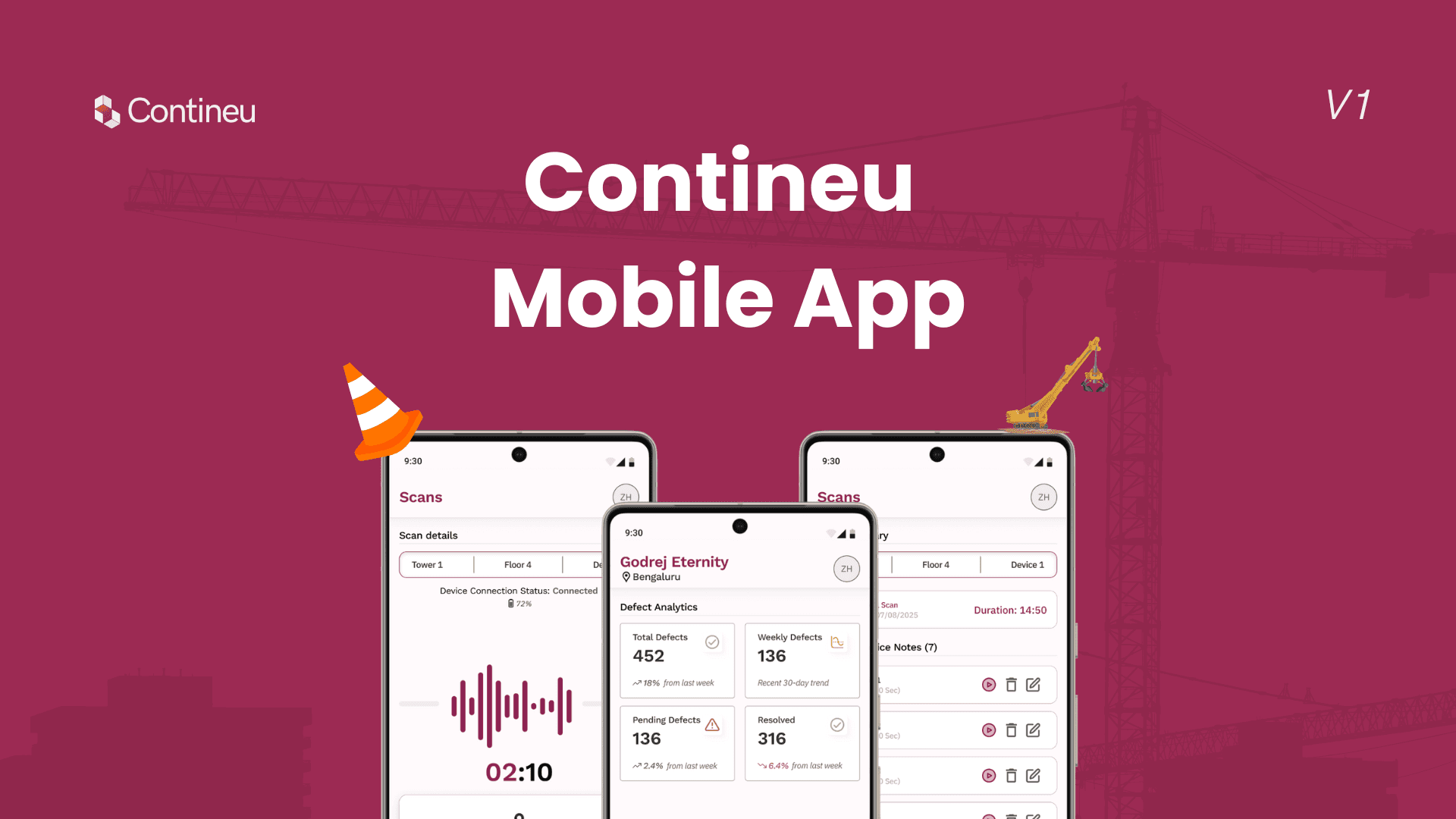
Contineu Mobile App for On-Site 360° Scanning
Contineu Mobile App for On-Site 360° Scanning
Context:
As Contineu.ai expanded its on-site construction workflows, the lack of a dedicated mobile experience became a bottleneck. Site engineers and workers relied on 360° cameras to scan construction sites, but the process was rigid and limited. Once recording started, workers had no control over pausing, restarting, or adding context during the scan.
This mobile app was designed to give on-site users more control, context, and autonomy while capturing site data, improving communication between ground-level teams and upper management.
Duration:
3 weeks, from ideation to design handoff.
Team:
CEO, CTO, Tech Lead, Frontend Engineer, Me (Product Designer Intern).
Role:
UX/UI Design, Mobile UX, Interaction Design, Workflow Design, Usability Testing.
Contineu Mobile App for On-Site 360° Scanning
Context:
As Contineu.ai expanded its on-site construction workflows, the lack of a dedicated mobile experience became a bottleneck. Site engineers and workers relied on 360° cameras to scan construction sites, but the process was rigid and limited. Once recording started, workers had no control over pausing, restarting, or adding context during the scan.
This mobile app was designed to give on-site users more control, context, and autonomy while capturing site data, improving communication between ground-level teams and upper management.
Duration:
3 weeks, from ideation to design handoff.
Team:
CEO, CTO, Tech Lead, Frontend Engineer, Me (Product Designer Intern).
Role:
UX/UI Design, Mobile UX, Interaction Design, Workflow Design, Usability Testing.
The Problem:
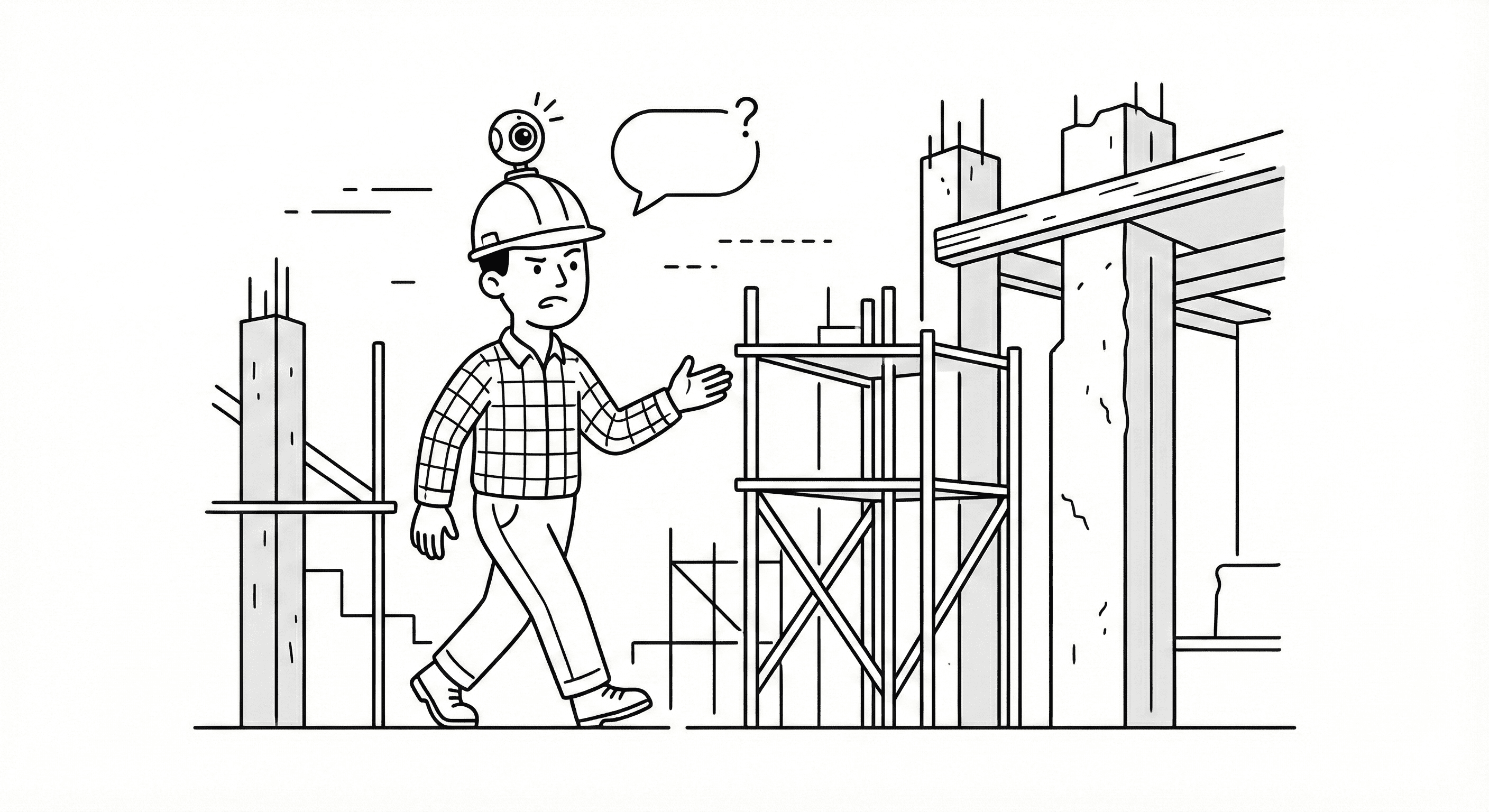
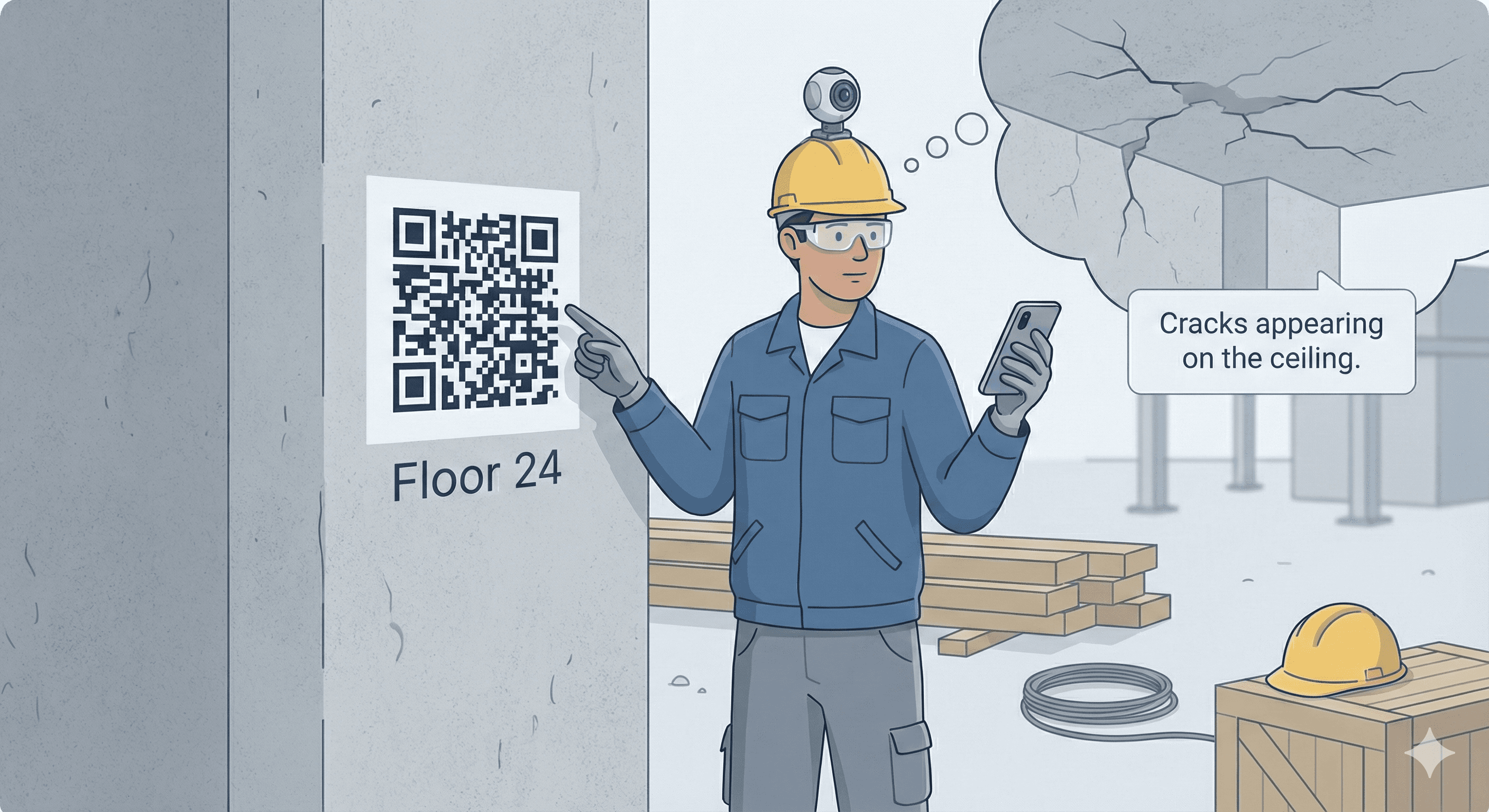
Construction site workers faced multiple limitations while capturing 360° site scans. They could not pause or restart recordings, nor could they add contextual comments during a scan. Any mistake required restarting the entire process, wasting time and effort on active sites.
Additionally, important on-site observations often failed to reach decision-makers because there was no direct way to annotate recordings. The existing workflow reduced the worker’s ability to contribute meaningful insights during scanning.
The Solution:
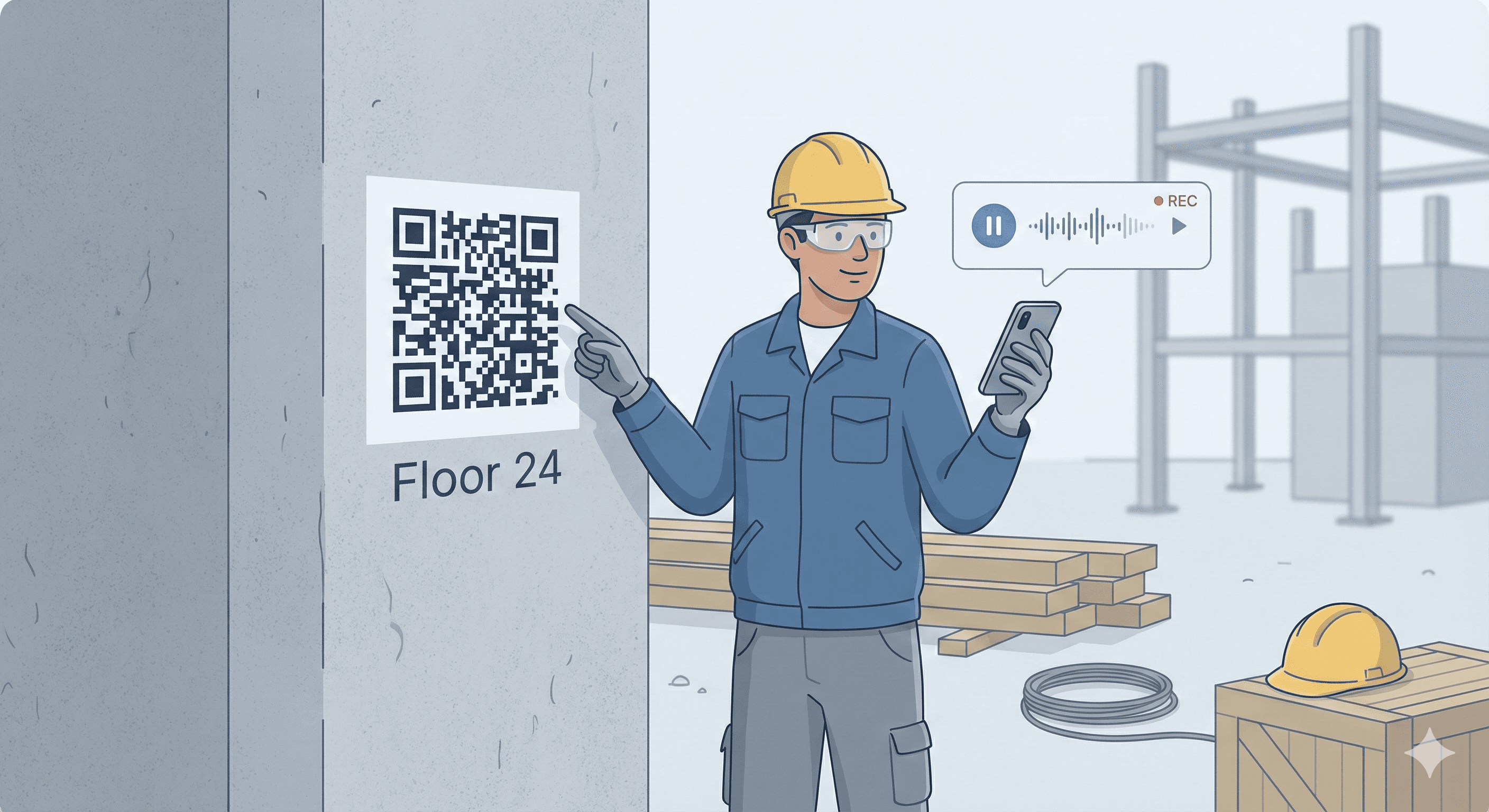
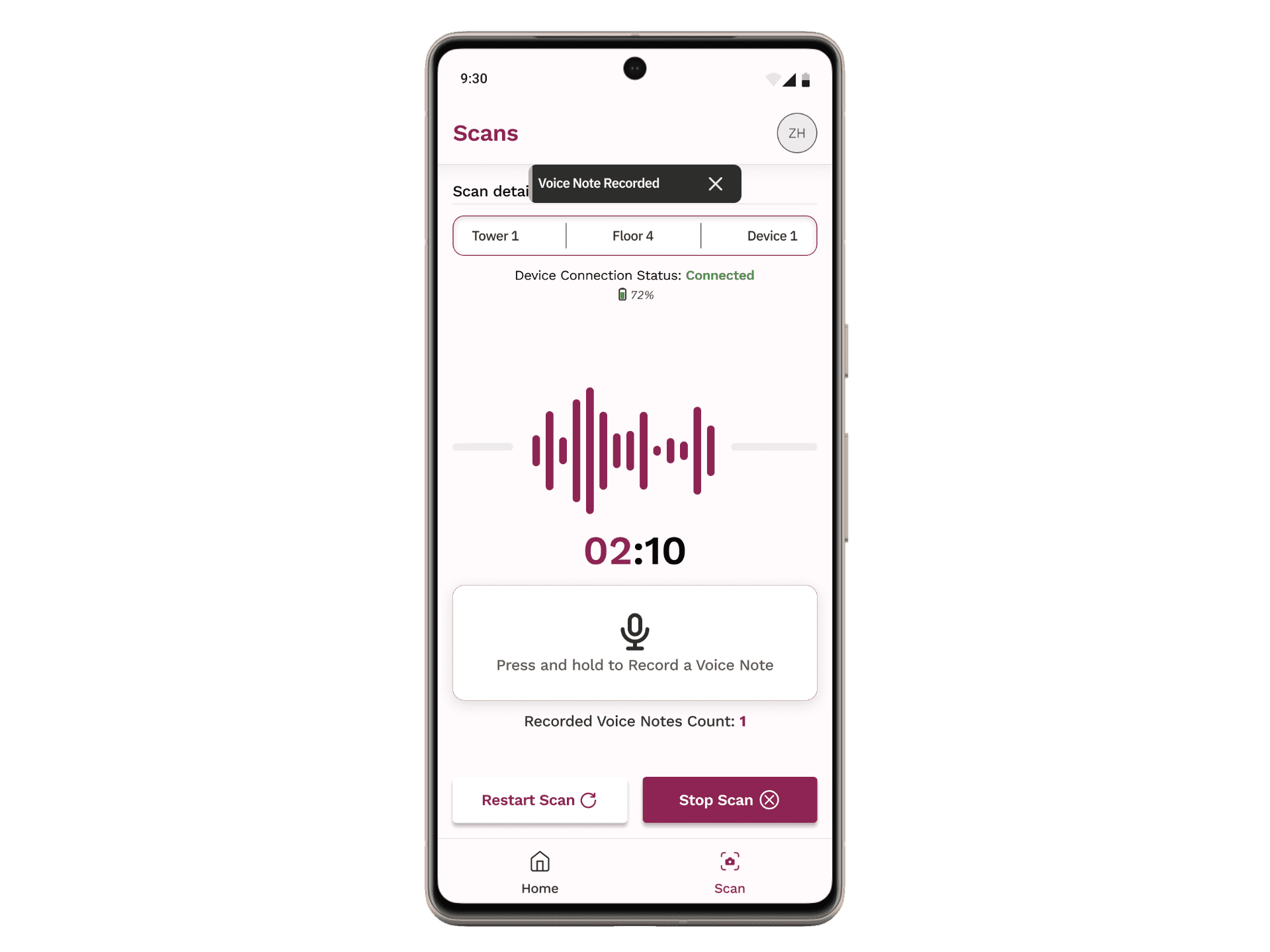
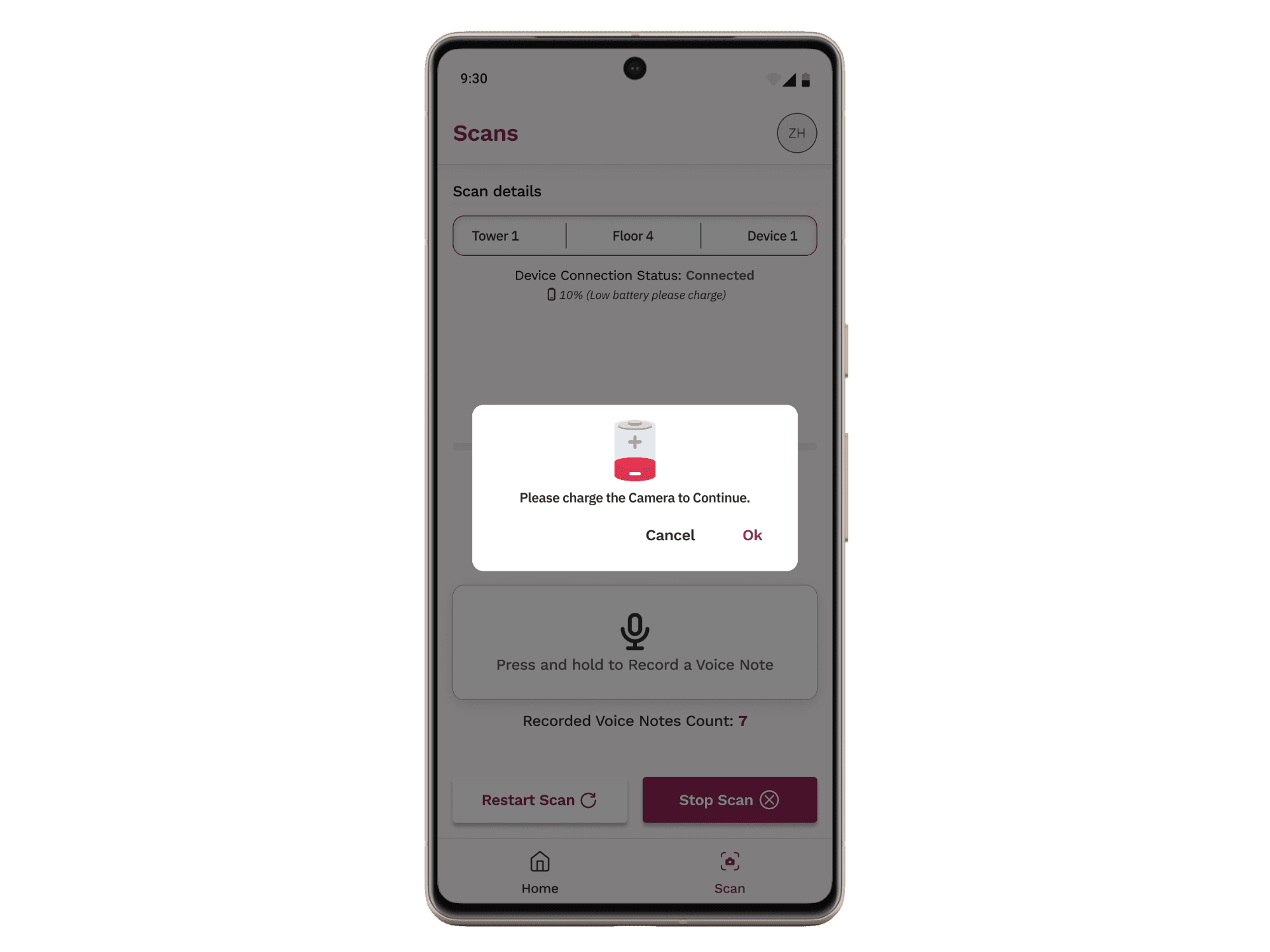
We designed a mobile app that allowed workers to control recordings in real time and attach voice notes directly to 360° scans. The app enabled users to pause, resume, and restart recordings, giving them flexibility to capture only what mattered.
Voice notes could be recorded during scanning and stored as metadata within the video. Once uploaded and processed, these notes appeared alongside detected defects, ensuring that ground-level context reached managers and reviewers without additional communication overhead.
Design Principles:
Designed for real-world conditions
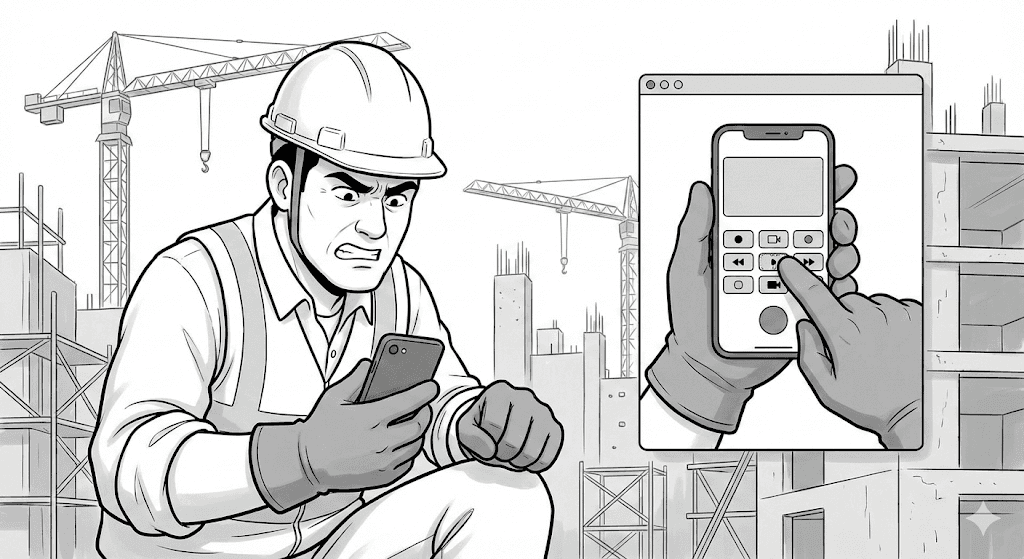
Buttons were intentionally larger to support use with safety gloves, based on on-site testing and observation.User control over automation
Workers could pause, restart, preview, rename, or delete scans and voice notes before upload, reducing frustration and errors.Context-first capture
Voice notes were treated as first-class inputs, not secondary annotations, ensuring worker insights were preserved.Low cognitive load
The flow was kept linear and predictable to support use in noisy, high-pressure environments.
The Flow:
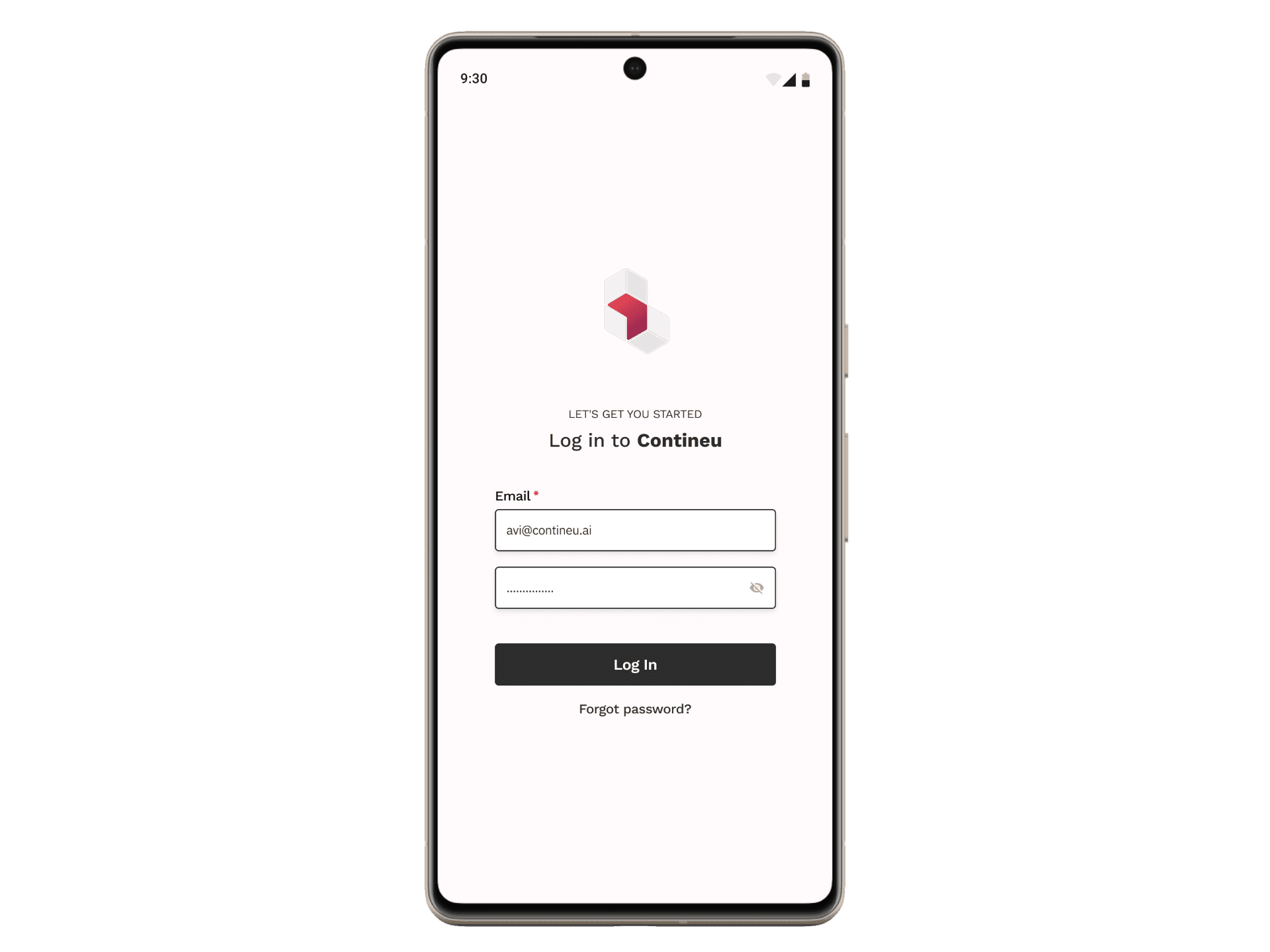
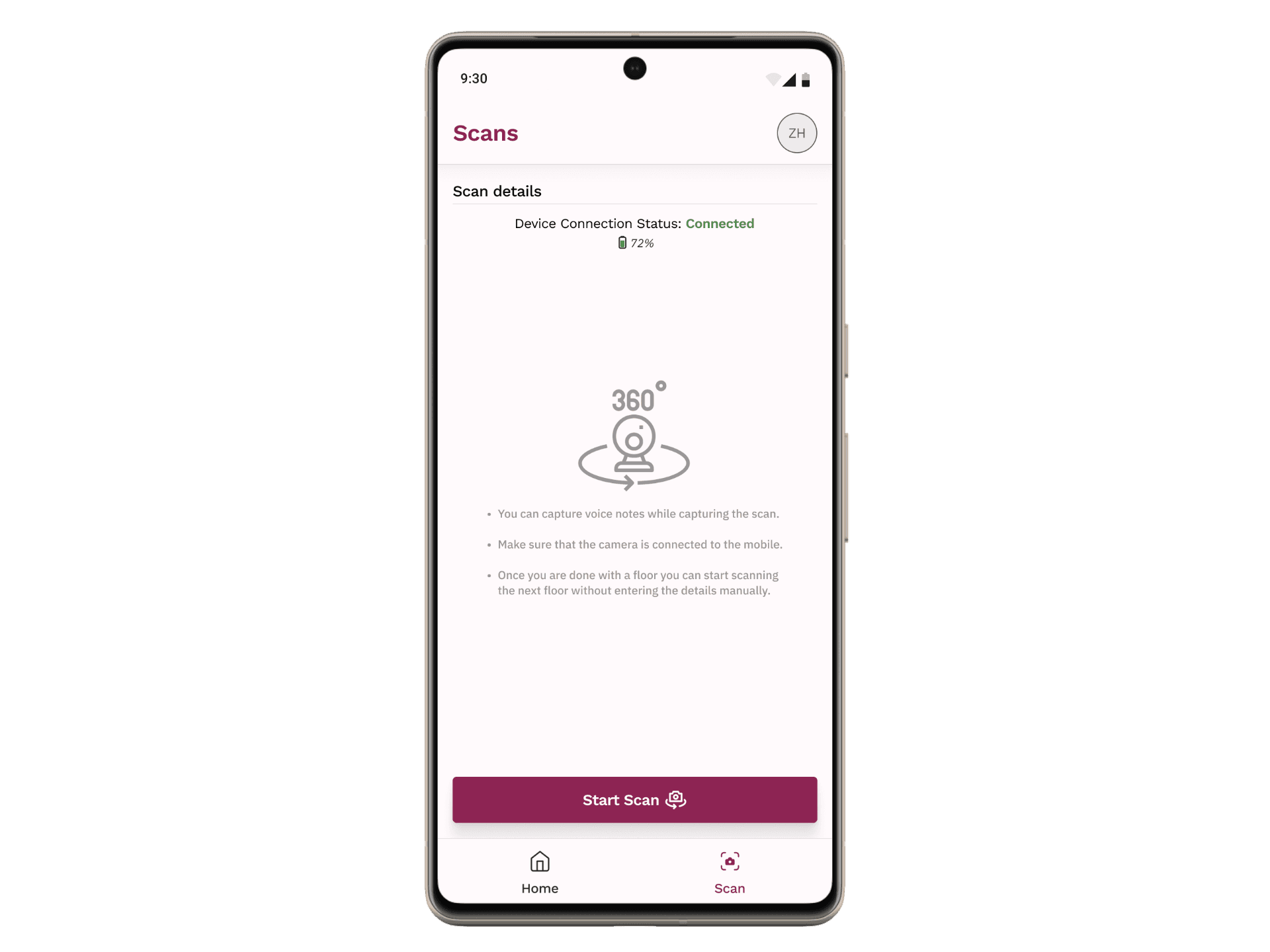
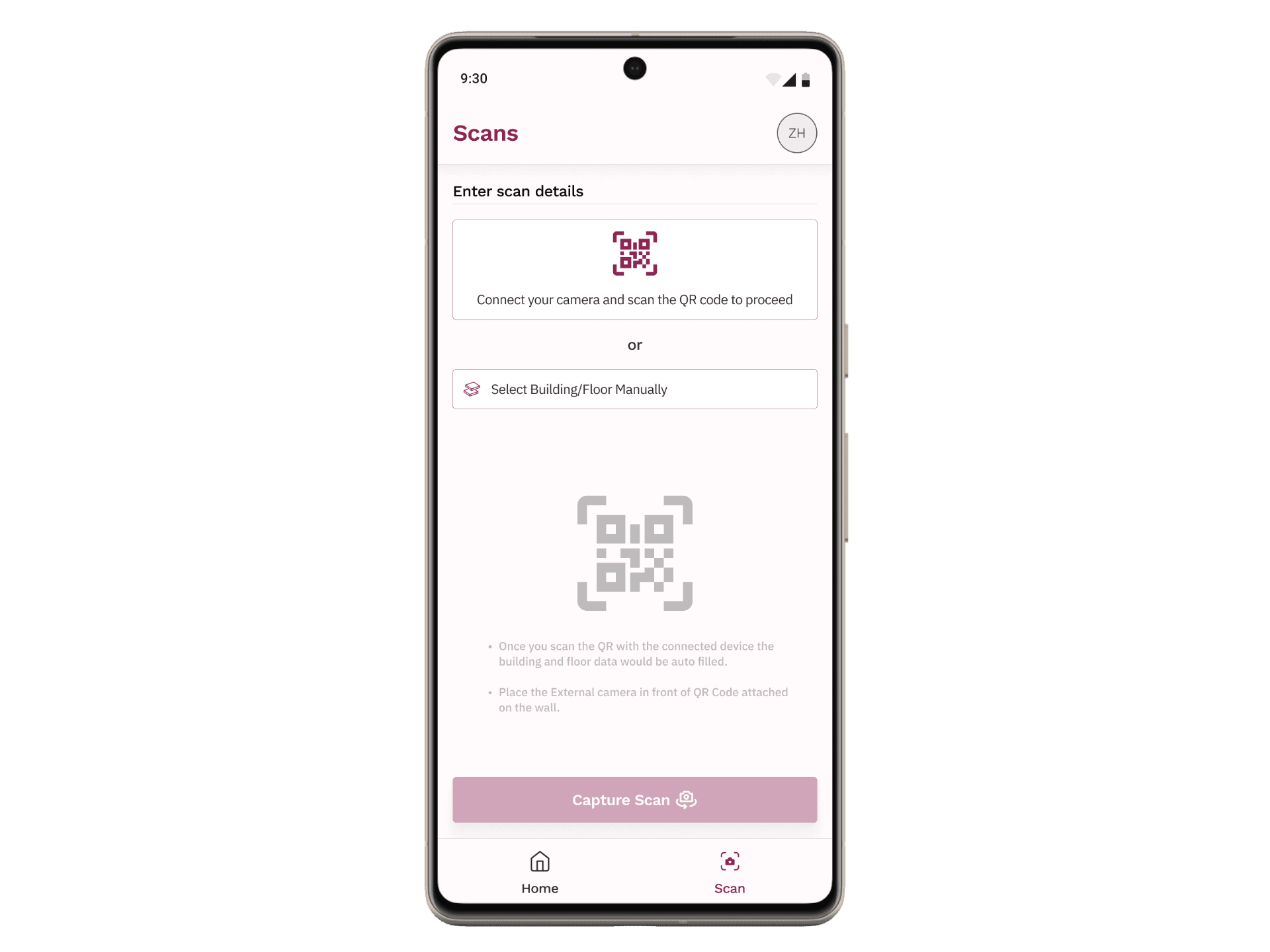
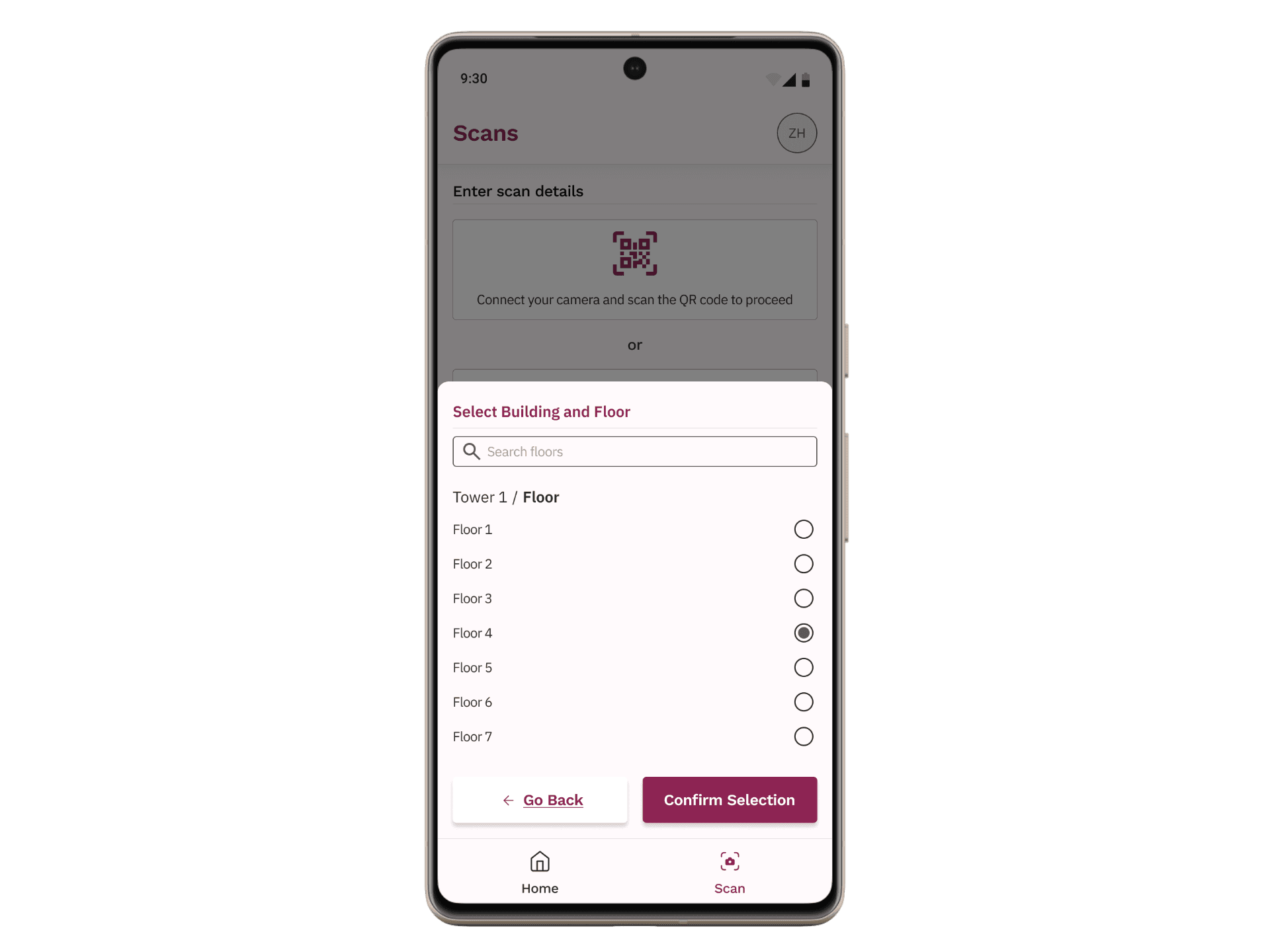
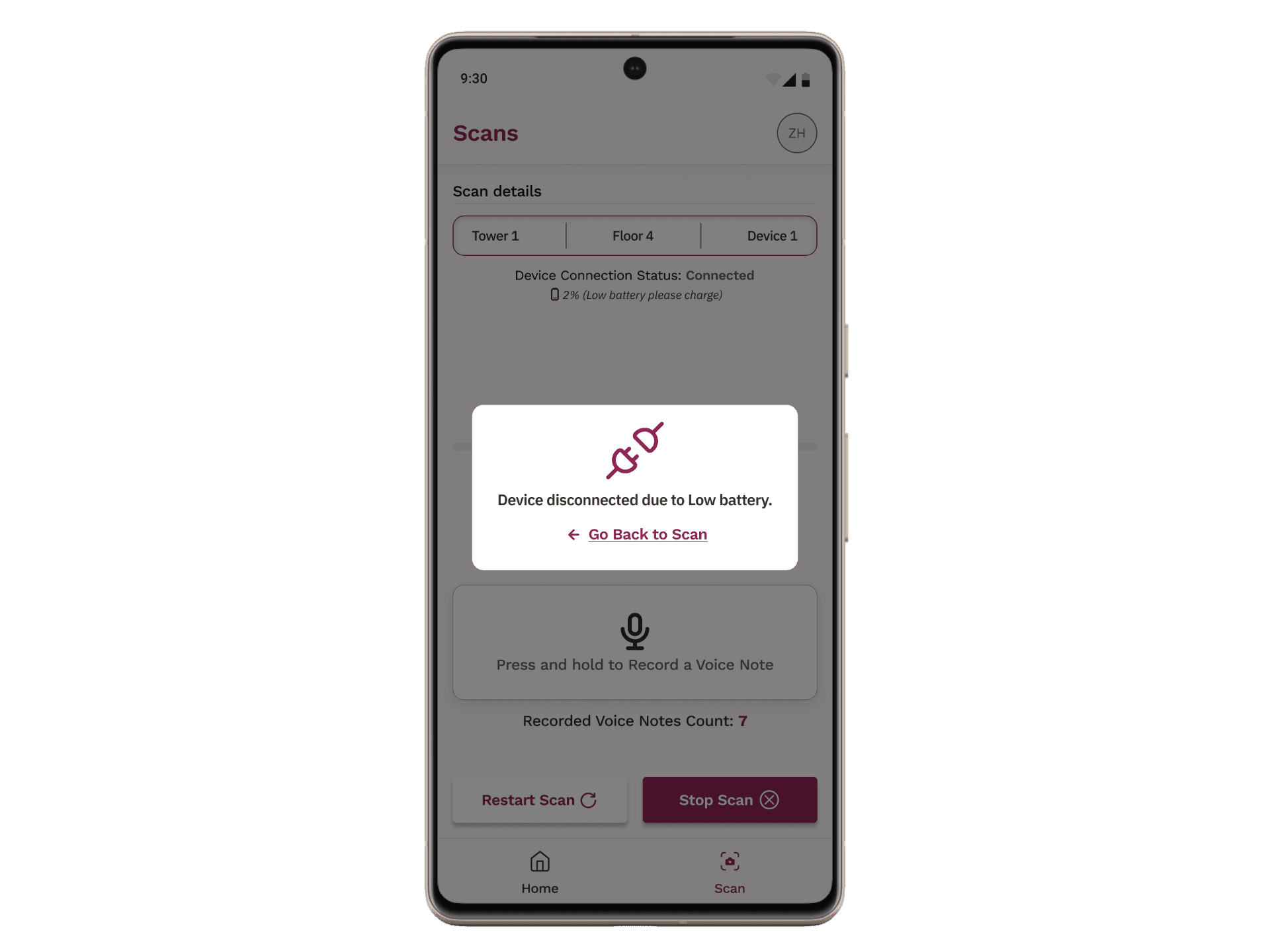
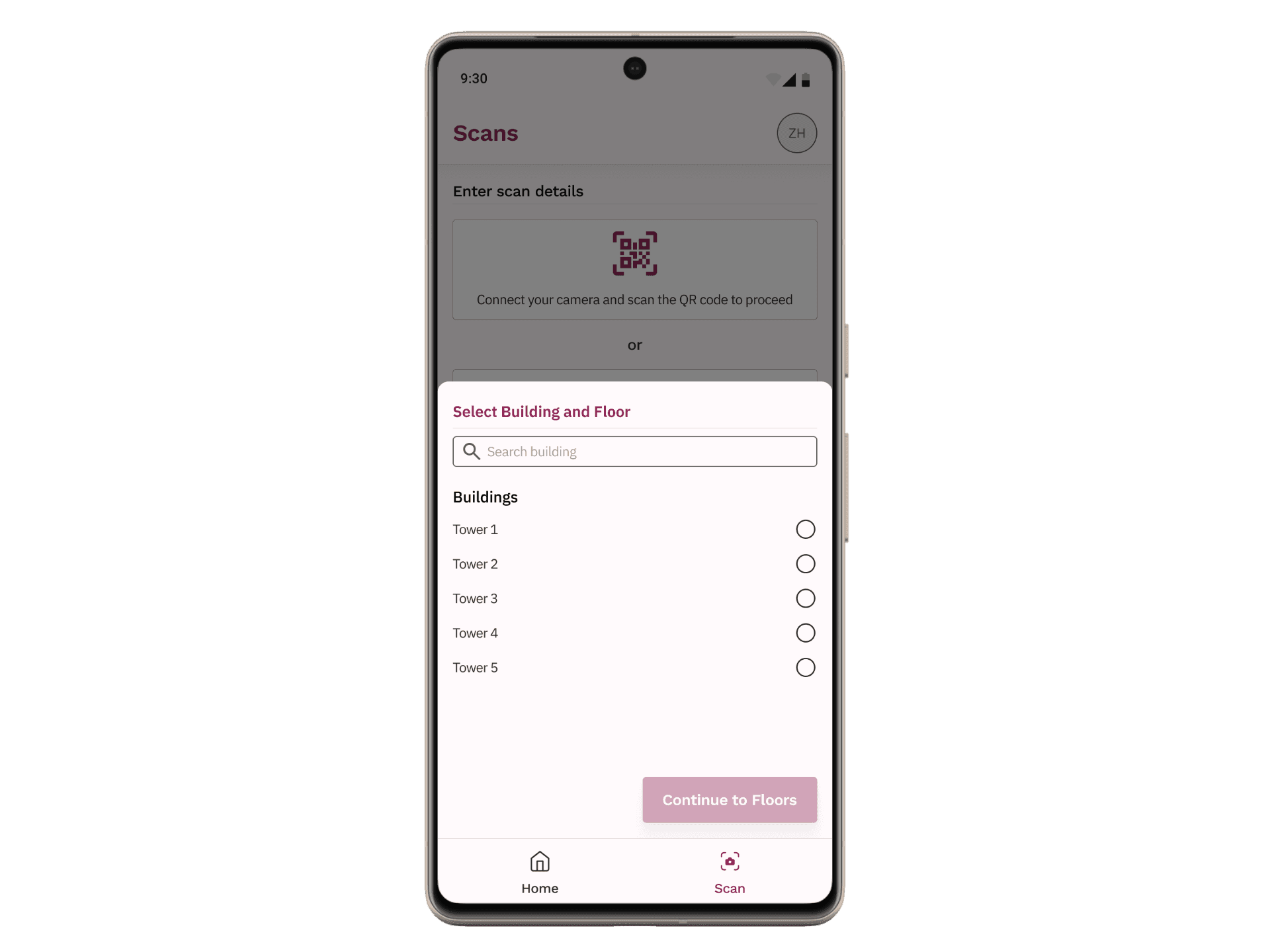
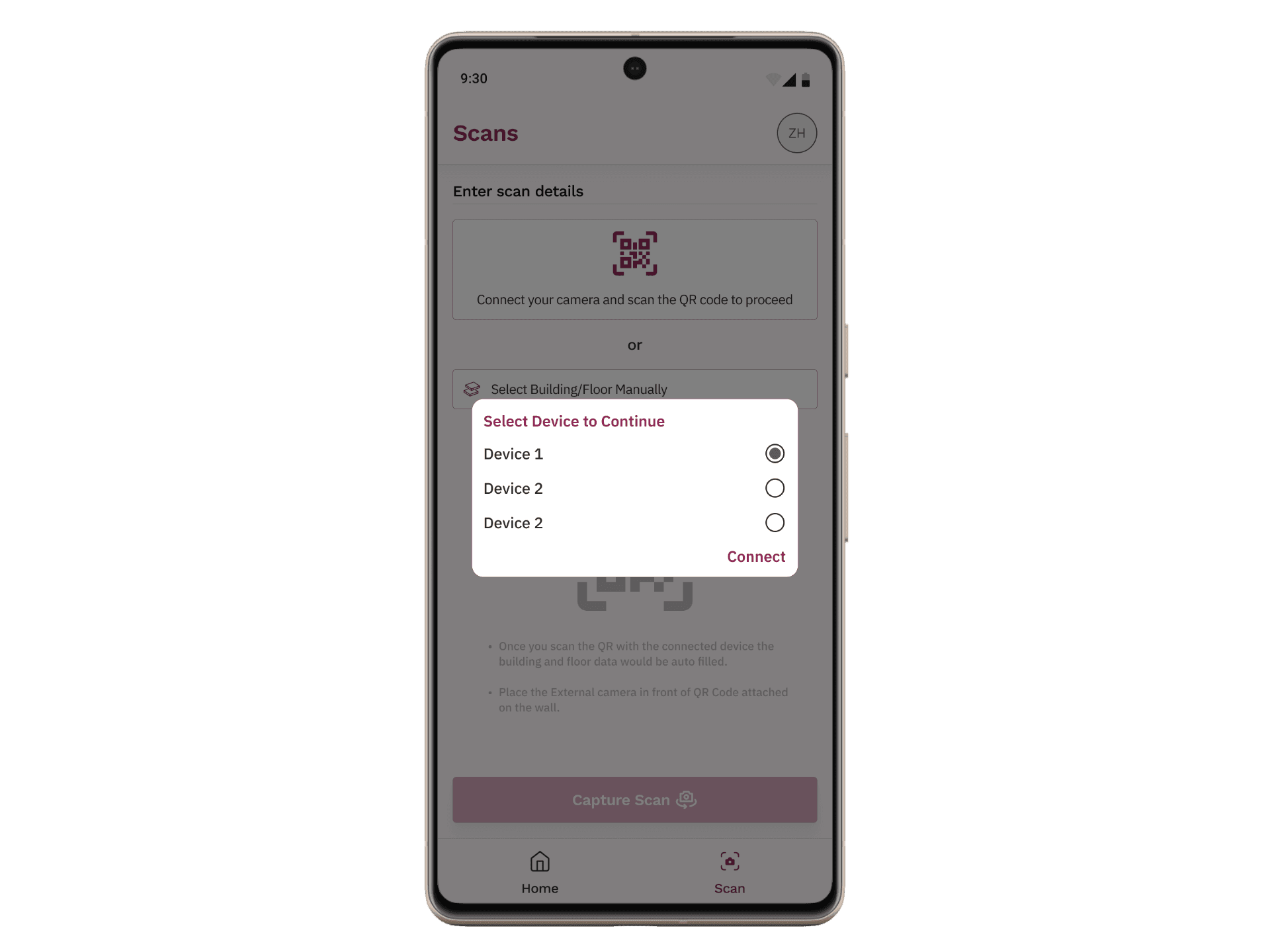
The app flow starts with authentication and guides users through scan setup, including selecting a site manually or via QR code. Once scanning begins, users can pause, resume, and attach voice notes at any moment.
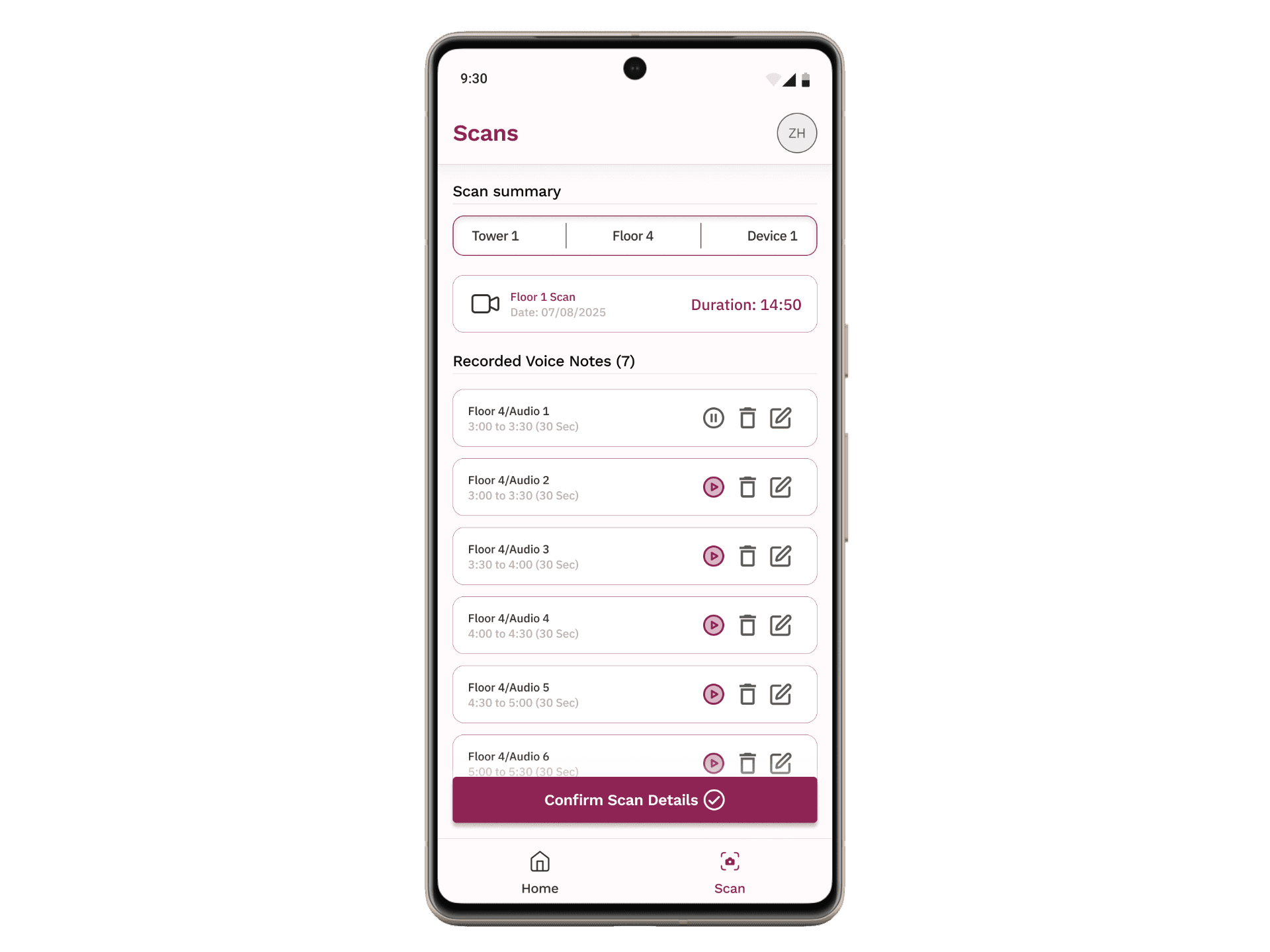
After recording, a preview screen allows users to review duration, replay voice notes, rename the scan, delete specific notes, or discard the scan entirely. Approved scans are queued for upload to the main platform, where both video data and voice notes are processed together.
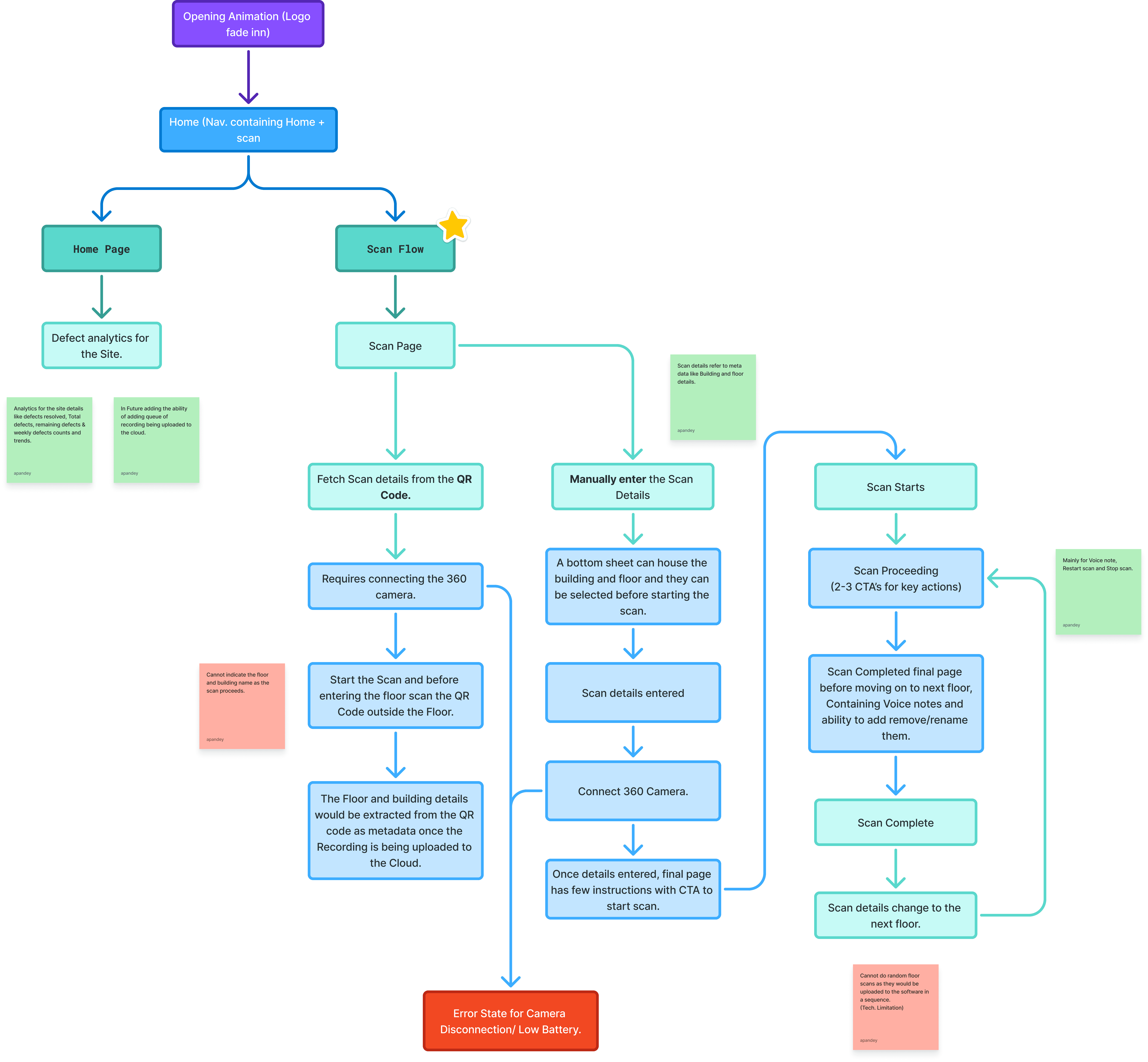
AppV1 Flow Chart
Early exploration:
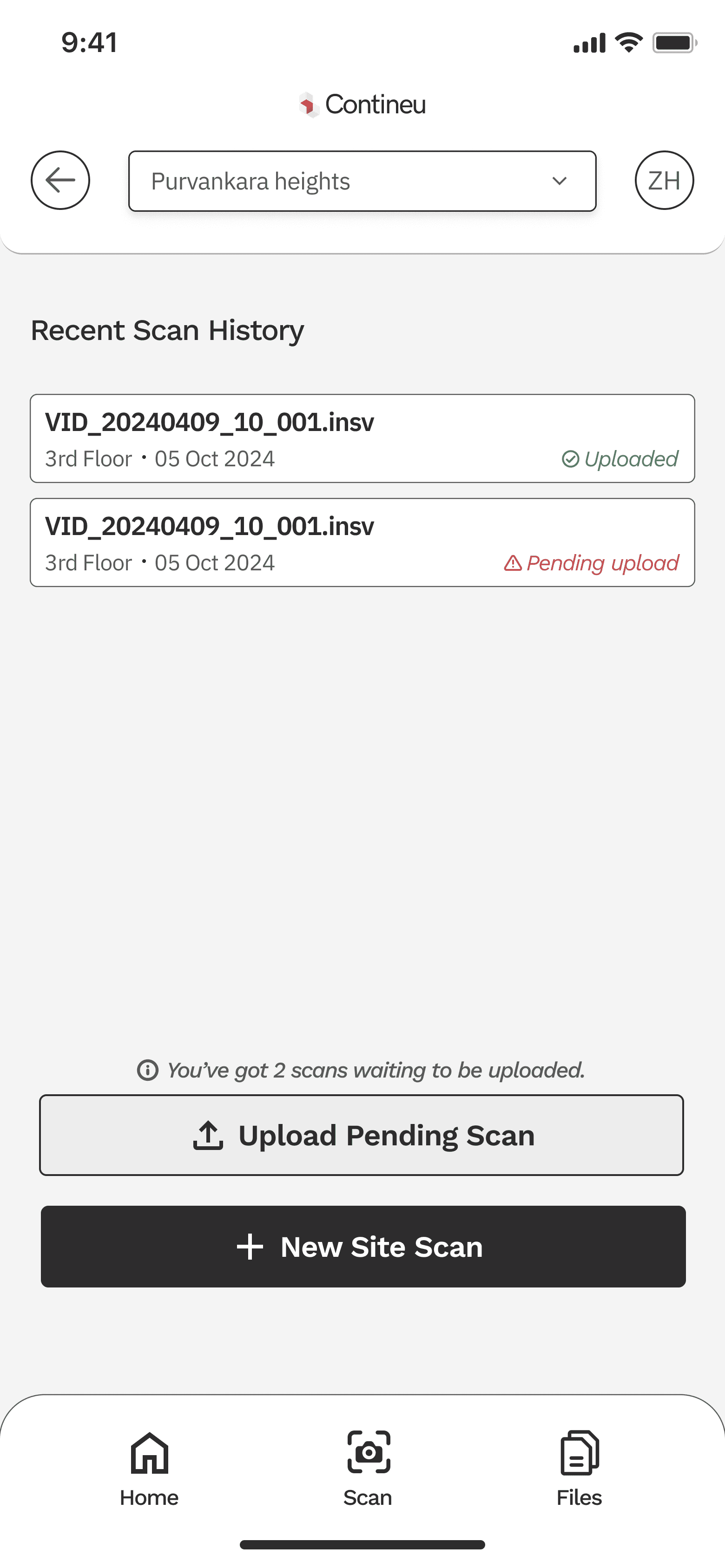
Multiple wireframe iterations were created to explore different recording, annotation, and preview flows. Not all ideas made it into the final design, but these explorations helped validate assumptions around control placement, button sizing, and scan review behavior before moving into high-fidelity designs.
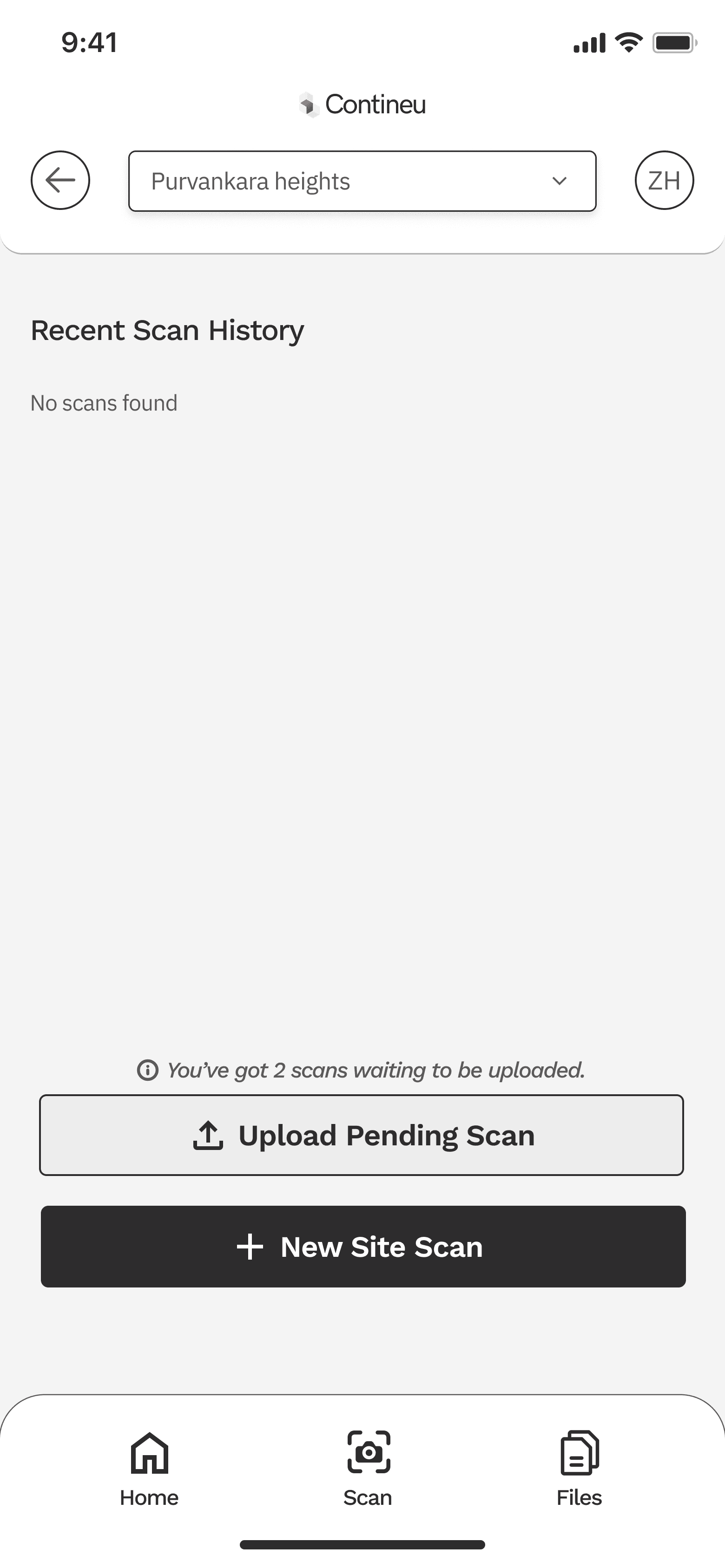
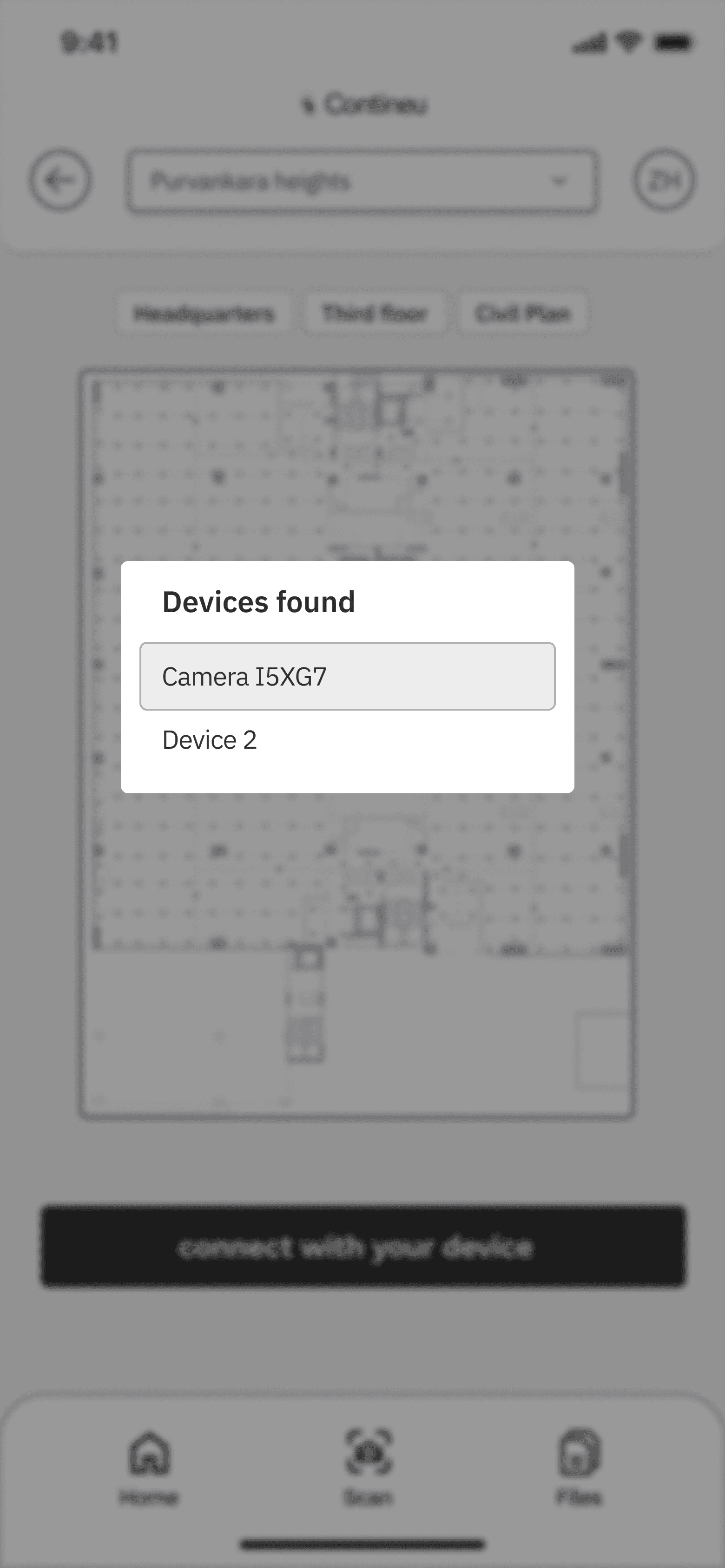
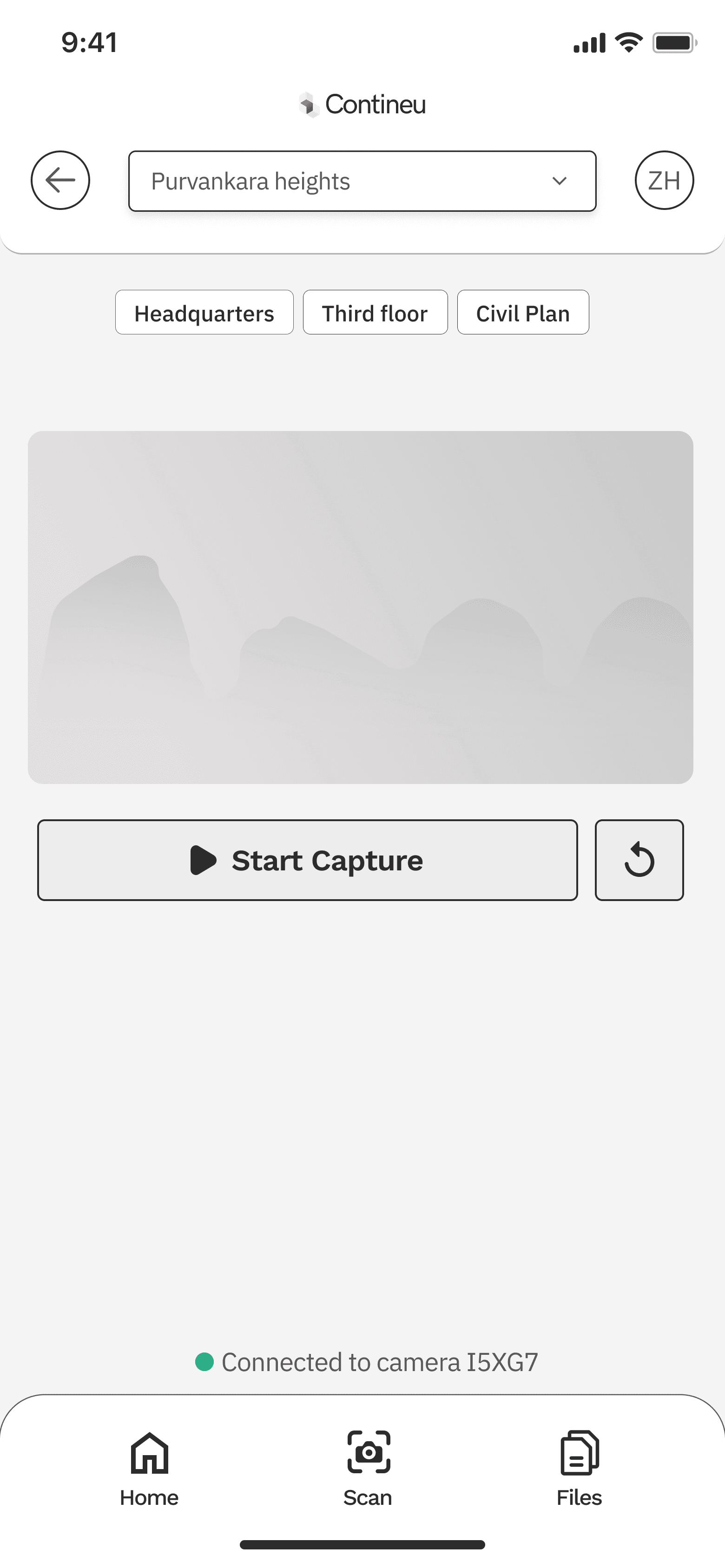
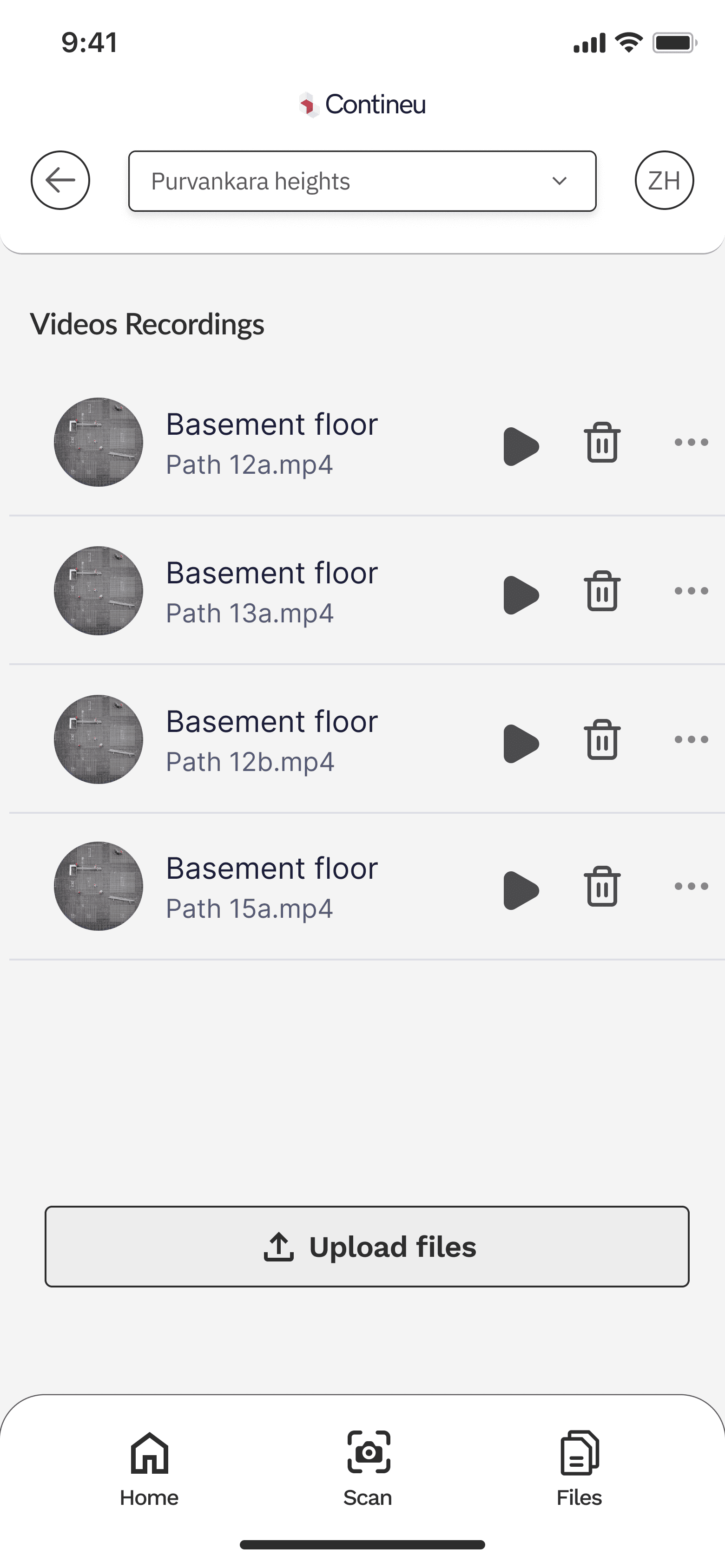
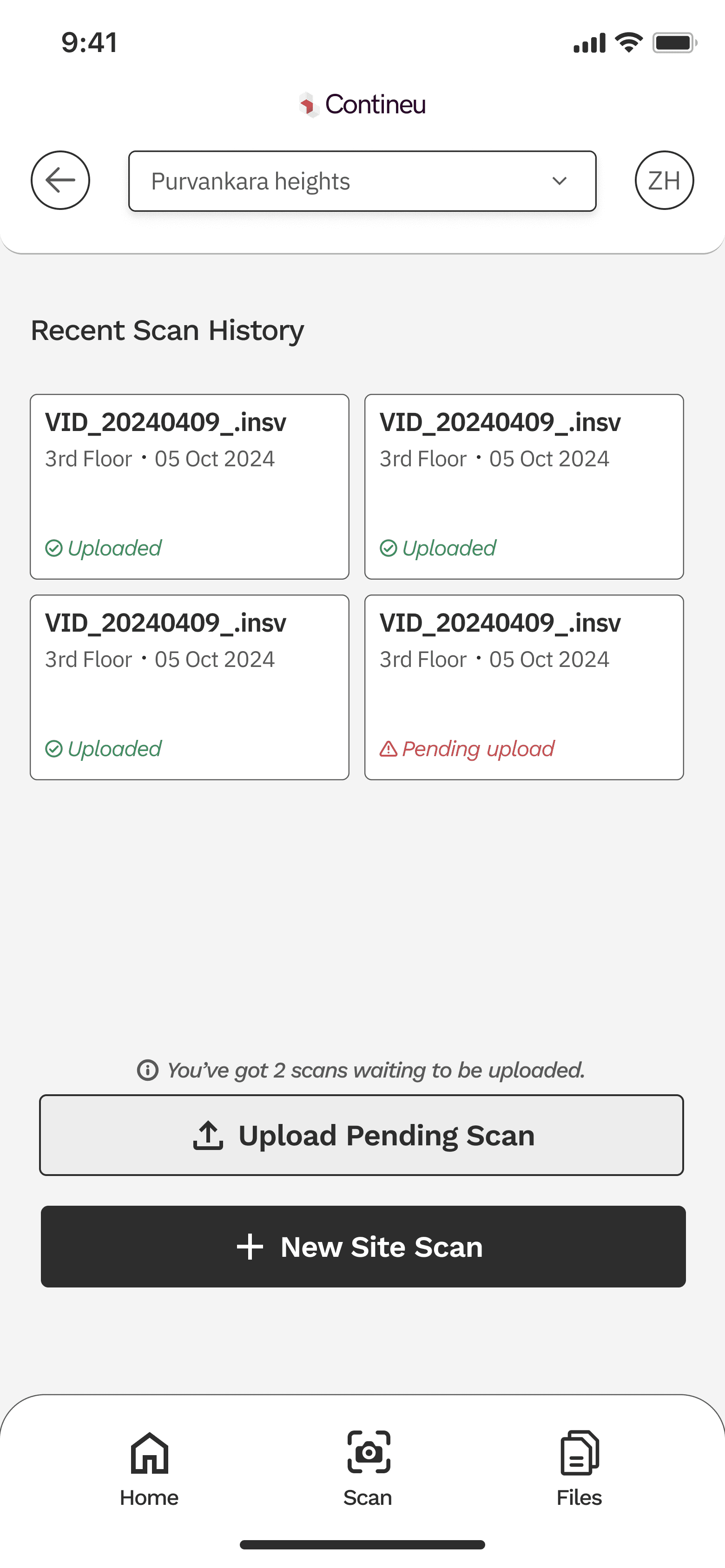

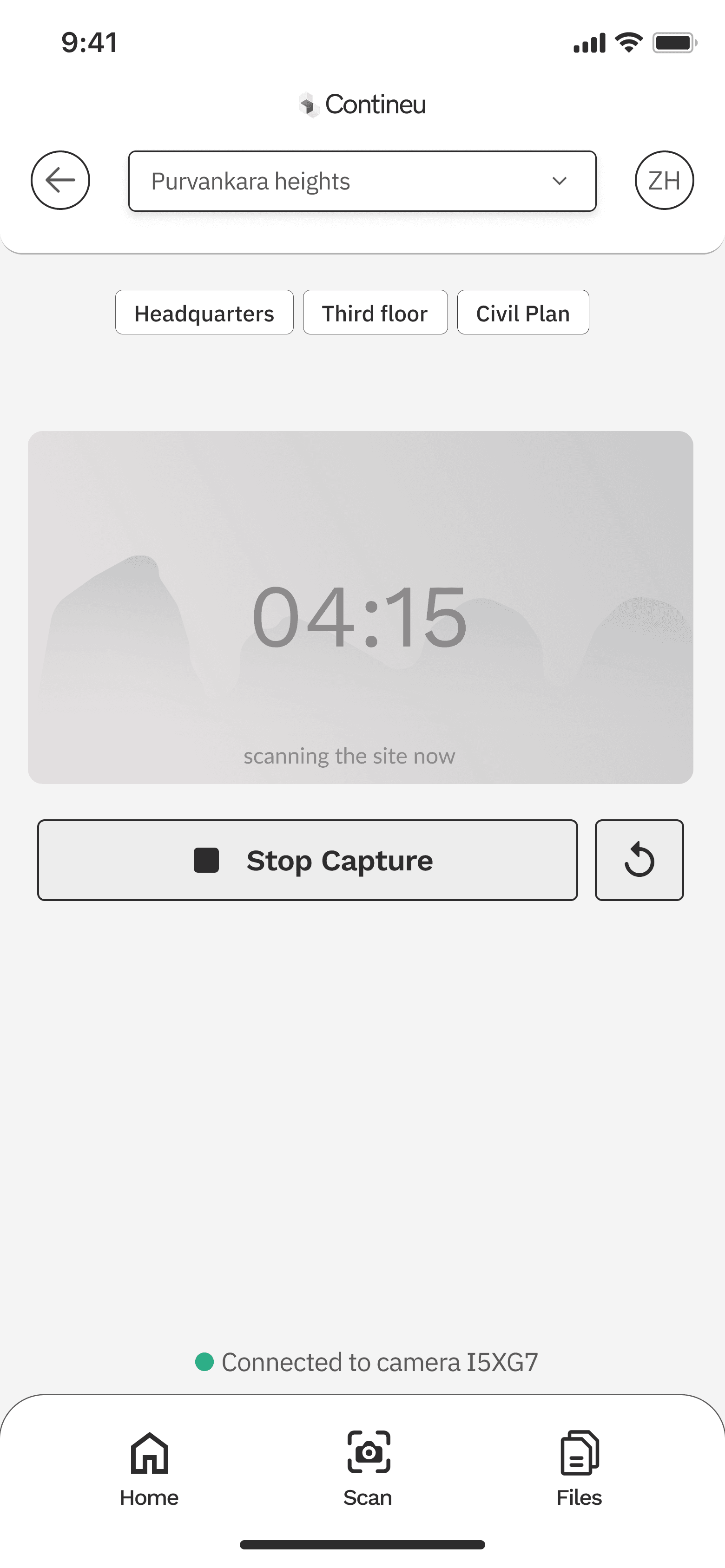
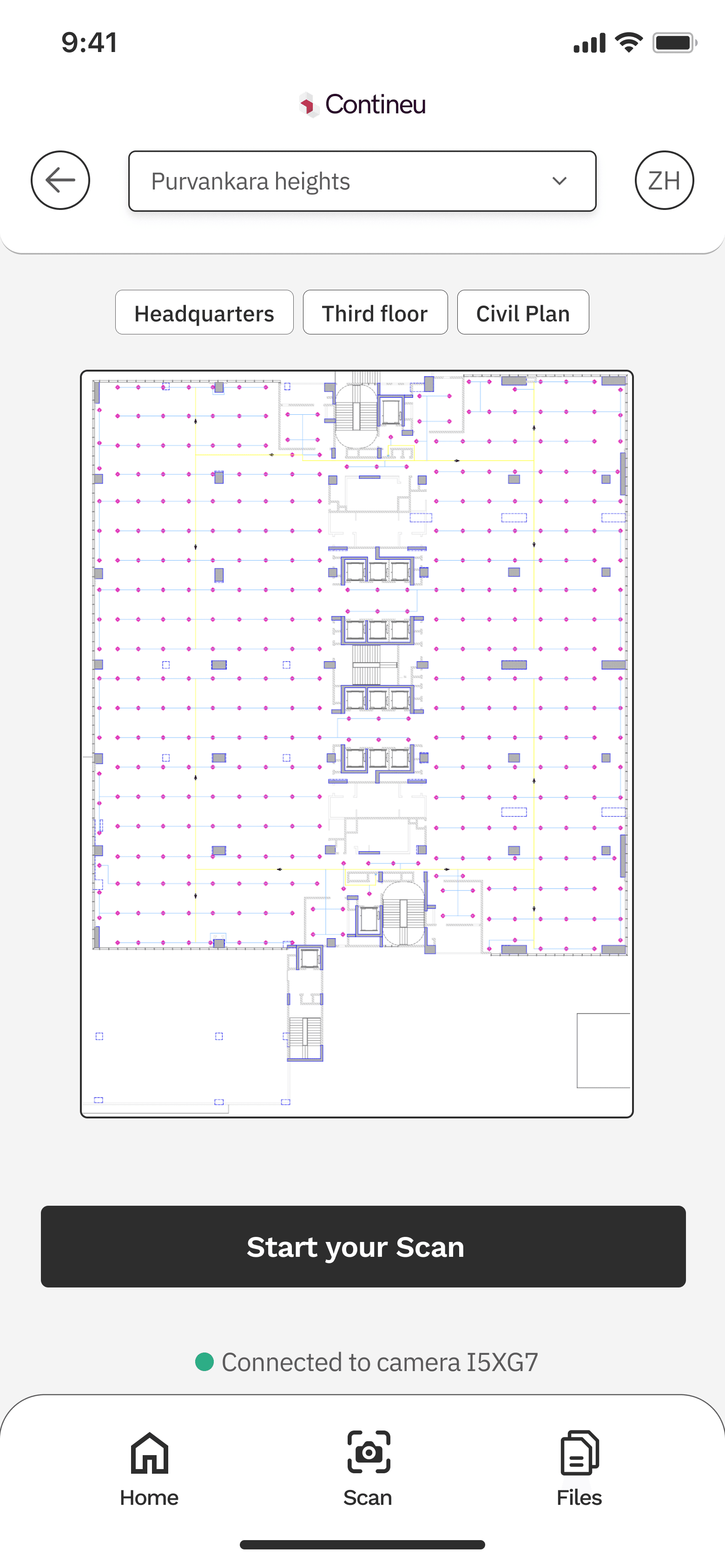
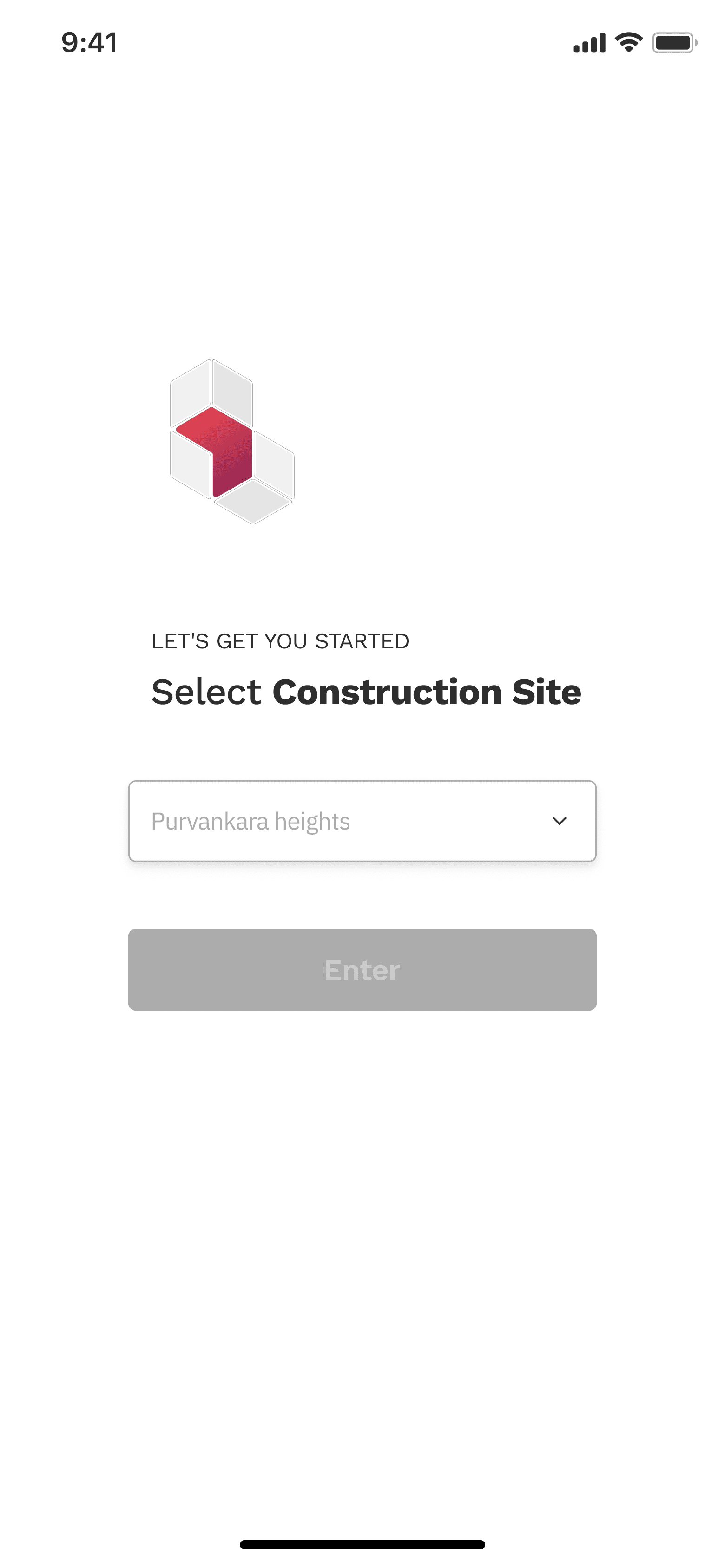
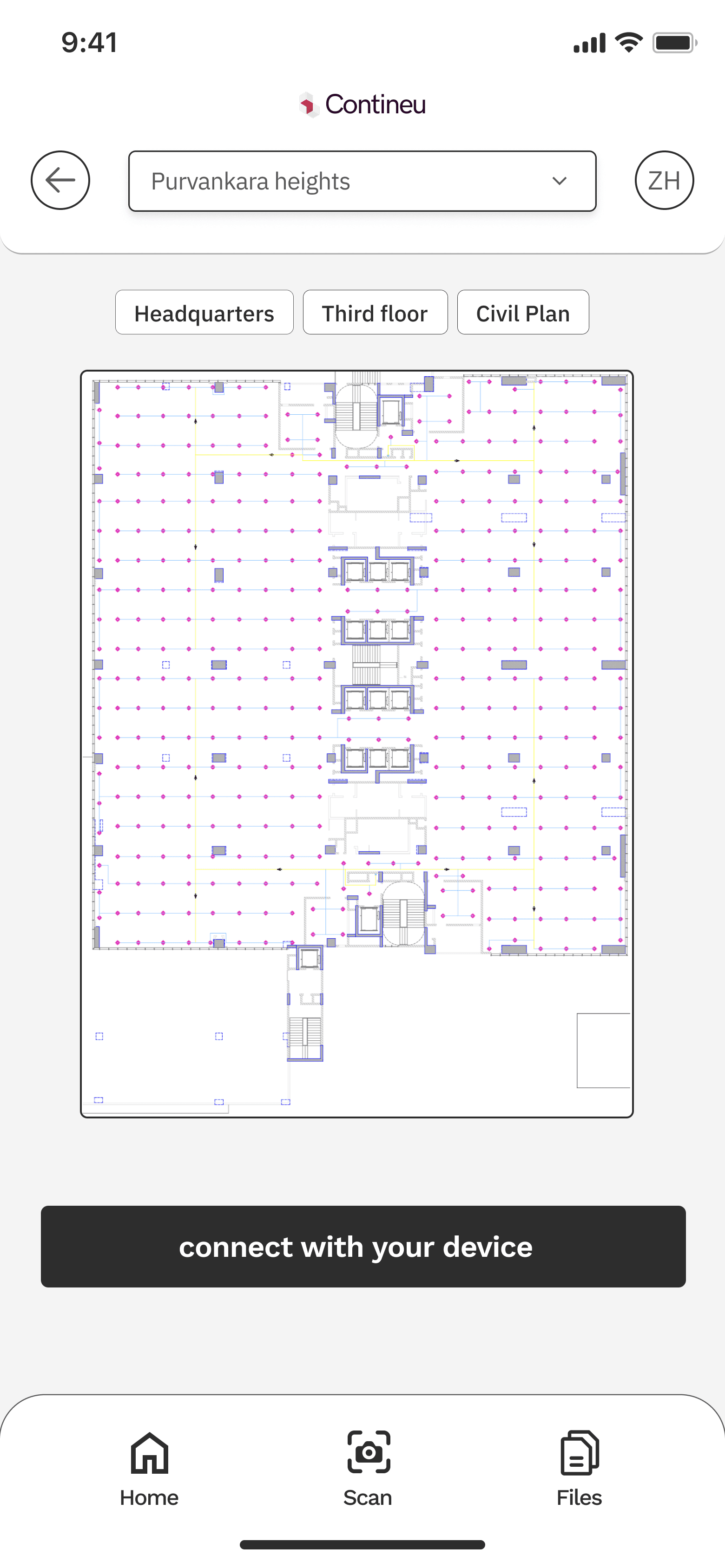
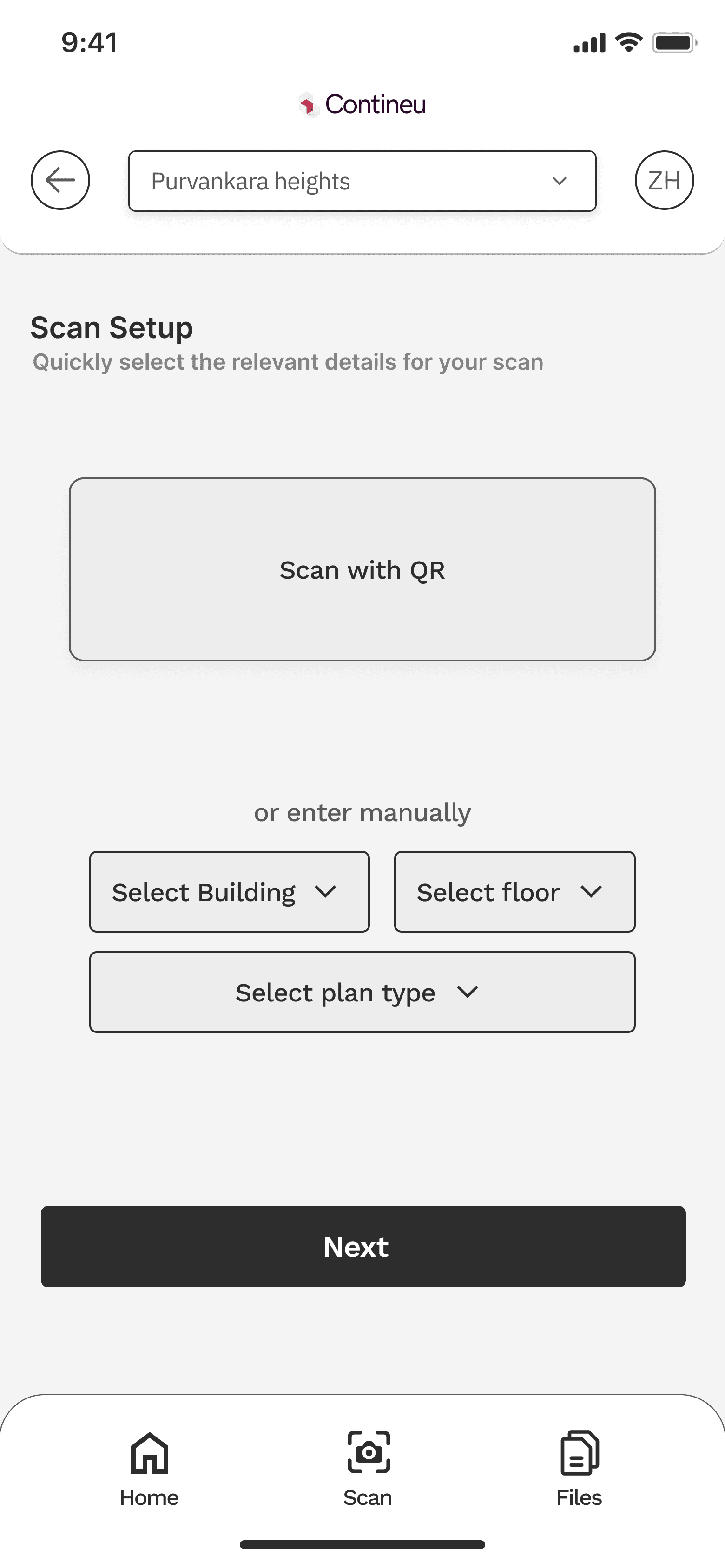

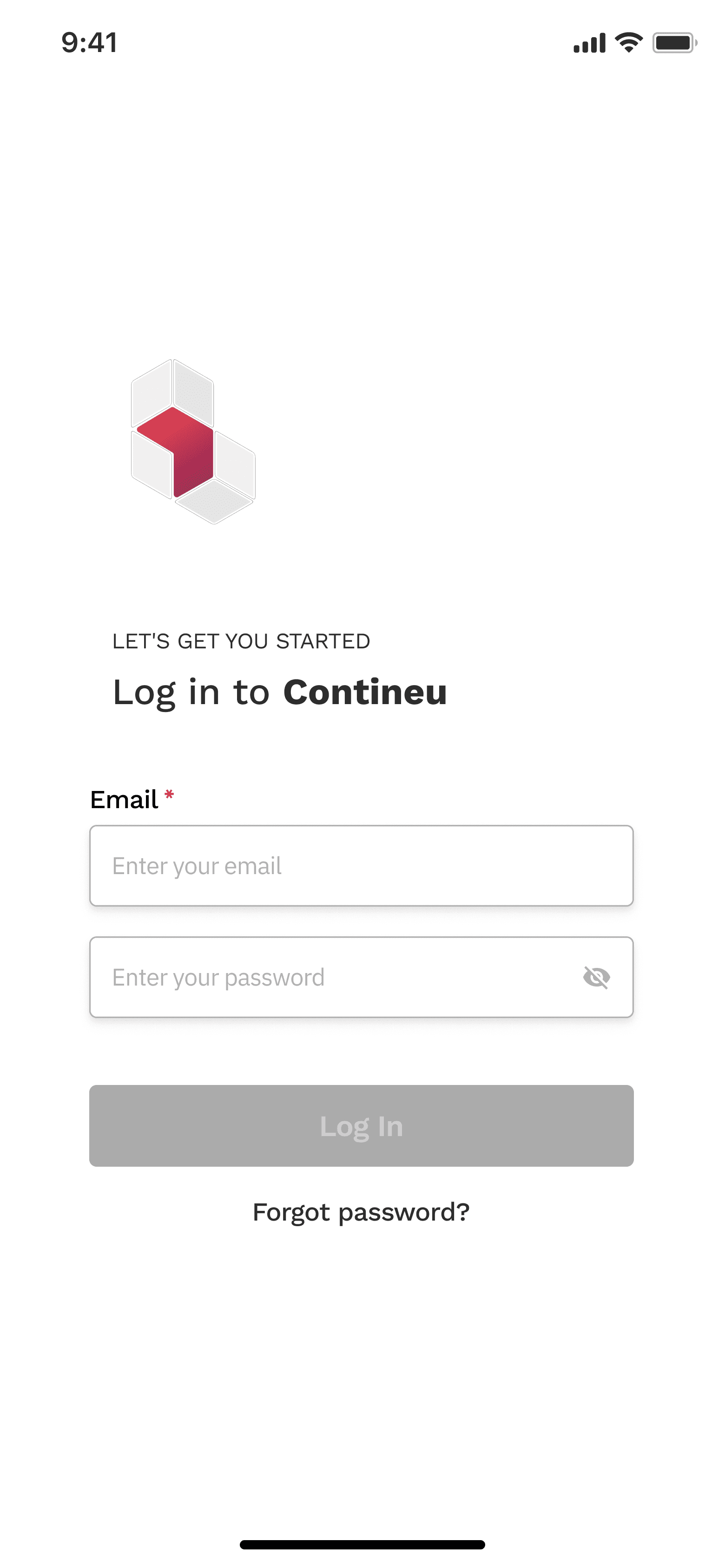
Initial wireframes
What Failed (and Why):
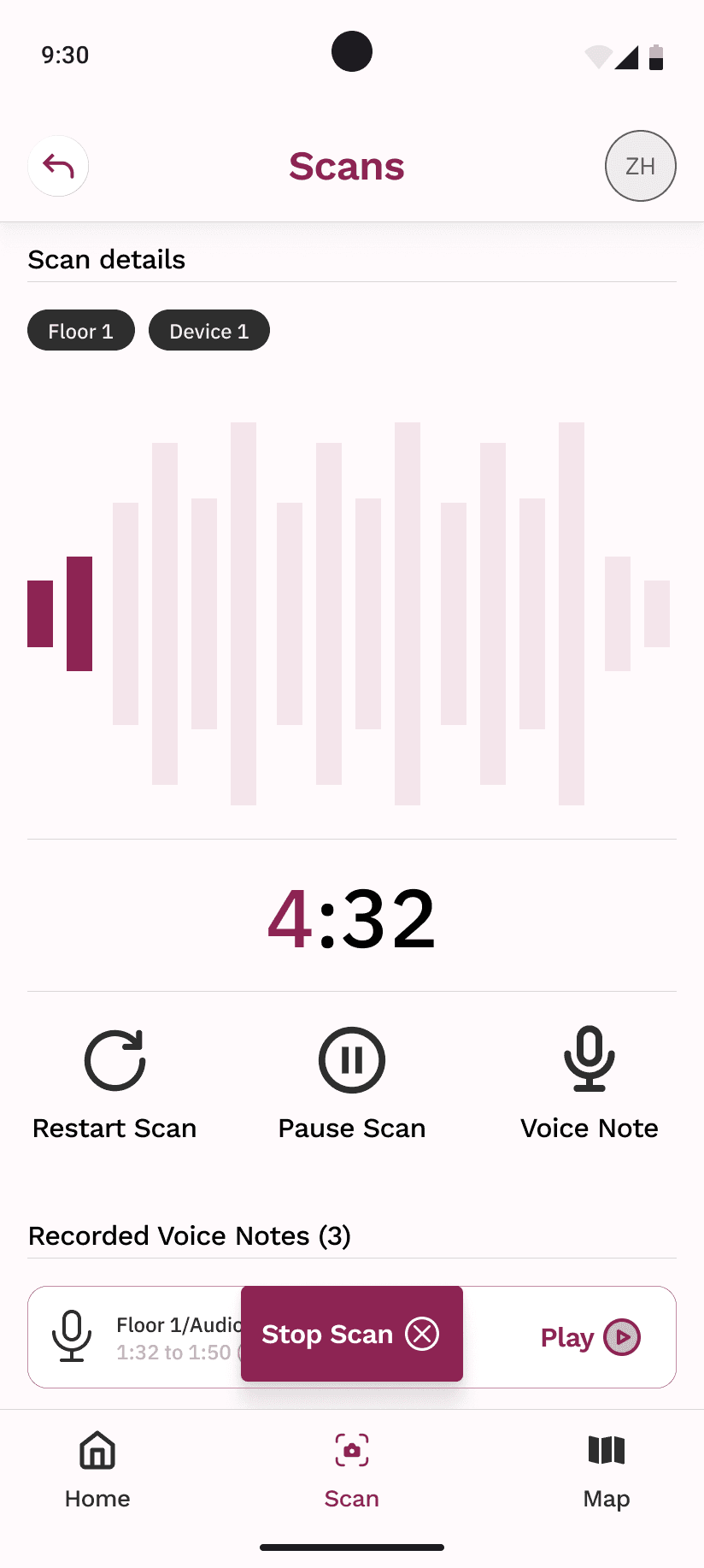
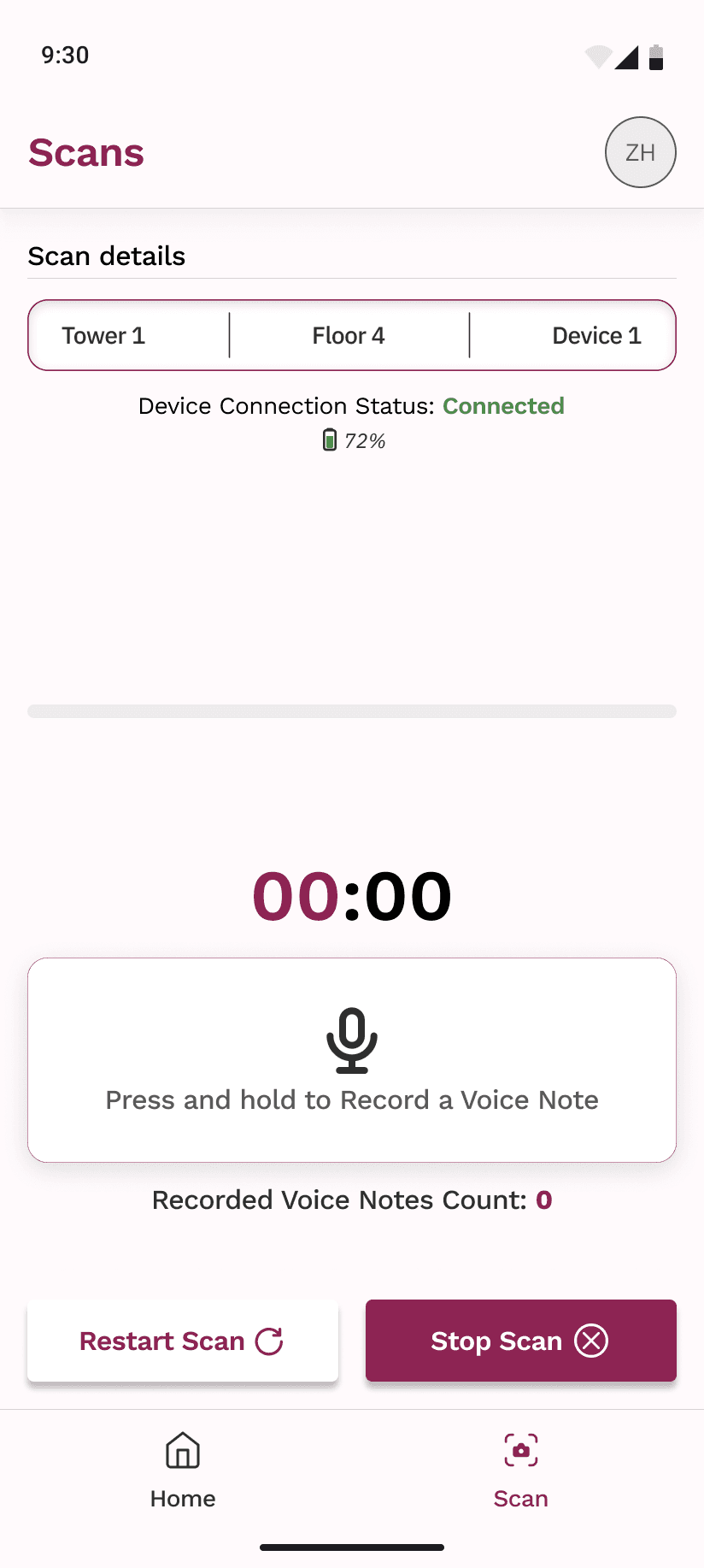
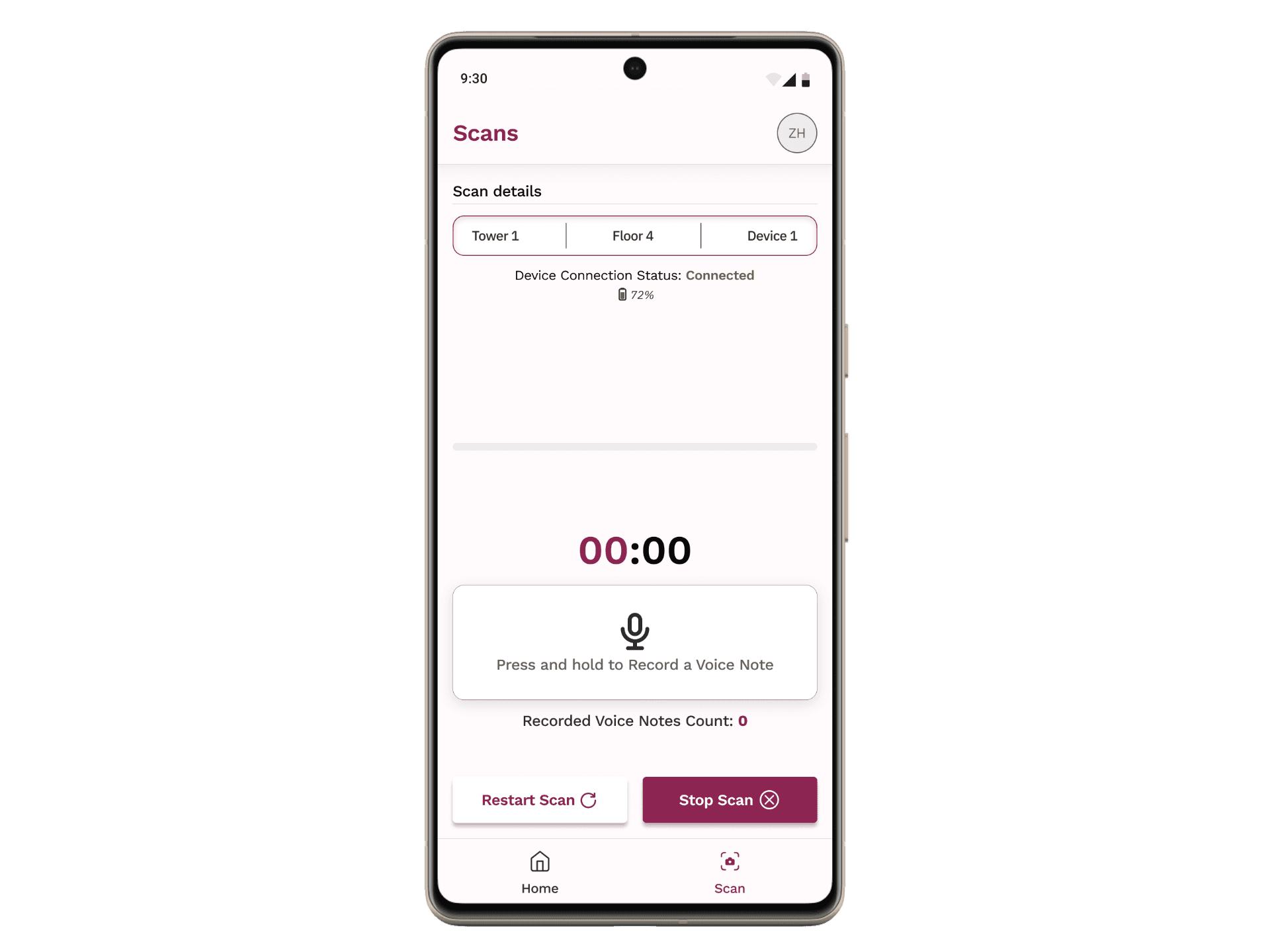
In the initial iteration, the scanning interface provided site engineers with three controls: restart scan, pause scan, and record voice note. I initially designed these functions with equal visual prominence, placing them side by side with uniform sizing.
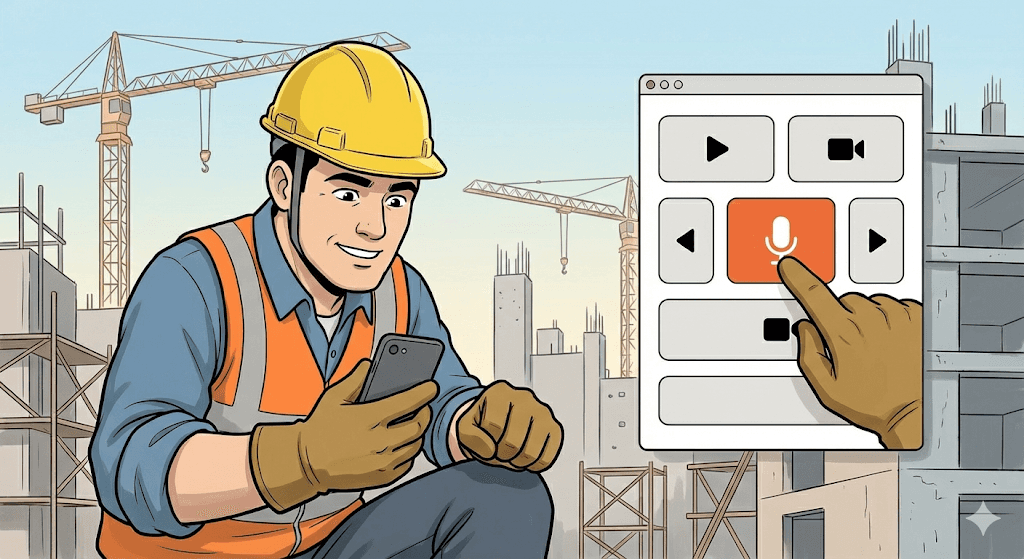
However, stakeholder feedback revealed that voice notes were used significantly more frequently than the other two controls during typical scanning workflows. This insight, combined with the practical consideration that site engineers wear safety gloves while working, led me to redesign the interface in later iterations. I increased the size and prominence of the voice note button, making it easier to target with gloved hands while reducing the likelihood of accidental inputs on the less-frequently used controls.
This revision improved both usability and task efficiency by aligning the interface hierarchy with actual usage patterns and real-world operating conditions.
What I Didn’t Do (and Why):
I didn’t automate voice note transcription during recording
Real-time transcription would have added complexity and reliability risks in noisy site environments
I didn’t minimize button sizes for visual elegance
Usability with gloves was prioritized over modern minimal UI patterns.
I didn’t merge scanning and review into a single step
Separating capture and review reduced accidental uploads and gave users confidence before submission
Outcome:
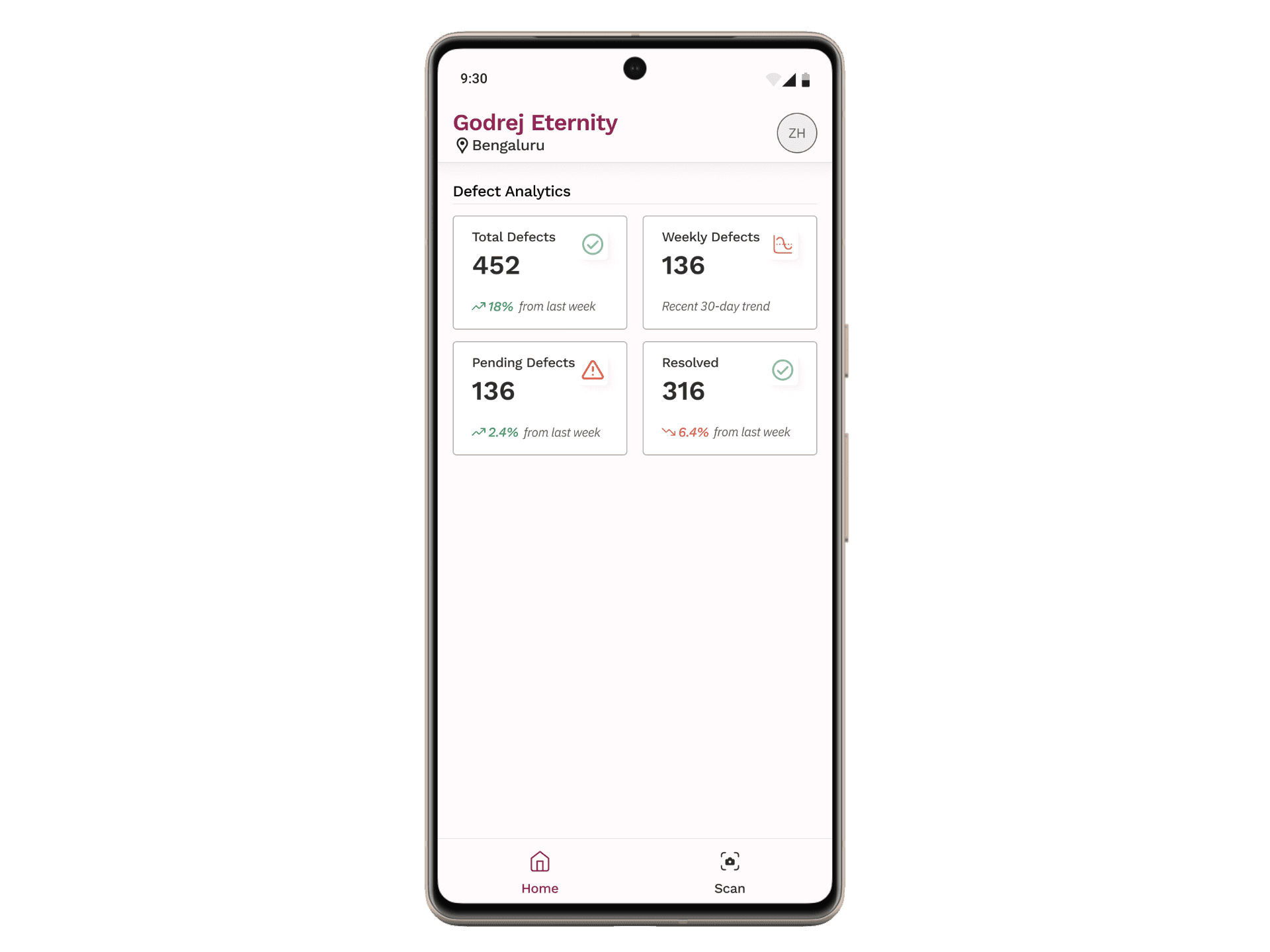
The mobile app significantly improved on-site workflows by giving workers more control and a stronger voice in the documentation process. Voice notes helped bridge the gap between field observations and backend analysis, improving clarity for managers reviewing site data.
The app reduced rework during scanning, improved data quality, and increased worker confidence while operating in real construction environments.
Learnings & Conclusion:
This case study reflects a design process grounded in real-world constraints and continuous iteration. While several wireframe and interaction explorations led to the final solution, the focus here is on the most impactful decisions.
The mobile experience complemented the existing platform by empowering on-site users without adding complexity. I’d love to discuss the design trade-offs, voice note interactions, and usability testing insights in more detail.
The Problem:
Construction site workers faced multiple limitations while capturing 360° site scans. They could not pause or restart recordings, nor could they add contextual comments during a scan. Any mistake required restarting the entire process, wasting time and effort on active sites.
Additionally, important on-site observations often failed to reach decision-makers because there was no direct way to annotate recordings. The existing workflow reduced the worker’s ability to contribute meaningful insights during scanning.
The Solution:
We designed a mobile app that allowed workers to control recordings in real time and attach voice notes directly to 360° scans. The app enabled users to pause, resume, and restart recordings, giving them flexibility to capture only what mattered.
Voice notes could be recorded during scanning and stored as metadata within the video. Once uploaded and processed, these notes appeared alongside detected defects, ensuring that ground-level context reached managers and reviewers without additional communication overhead.
Design Principles:
Designed for real-world conditions
Buttons were intentionally larger to support use with safety gloves, based on on-site testing and observation.User control over automation
Workers could pause, restart, preview, rename, or delete scans and voice notes before upload, reducing frustration and errors.Context-first capture
Voice notes were treated as first-class inputs, not secondary annotations, ensuring worker insights were preserved.Low cognitive load
The flow was kept linear and predictable to support use in noisy, high-pressure environments.
The Flow:
The app flow starts with authentication and guides users through scan setup, including selecting a site manually or via QR code. Once scanning begins, users can pause, resume, and attach voice notes at any moment.
After recording, a preview screen allows users to review duration, replay voice notes, rename the scan, delete specific notes, or discard the scan entirely. Approved scans are queued for upload to the main platform, where both video data and voice notes are processed together.
AppV1 Flow Chart
Early exploration:
Multiple wireframe iterations were created to explore different recording, annotation, and preview flows. Not all ideas made it into the final design, but these explorations helped validate assumptions around control placement, button sizing, and scan review behavior before moving into high-fidelity designs.
Initial wireframes
What Failed (and Why):
In the initial iteration, the scanning interface provided site engineers with three controls: restart scan, pause scan, and record voice note. I initially designed these functions with equal visual prominence, placing them side by side with uniform sizing.
However, stakeholder feedback revealed that voice notes were used significantly more frequently than the other two controls during typical scanning workflows. This insight, combined with the practical consideration that site engineers wear safety gloves while working, led me to redesign the interface in later iterations. I increased the size and prominence of the voice note button, making it easier to target with gloved hands while reducing the likelihood of accidental inputs on the less-frequently used controls.
This revision improved both usability and task efficiency by aligning the interface hierarchy with actual usage patterns and real-world operating conditions.
What I Didn’t Do (and Why):
I didn’t automate voice note transcription during recording
Real-time transcription would have added complexity and reliability risks in noisy site environments.
I didn’t minimize button sizes for visual elegance
Usability with gloves was prioritized over modern minimal UI patterns.
I didn’t merge scanning and review into a single step
Separating capture and review reduced accidental uploads and gave users confidence before submission.
Outcome:
The mobile app significantly improved on-site workflows by giving workers more control and a stronger voice in the documentation process. Voice notes helped bridge the gap between field observations and backend analysis, improving clarity for managers reviewing site data.
The app reduced rework during scanning, improved data quality, and increased worker confidence while operating in real construction environments.
Learnings & Conclusion:
This case study reflects a design process grounded in real-world constraints and continuous iteration. While several wireframe and interaction explorations led to the final solution, the focus here is on the most impactful decisions.
The mobile experience complemented the existing platform by empowering on-site users without adding complexity. I’d love to discuss the design trade-offs, voice note interactions, and usability testing insights in more detail.
Hope you like it, Let's talk 👋,
anything about design, projects or a new Idea.
Get in touch
or you can reach me at
Hope you like it, Let's talk 👋,
anything about design, projects or a new Idea.
Get in touch
or you can reach me at
Connect to Content
Add layers or components to infinitely loop on your page.