~10 min read
~10 min read
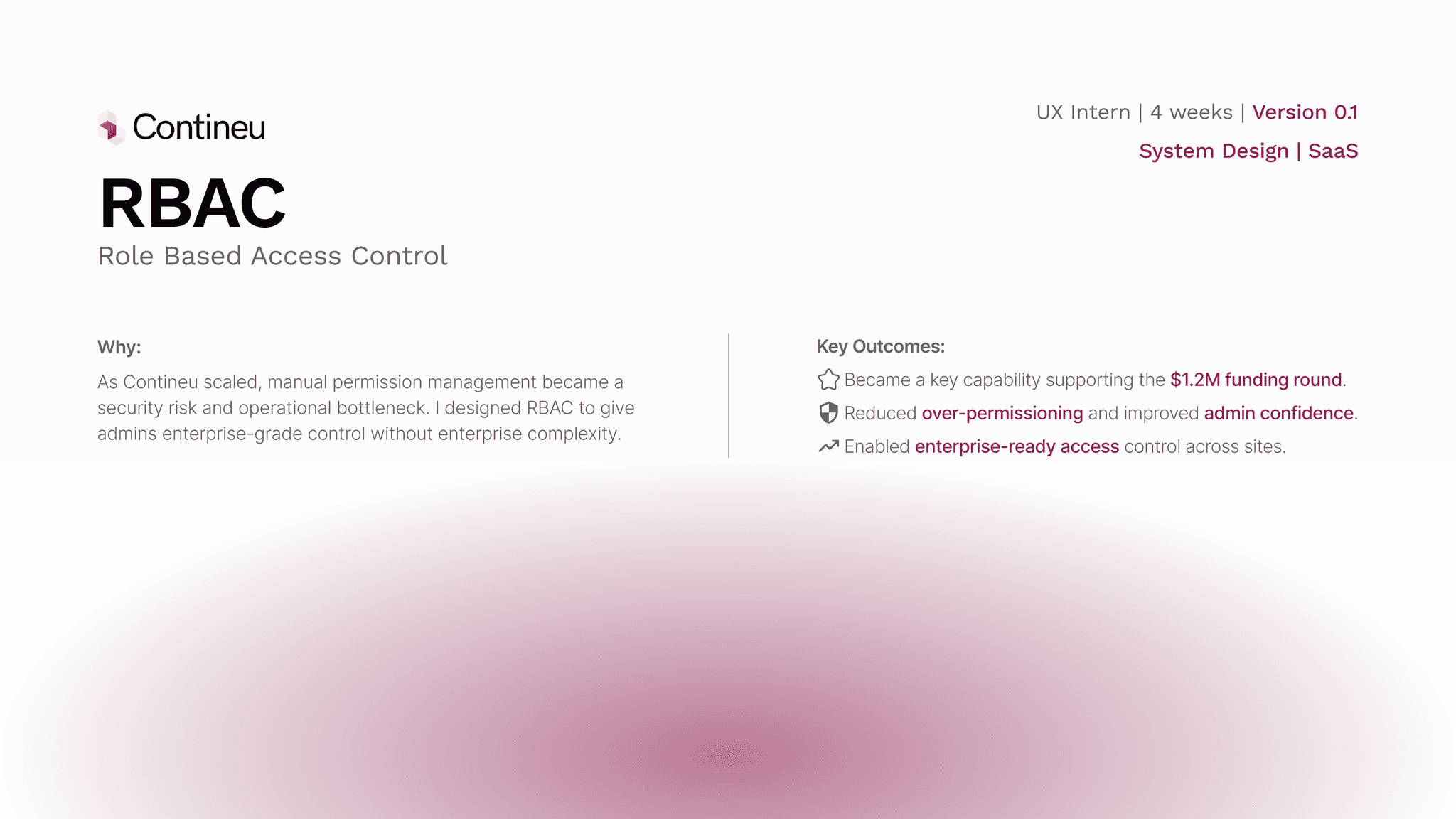
~10 min read
~10 min read
~10 min read
~10 min read
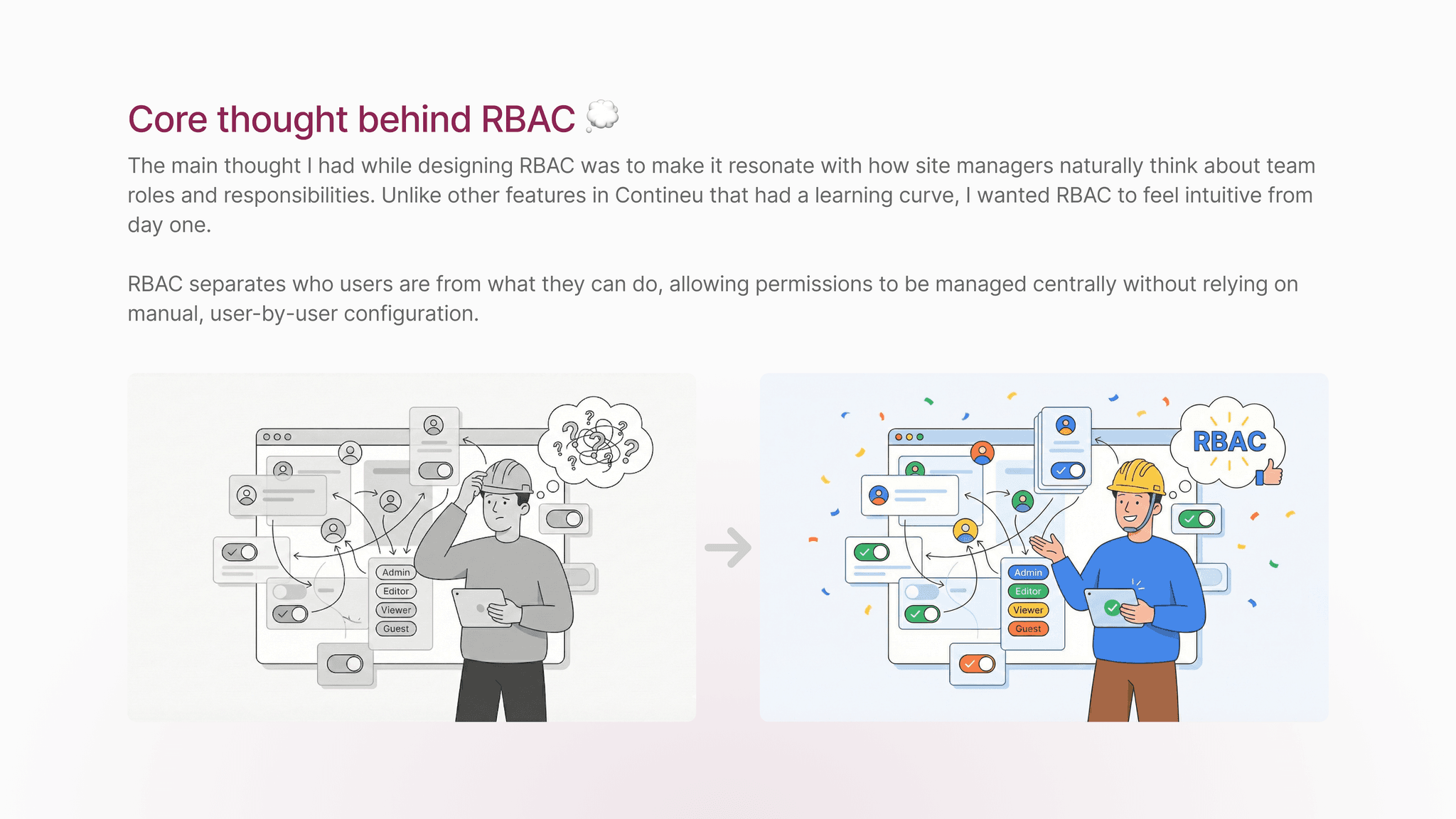
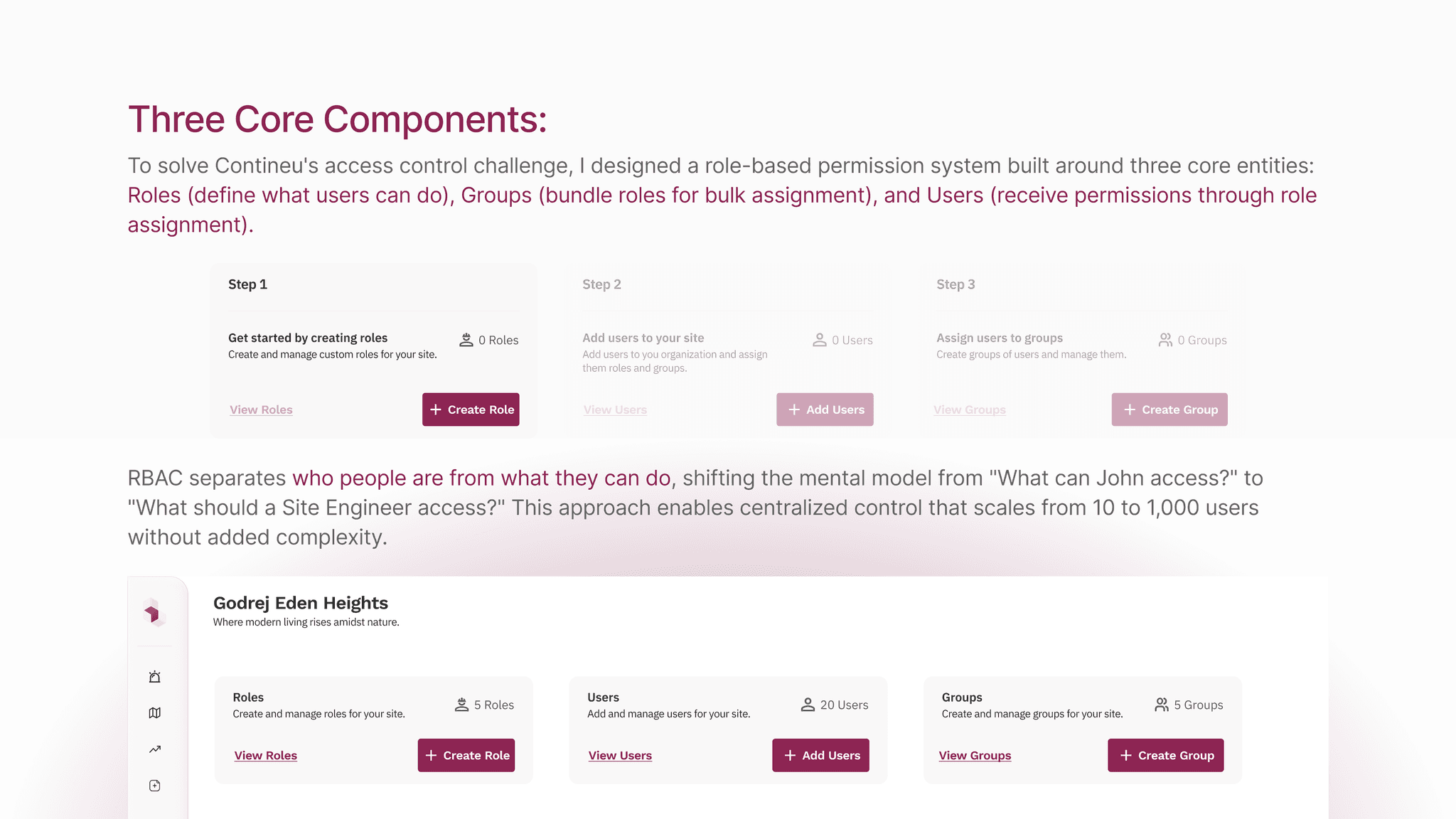
The Flow:
The RBAC flow was designed to reflect how admins naturally think about access management. From a single user management entry point, admins can navigate between users, roles, and groups based on the task they want to perform, without being forced into a rigid sequence.
Roles define permissions, groups act as a convenience layer for bulk assignment, and users can still be managed directly when needed. This keeps the system flexible while ensuring access decisions remain explicit, traceable, and easy to update as teams and sites evolve.
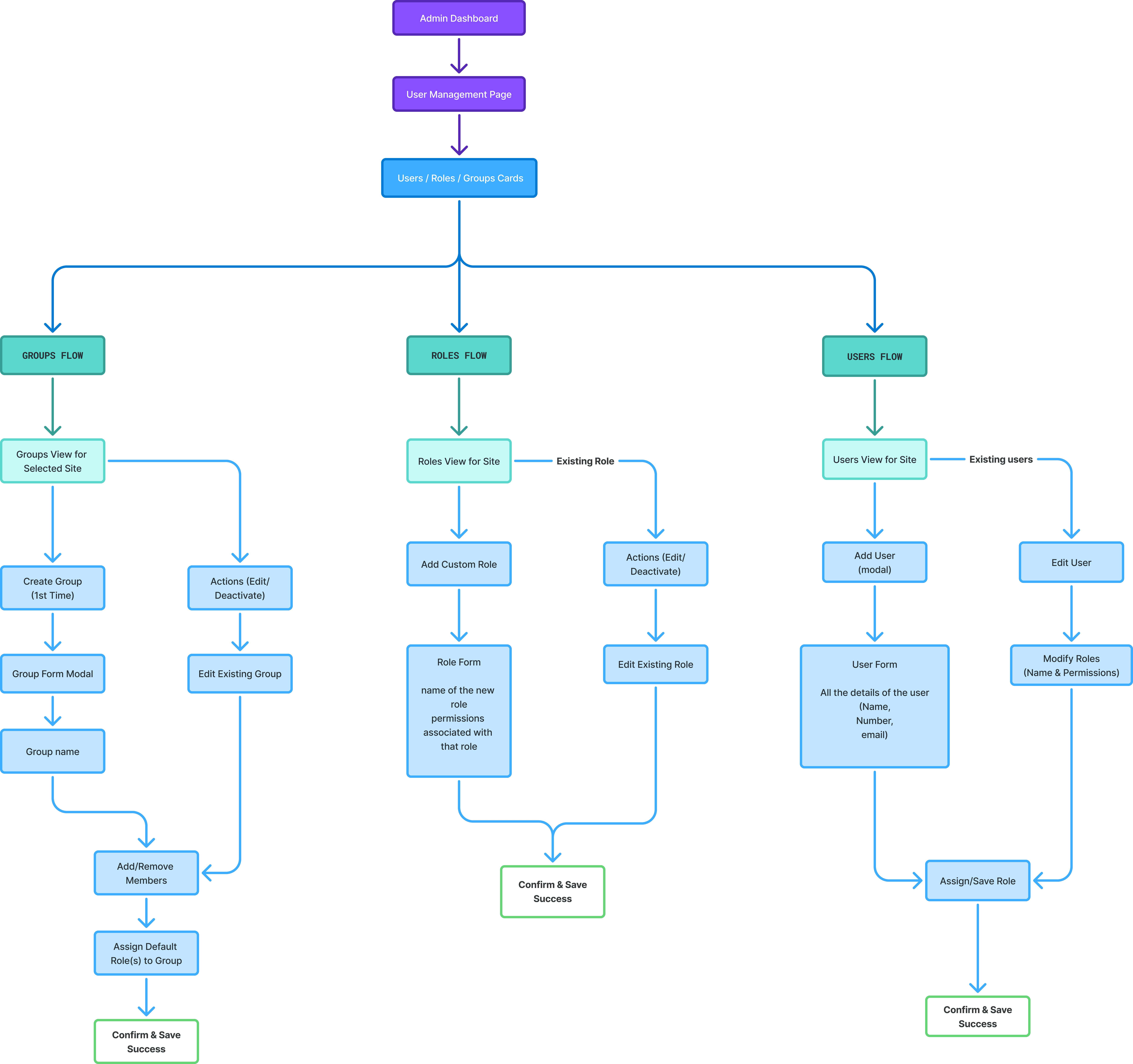
RBAC Solution Flow Chart
Early Explorations:
Early wireframes explored segmented tags as the core solution. In theory, they supported scalability, while breadcrumbing helped unify the RBAC feature with the rest of the product and introduced a product-wide navigation pattern that could be reused across future features.
However, after multiple design iterations and stakeholder feedback, it became clear that segmented tags, despite their theoretical strengths, added significant complexity across design, development, and the end-user experience.
(Hover to pause)
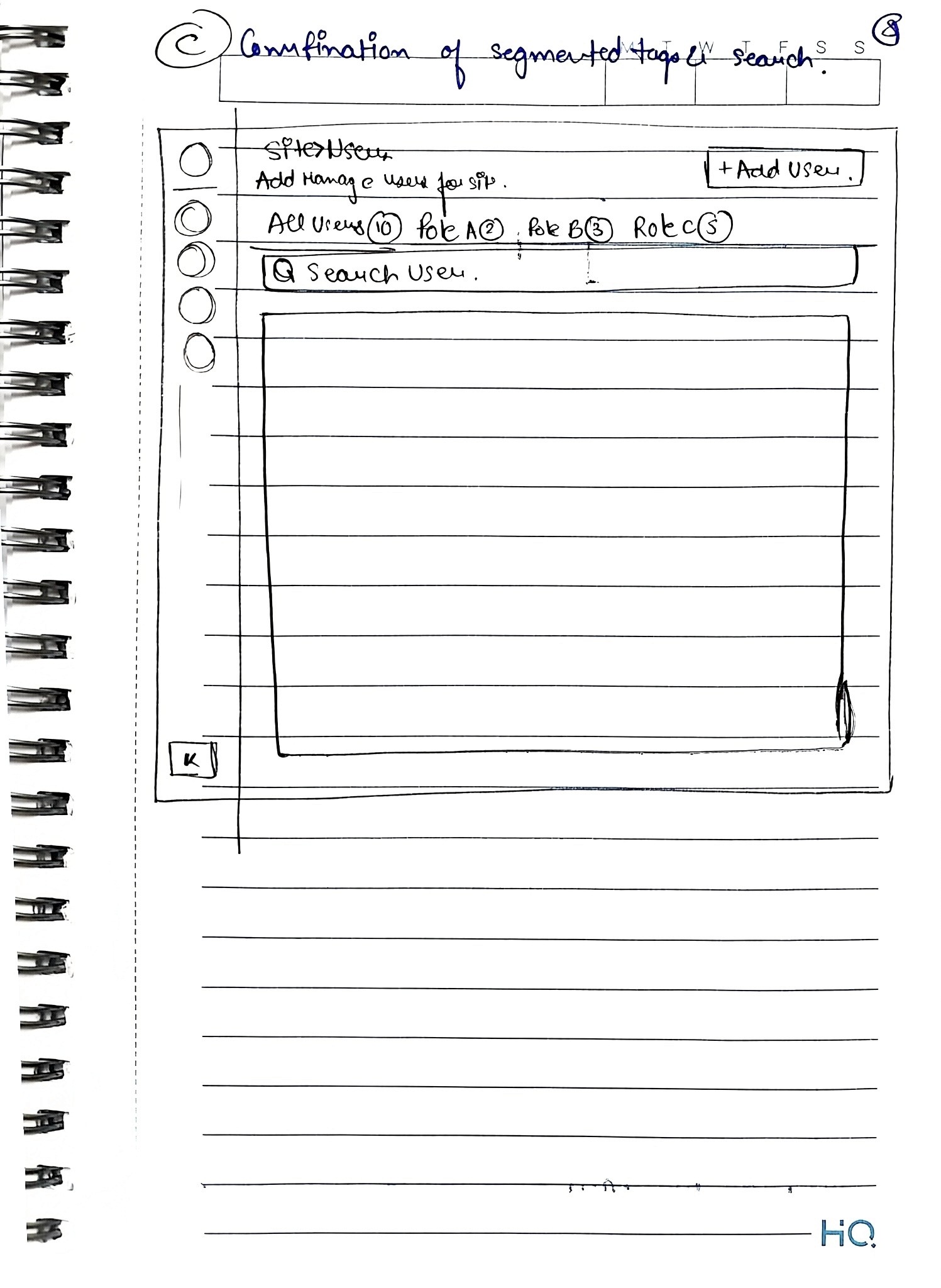
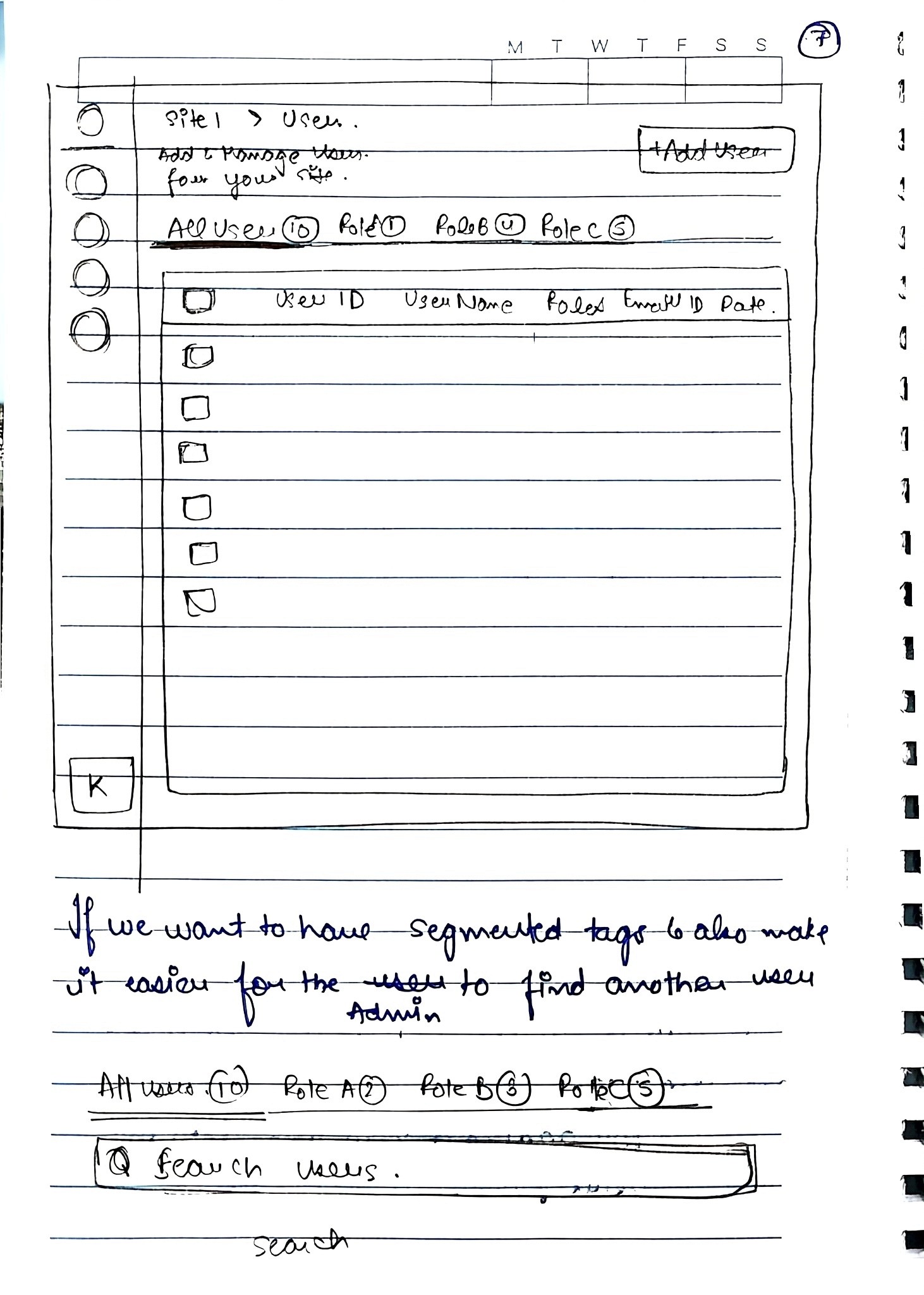
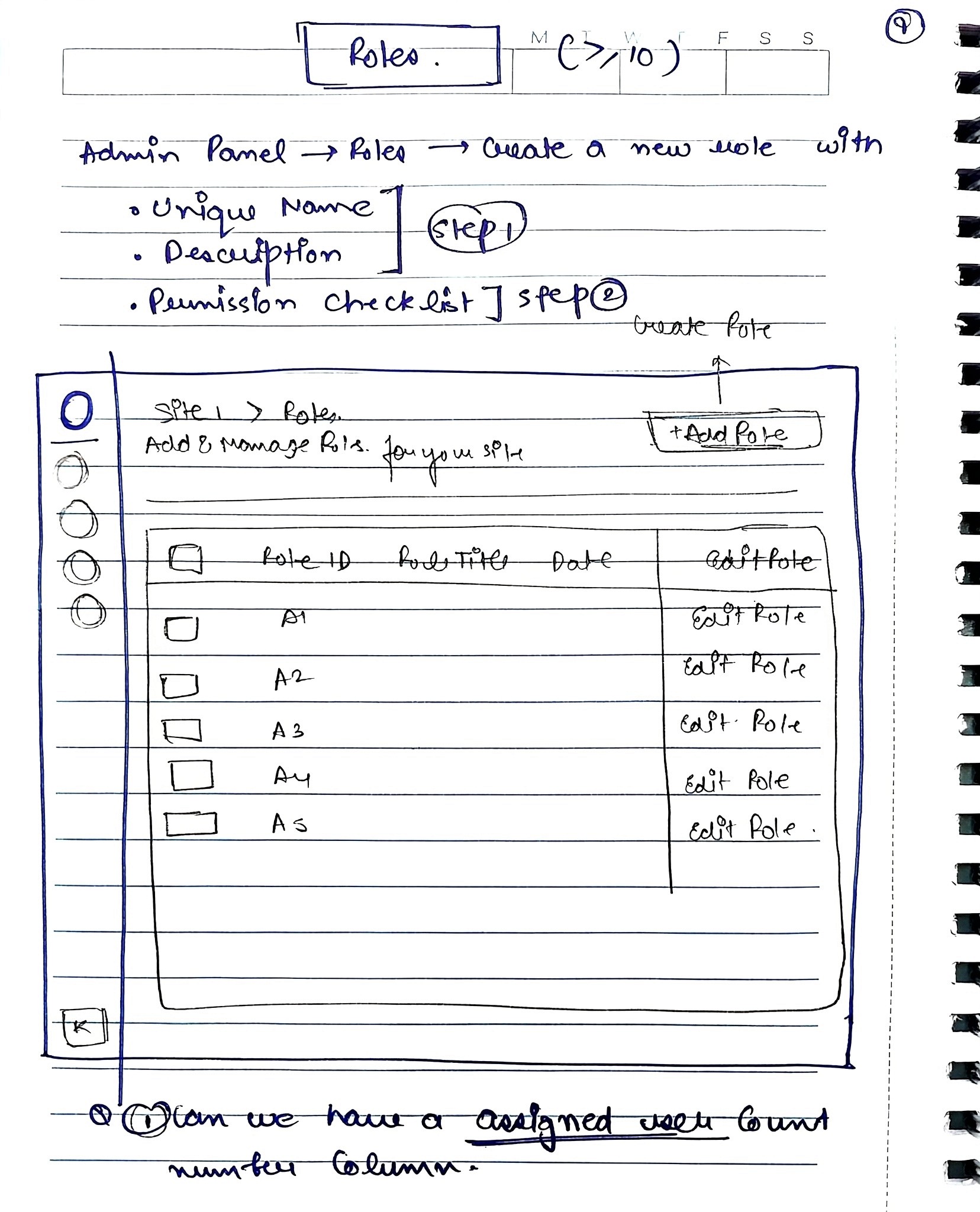
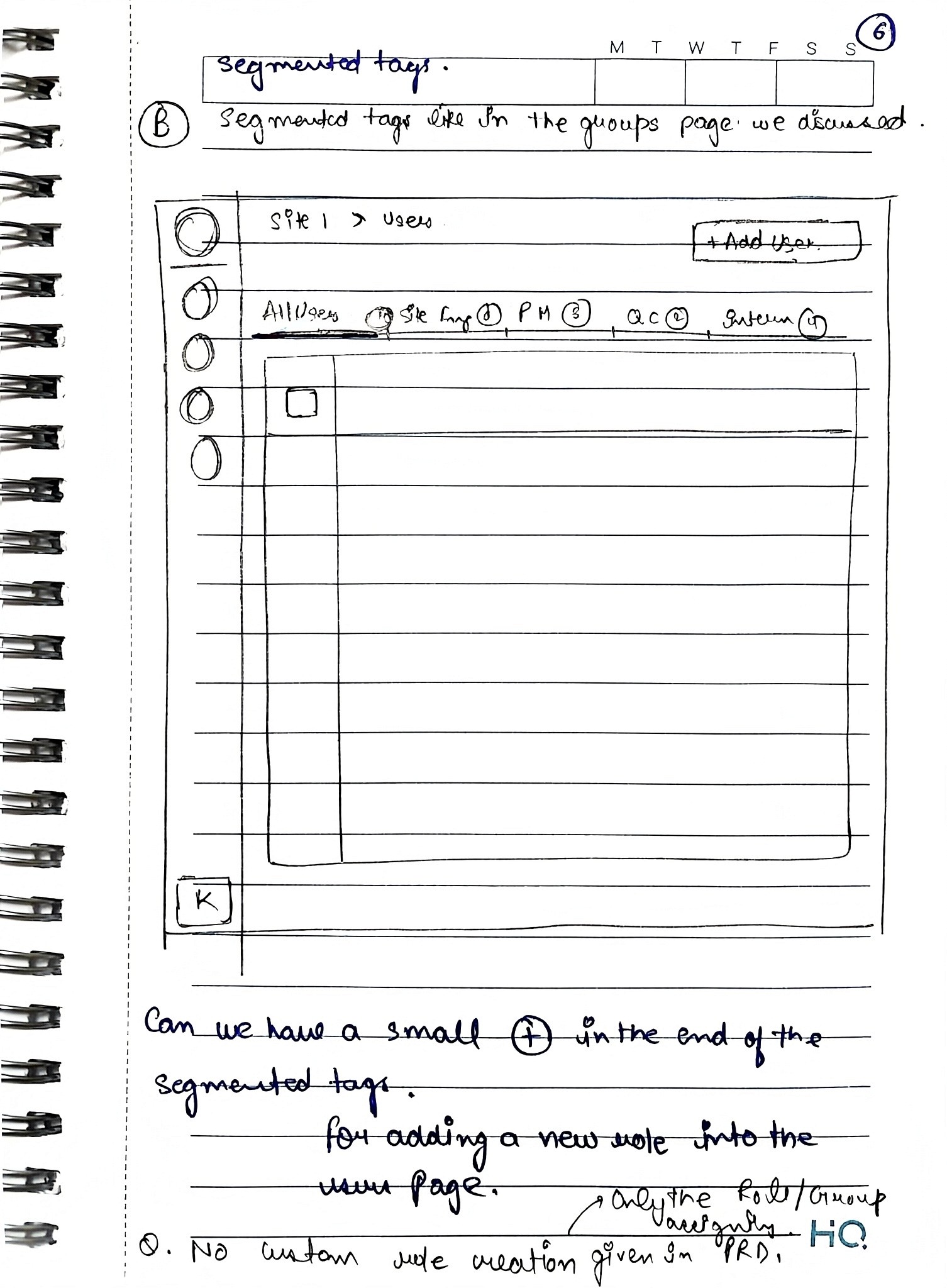
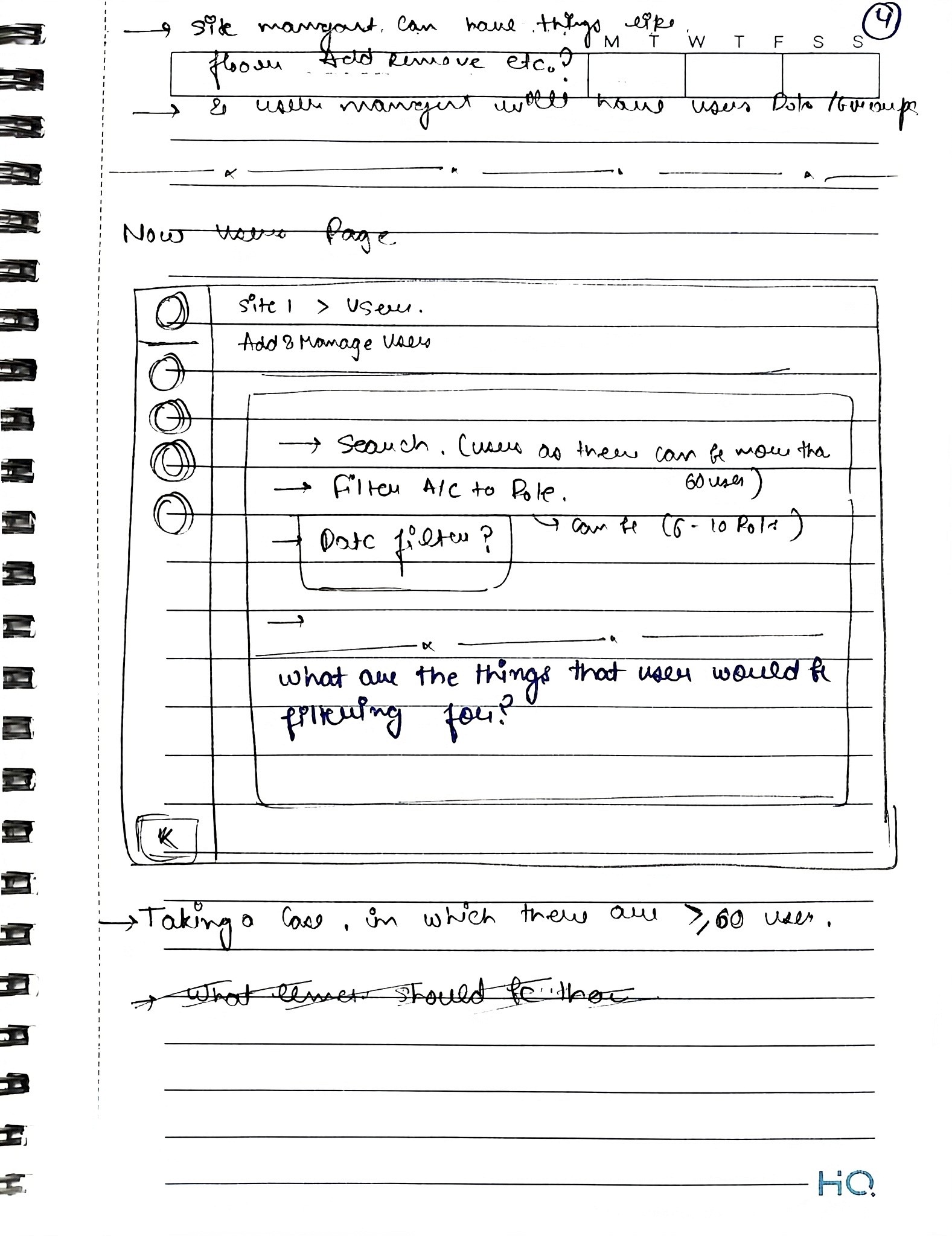
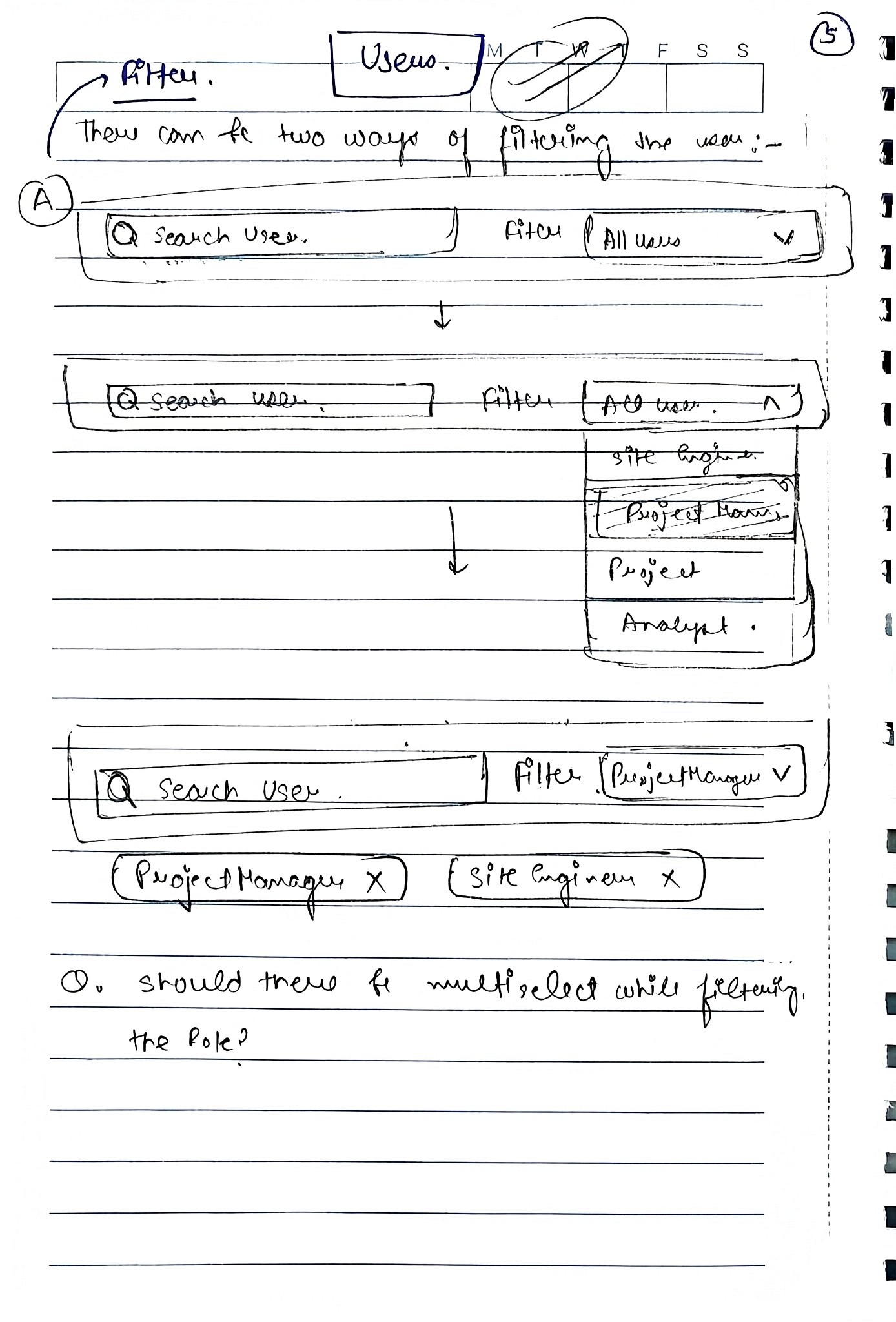
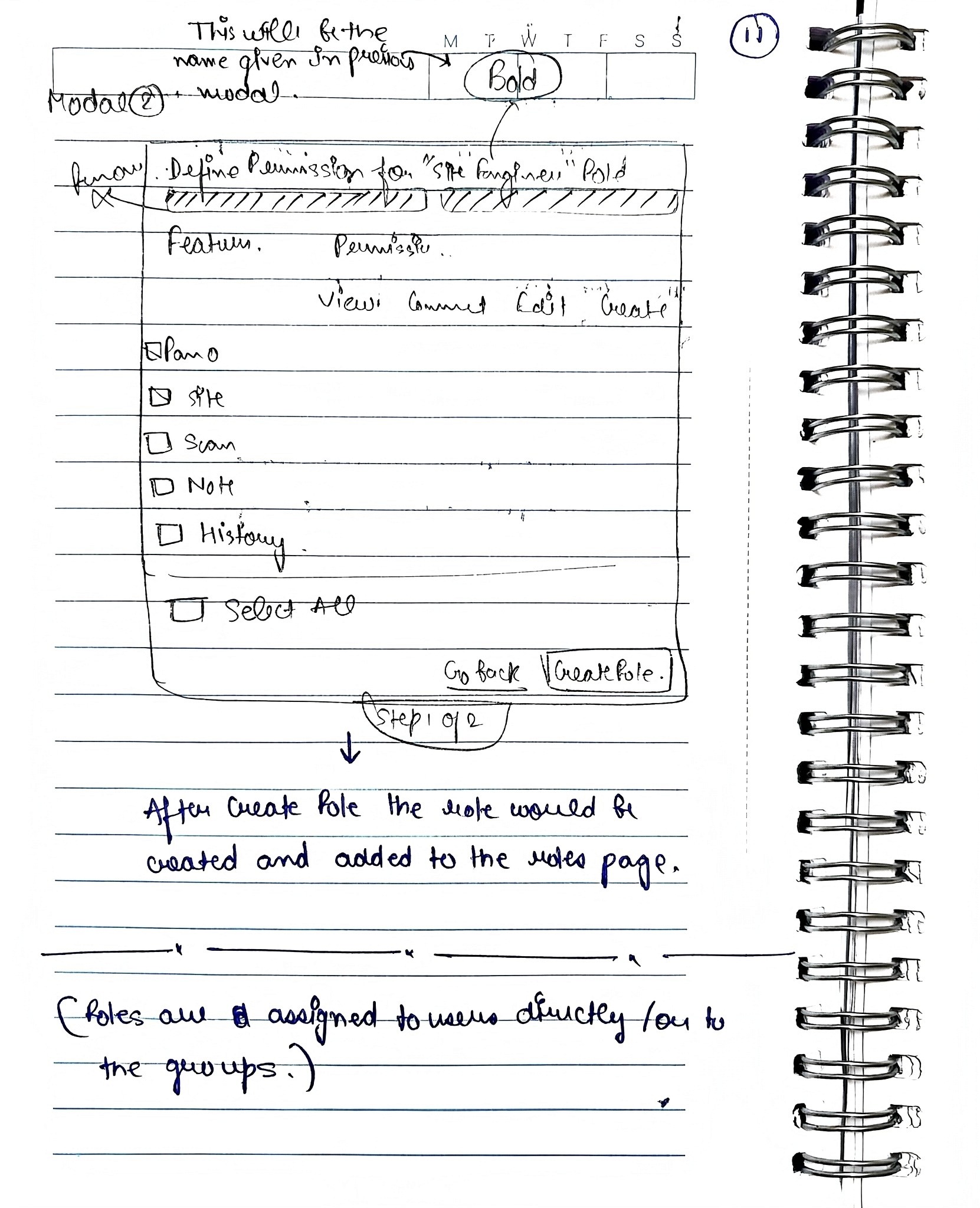
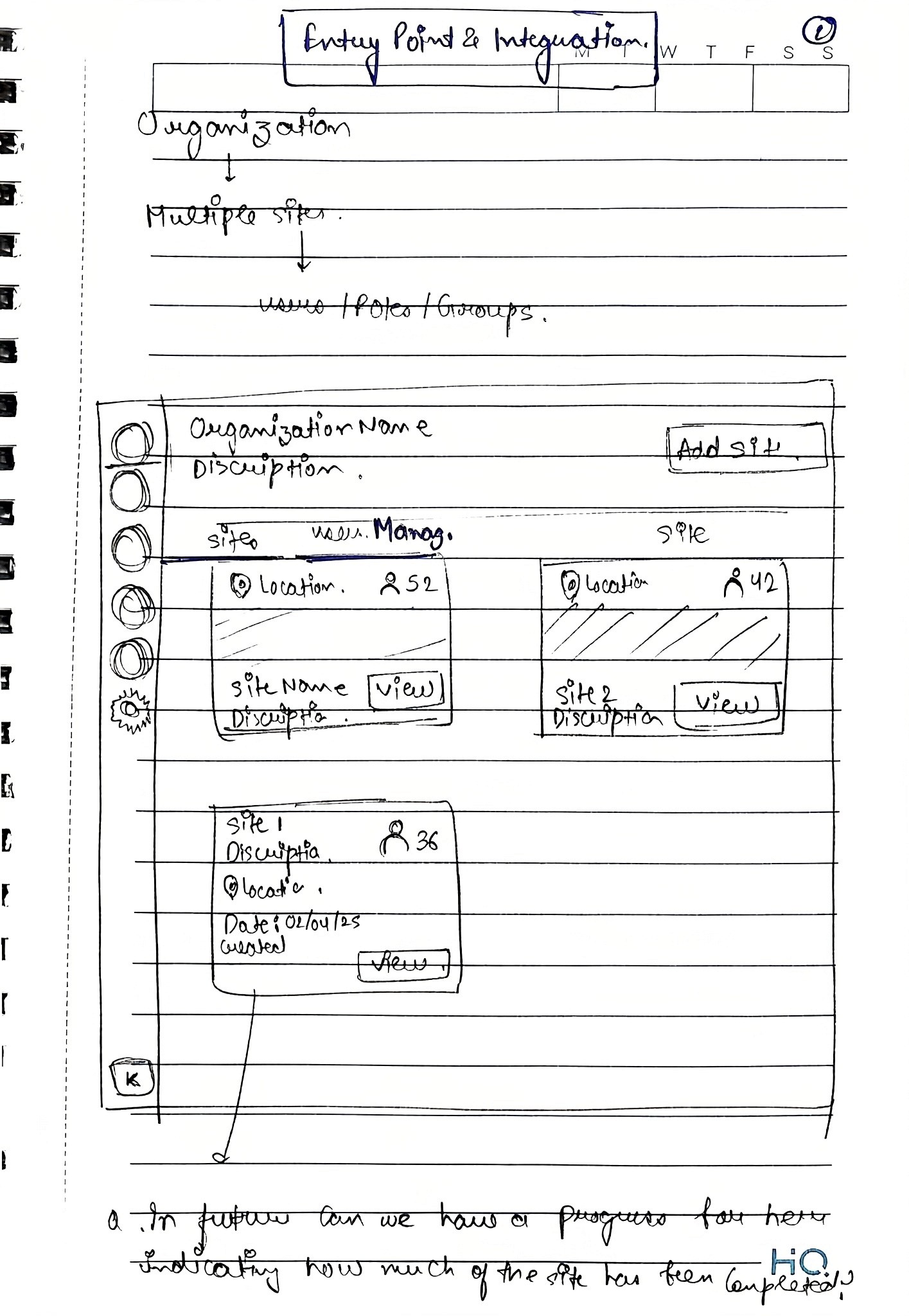
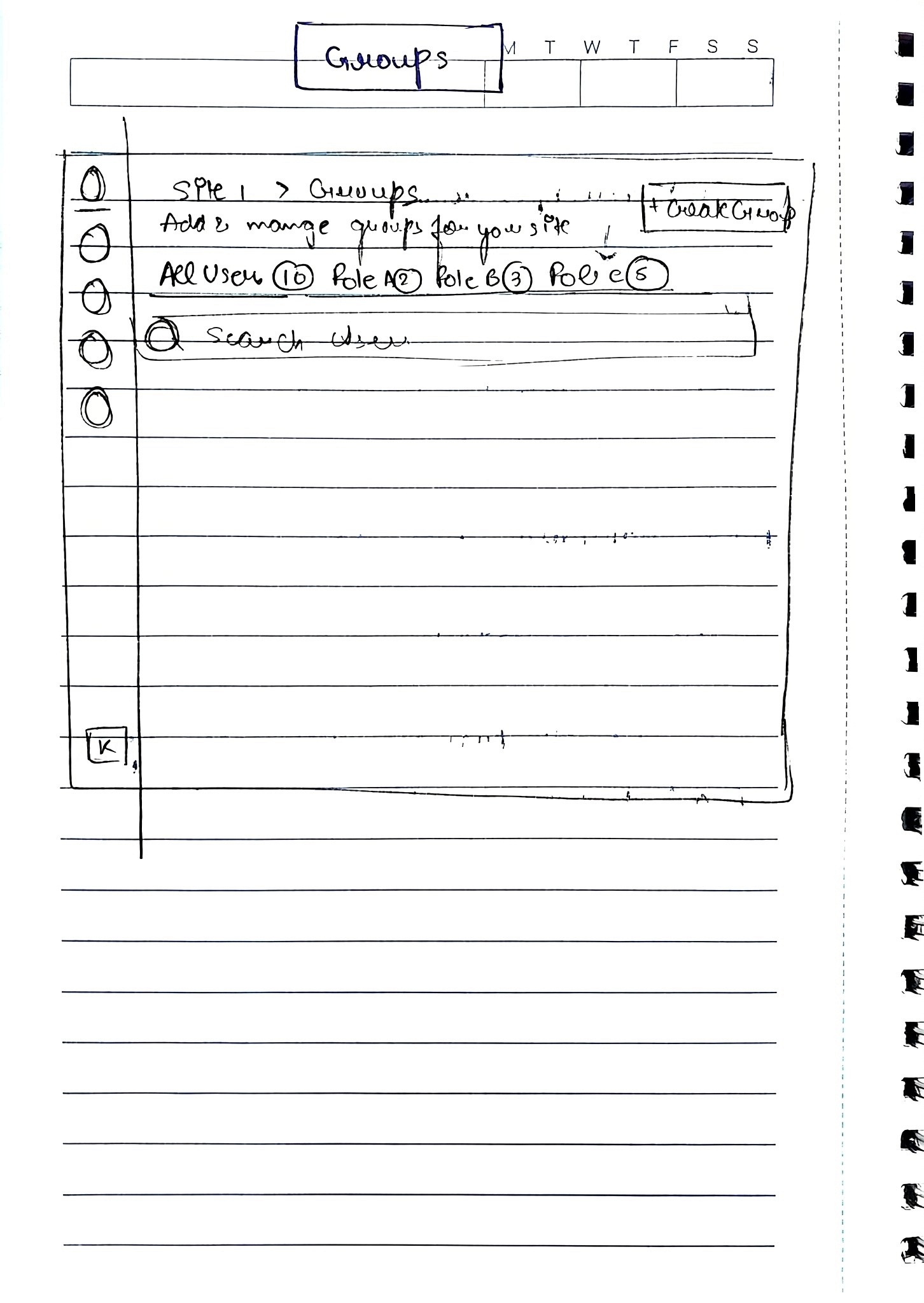
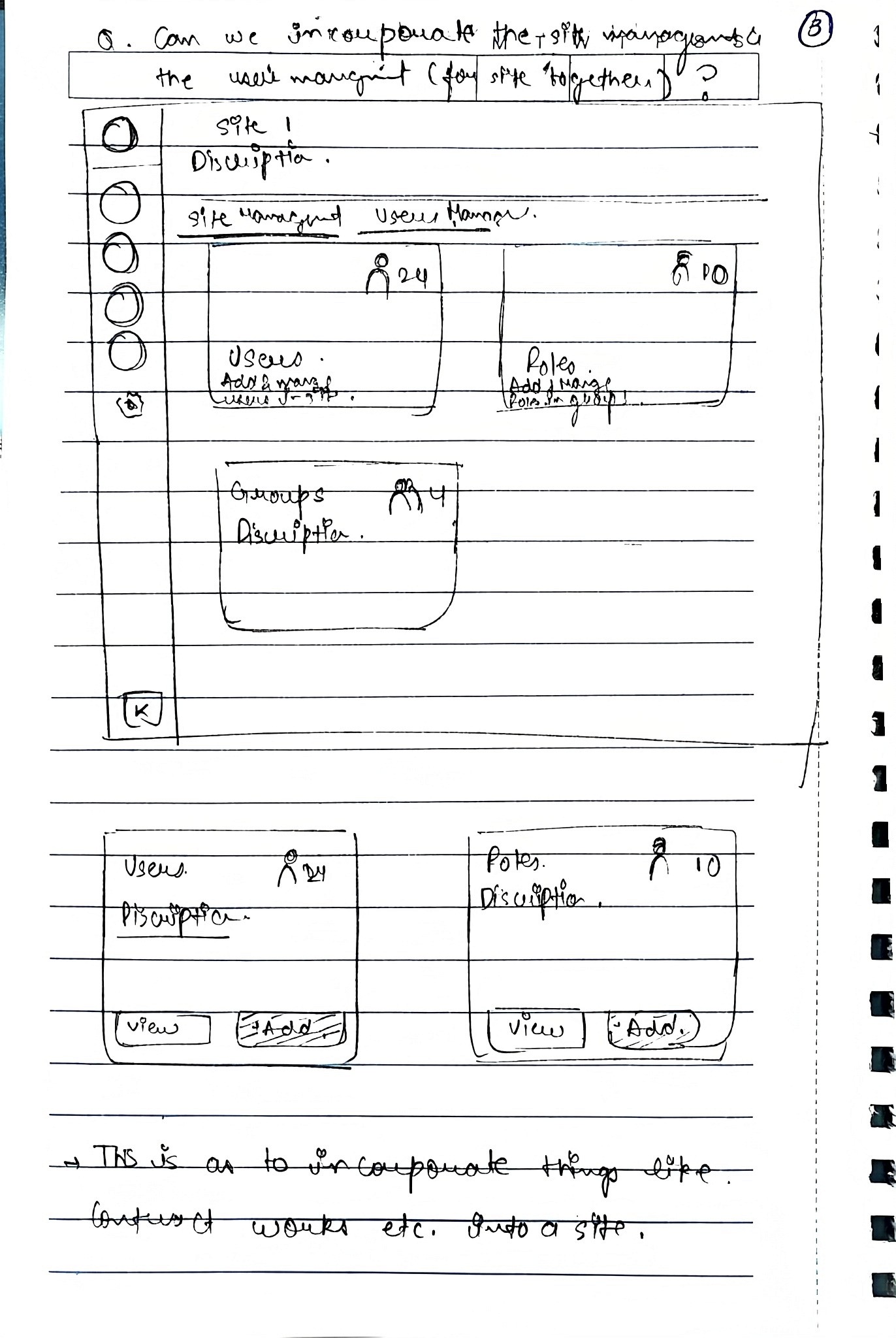
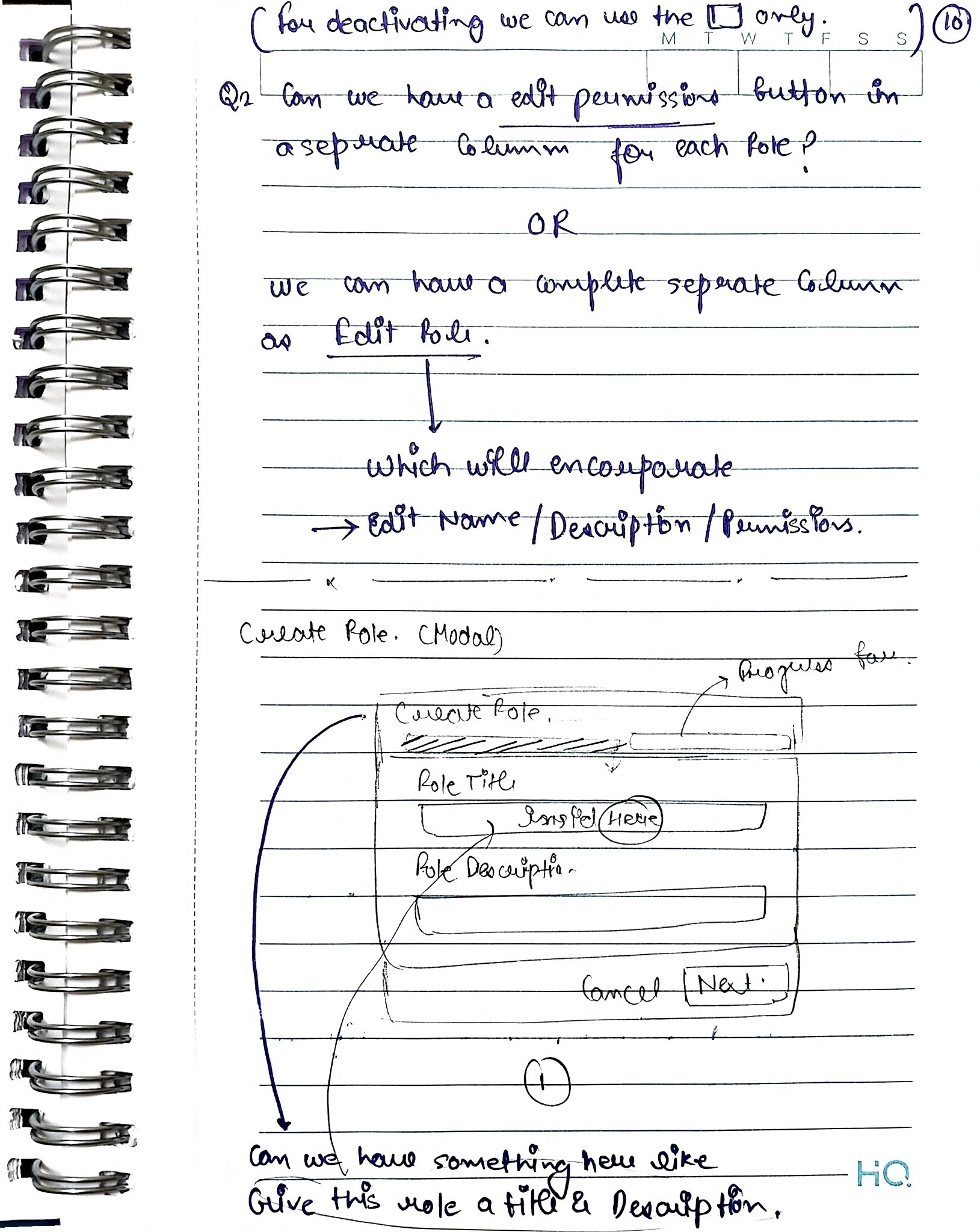
Wireframes
What Failed (and Why):
Before arriving at the final solution, we explored multiple approaches that surfaced important scalability and usability trade-offs
Failed Exploration 1: Flat role creation model ❌
Initial approach (Iterations 1–3)
We initially designed role creation as a single-step modal where admins could name a role and toggle permissions. Minor iterations added bulk actions like “Select all permissions” and small UI refinements to reduce friction.
Why this failed
In prototype walkthroughs, admins consistently asked 'how do I assign this to multiple people?' after creating roles.
As permissions grew, the flat layout became hard to scan and reason about.
The model didn’t scale well beyond a small set of features and users.
Too many decisions were packed into a single step, increasing cognitive load.
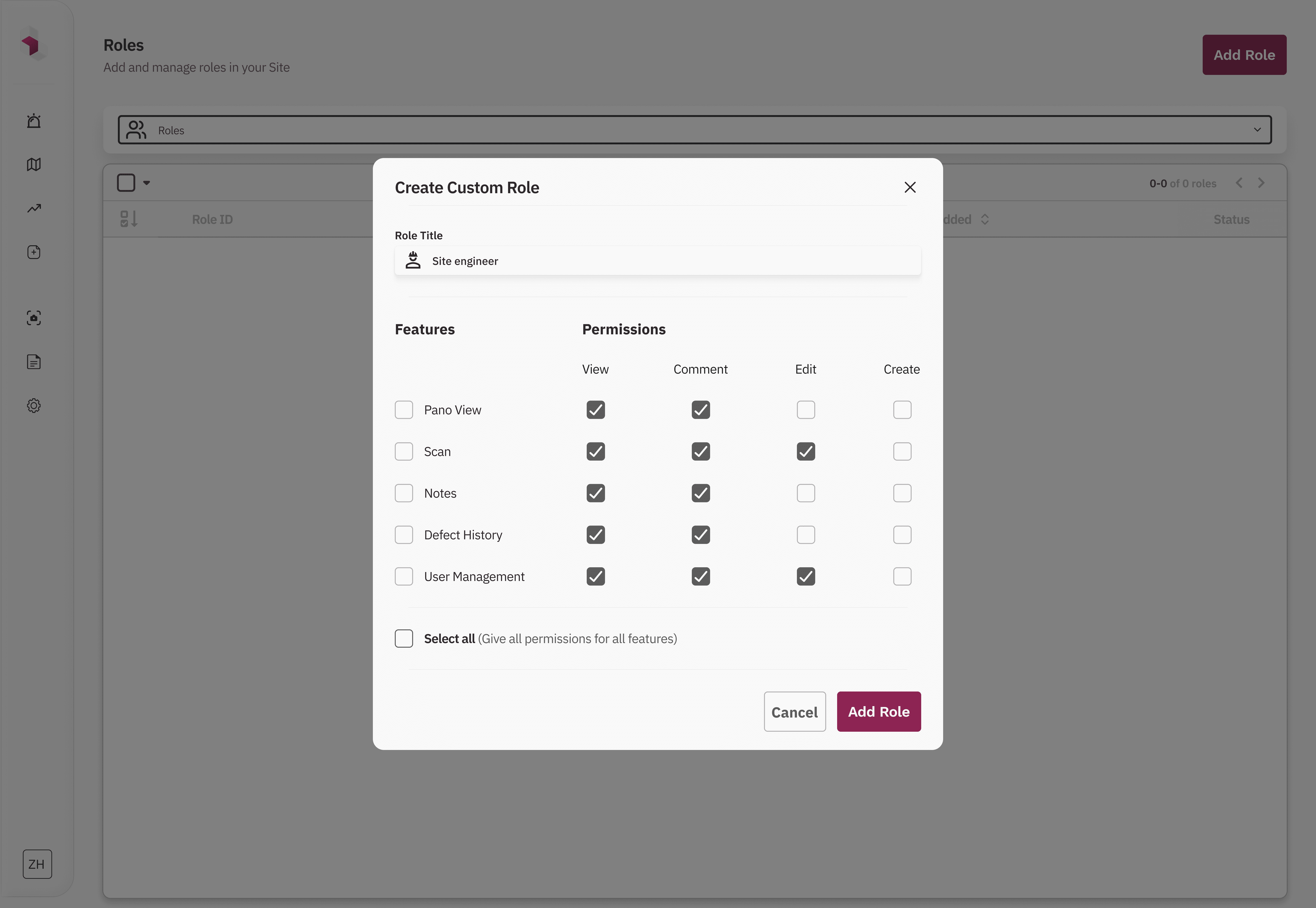
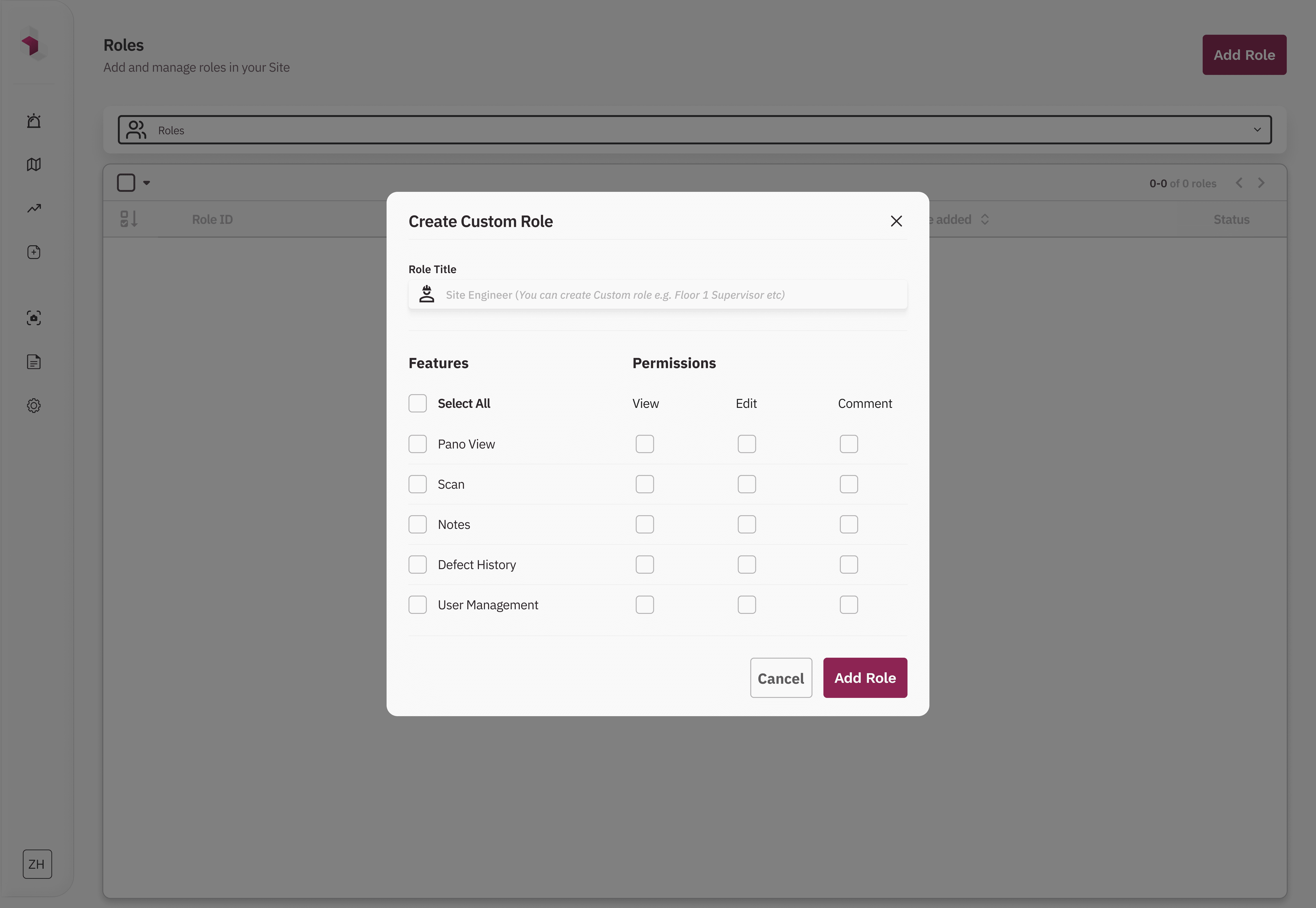
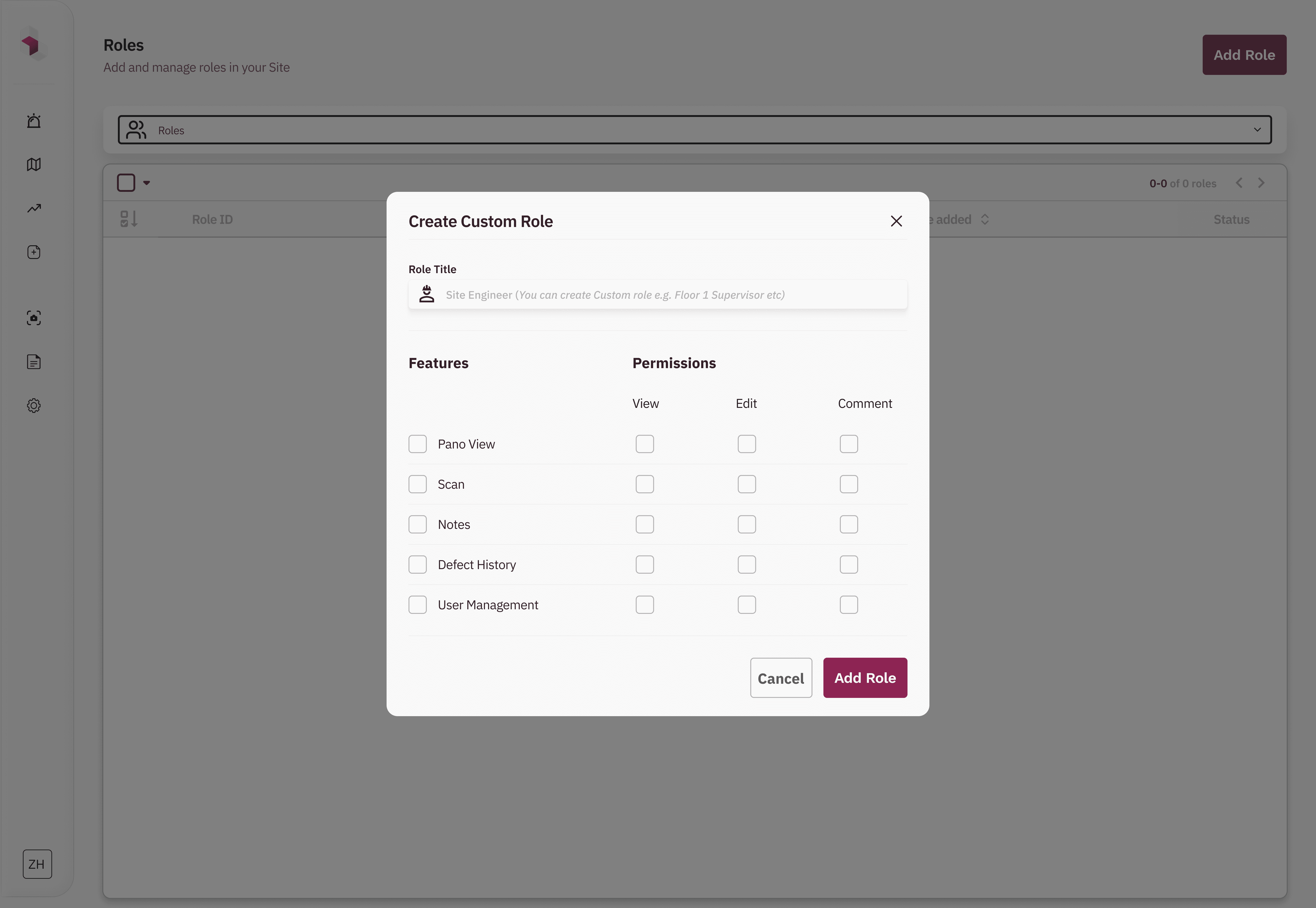
Initial Iterations
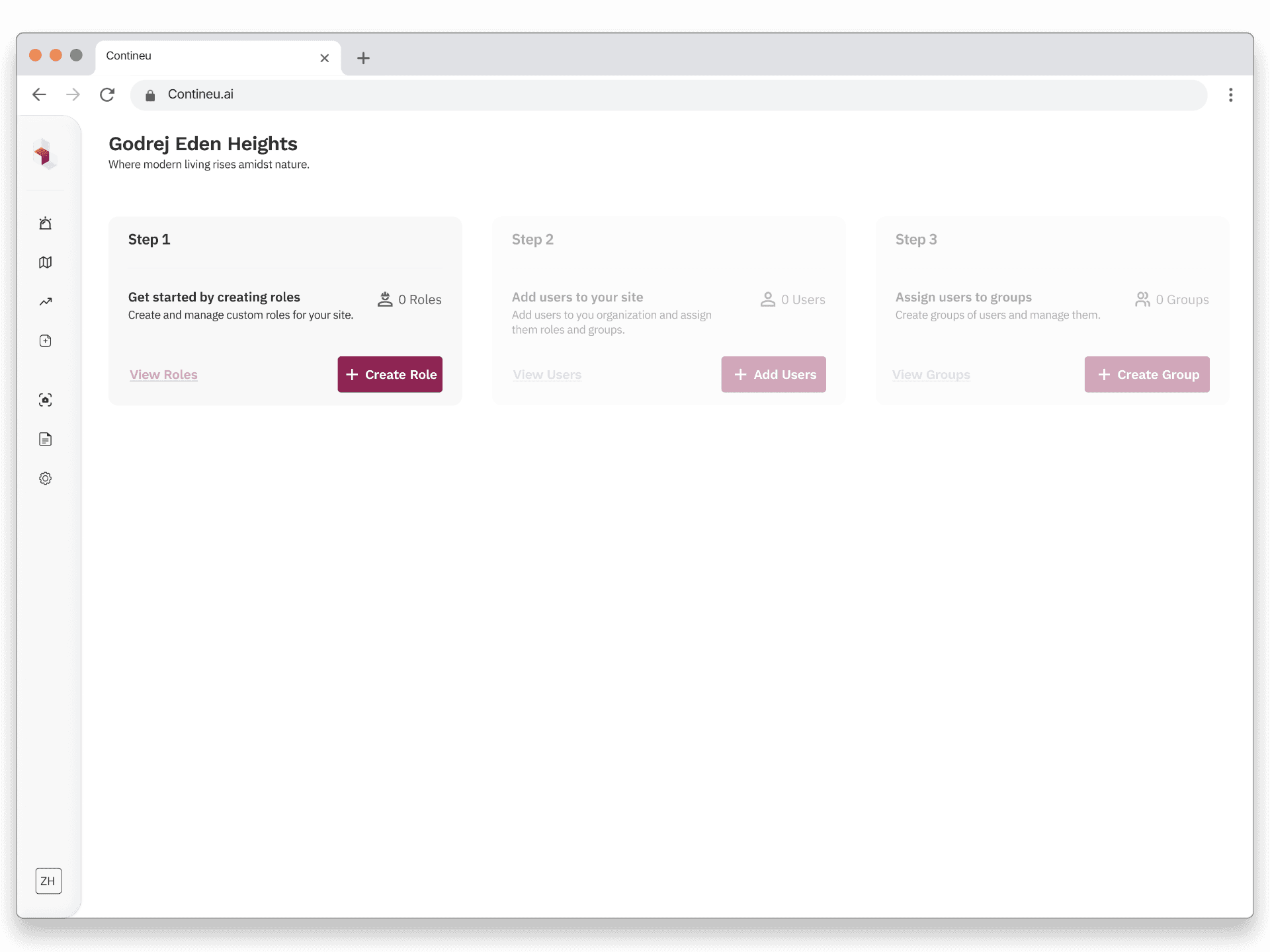
Final Solution Exploration 1: Step-based role creation flow ✅
What changed
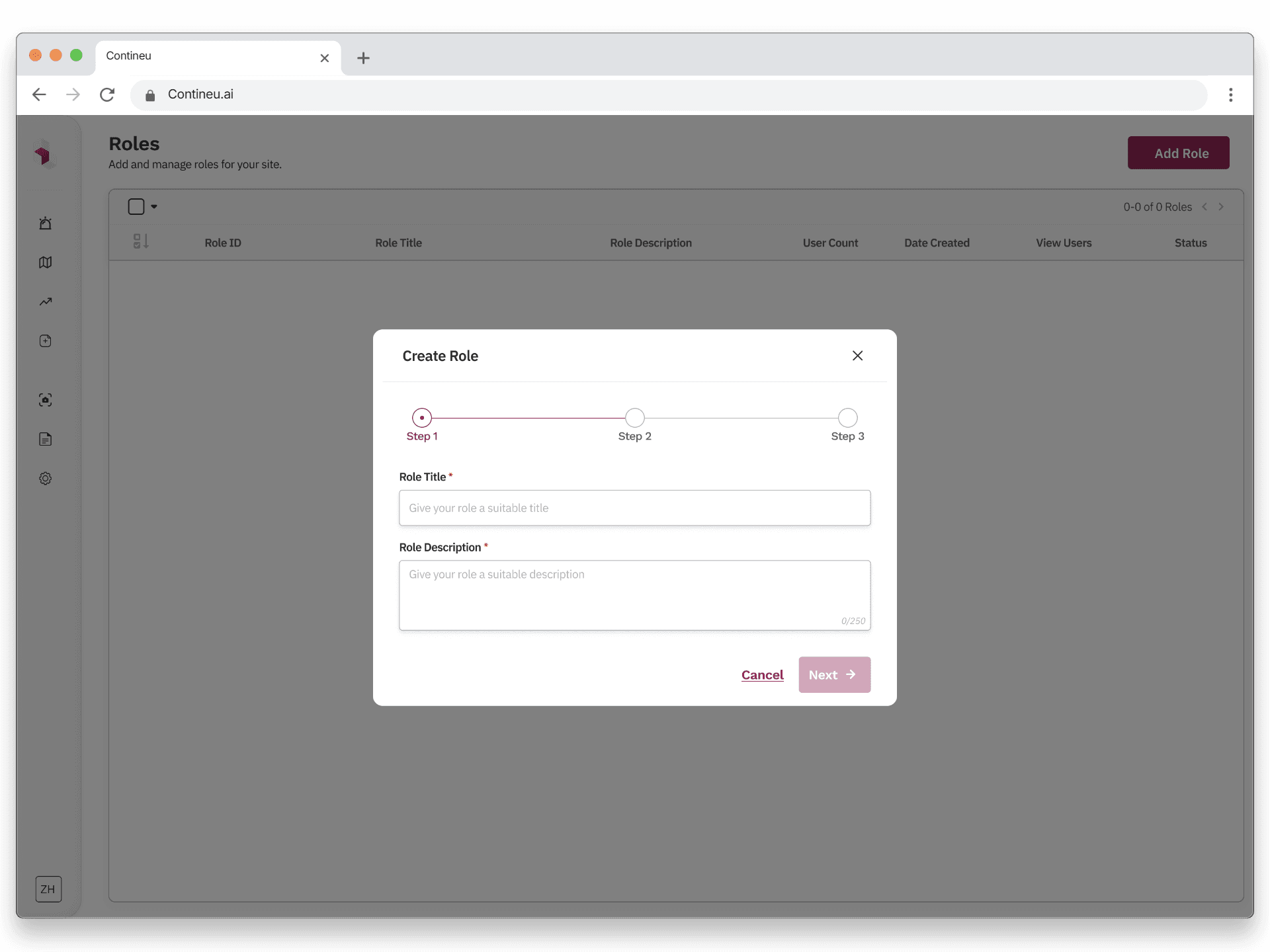
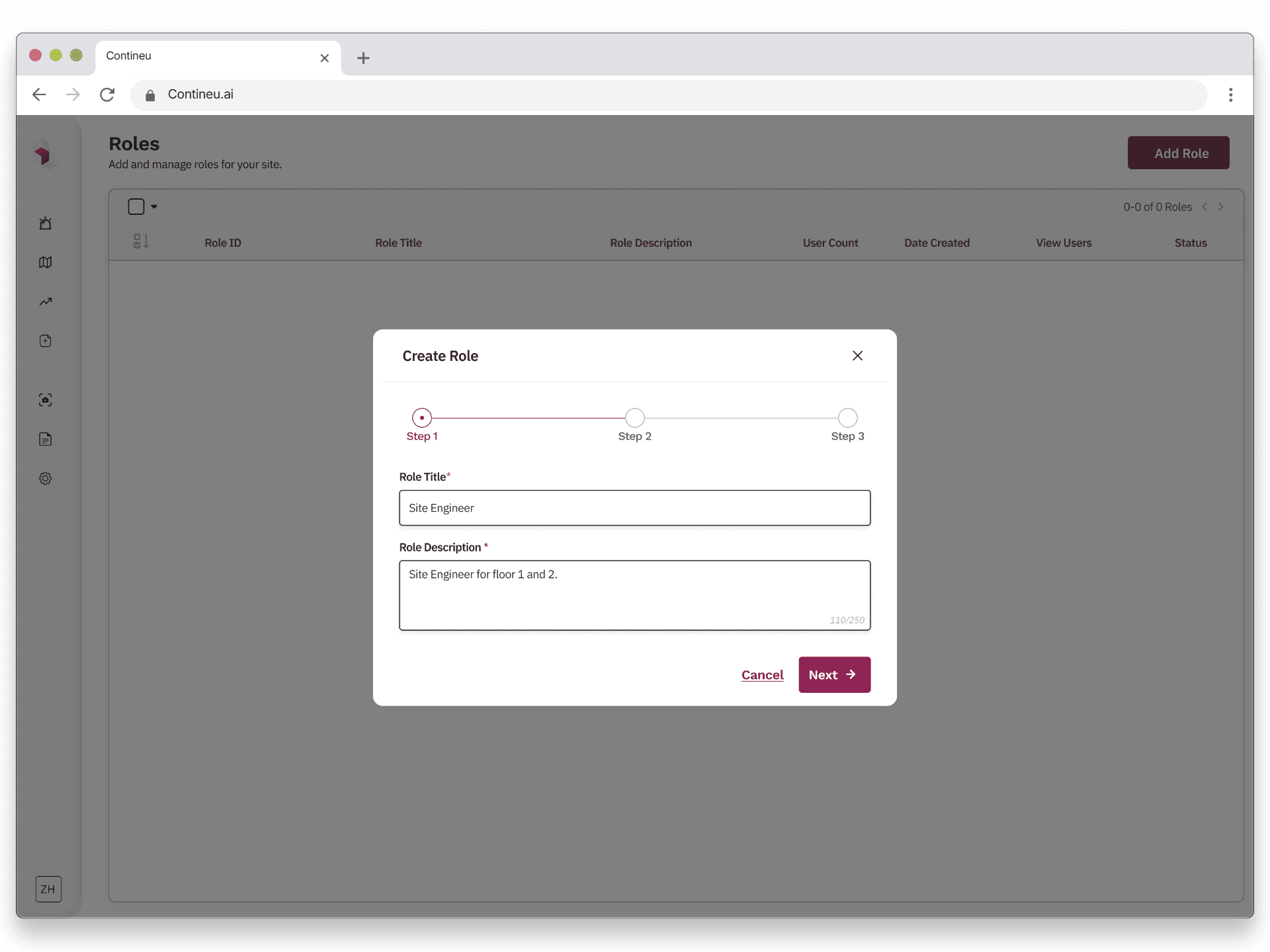
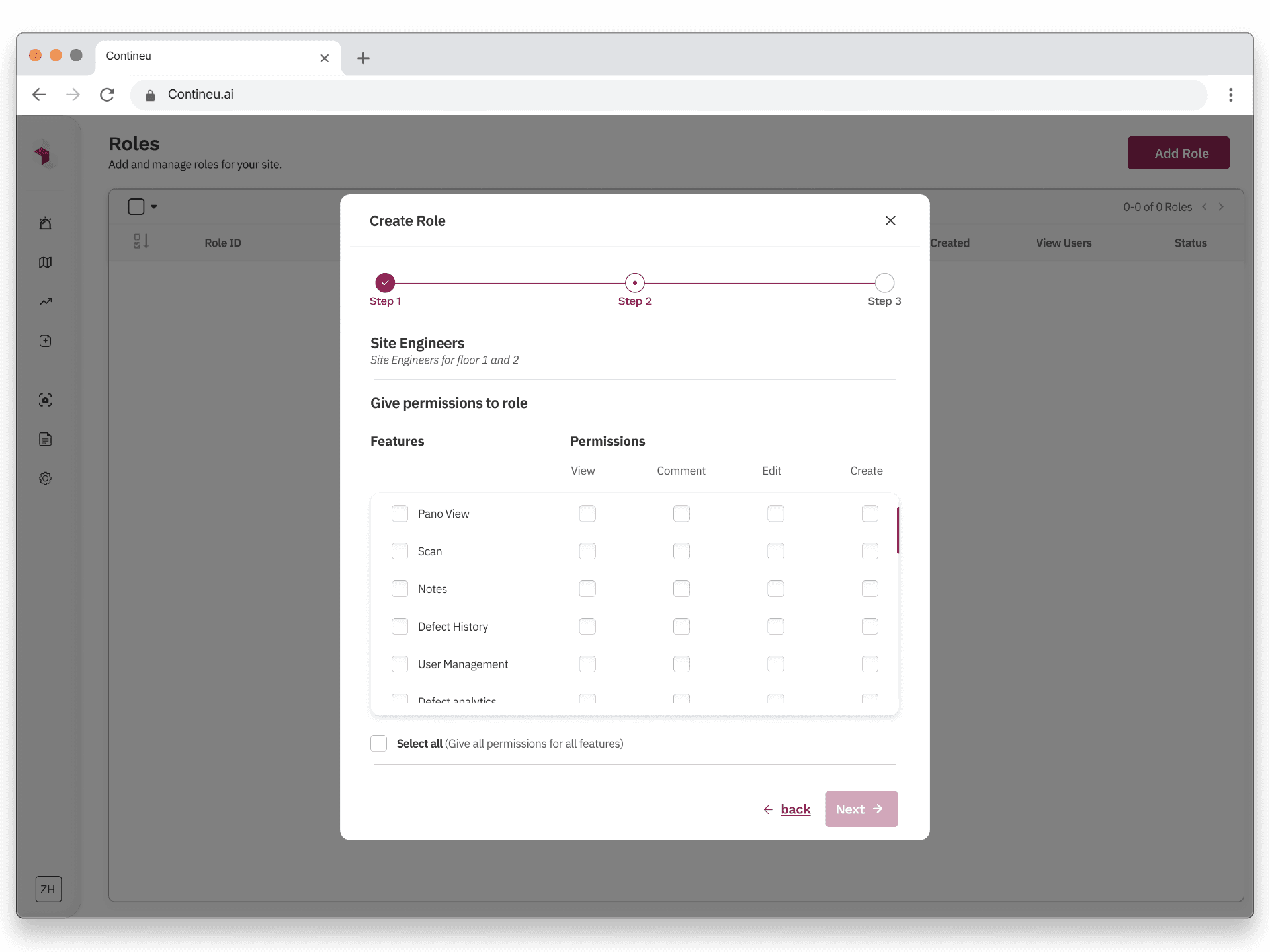
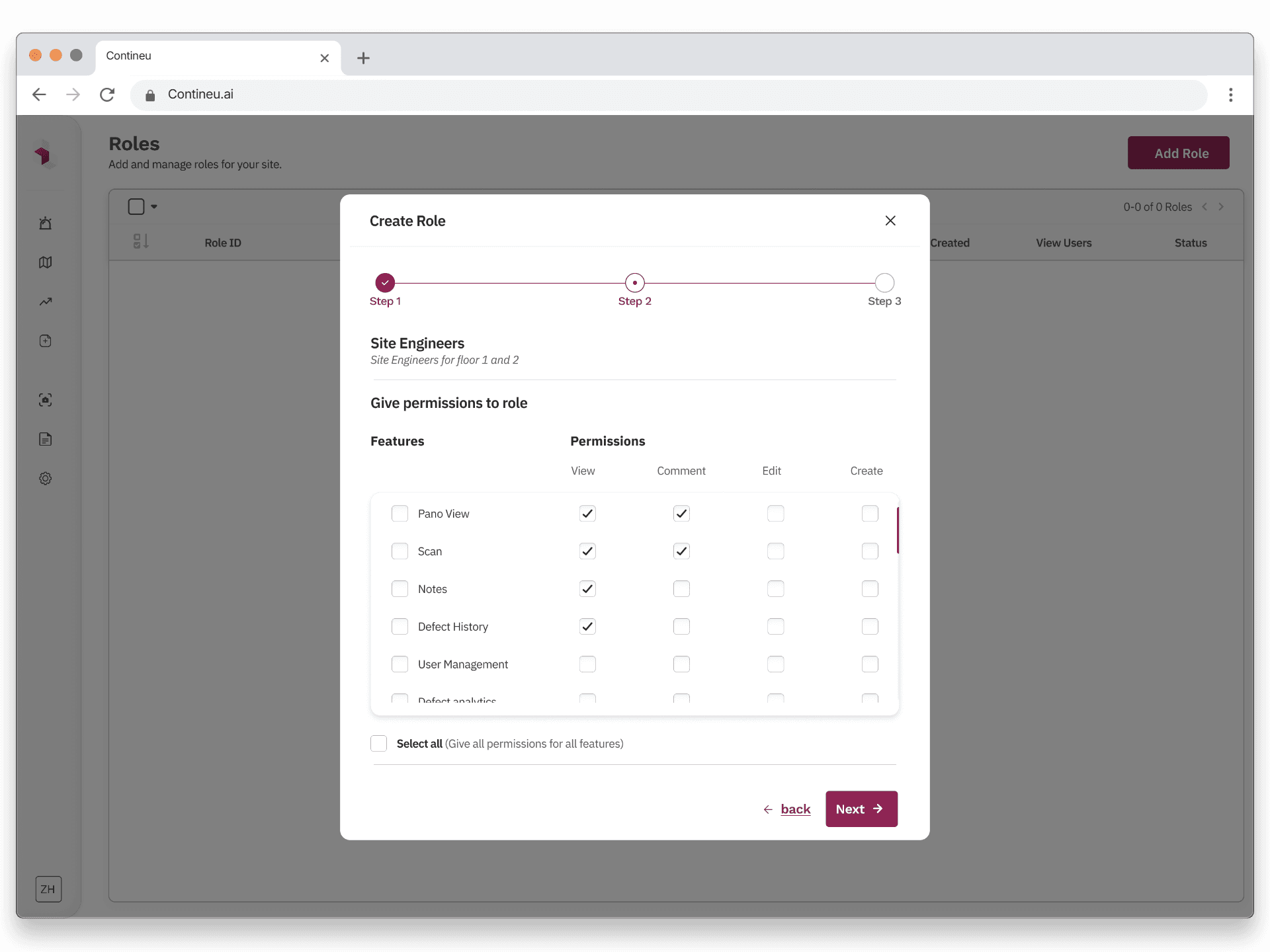
We redesigned role creation into a guided, stepwise flow:
Step 1 – Define the role
Admins add a role name and description, setting clear intent upfront.
Step 2 – Configure permissions
Permissions are grouped and scrollable, supporting future feature expansion. Bulk actions like “Select all” make large setups faster without overwhelming the UI.
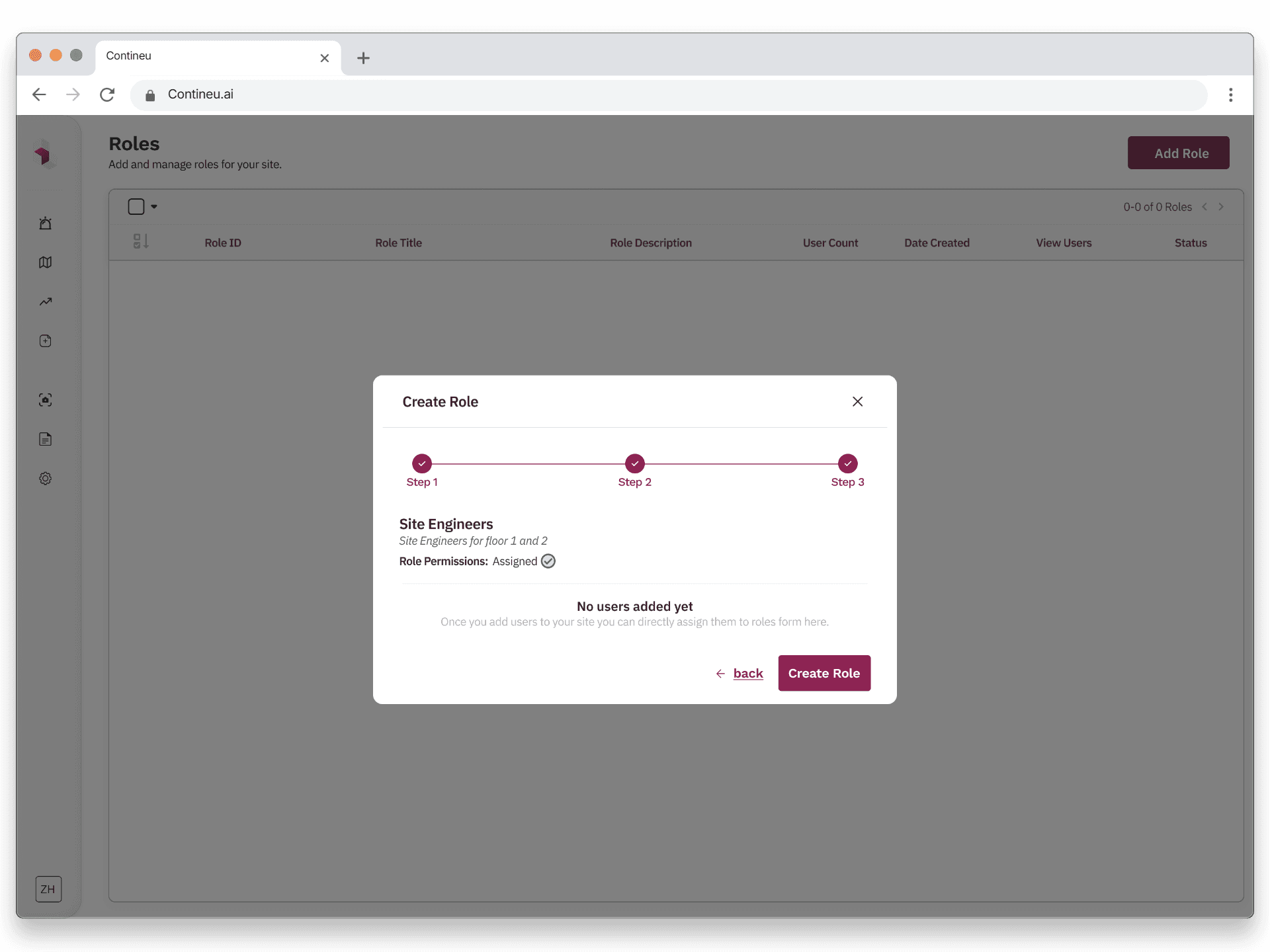
Step 3 – Assign users (optional)
Admins can assign the role to multiple users in one step, removing the need for repetitive manual actions.
A final review screen allows admins to verify or edit any step before creating the role.
Why this Worked
Reduced cognitive load by breaking decisions into logical steps.
Scaled cleanly from small teams to large organizations.
Matched how admins naturally think about access control.
Post-launch feedback showed admins could configure complex roles in under 3 minutes without training.
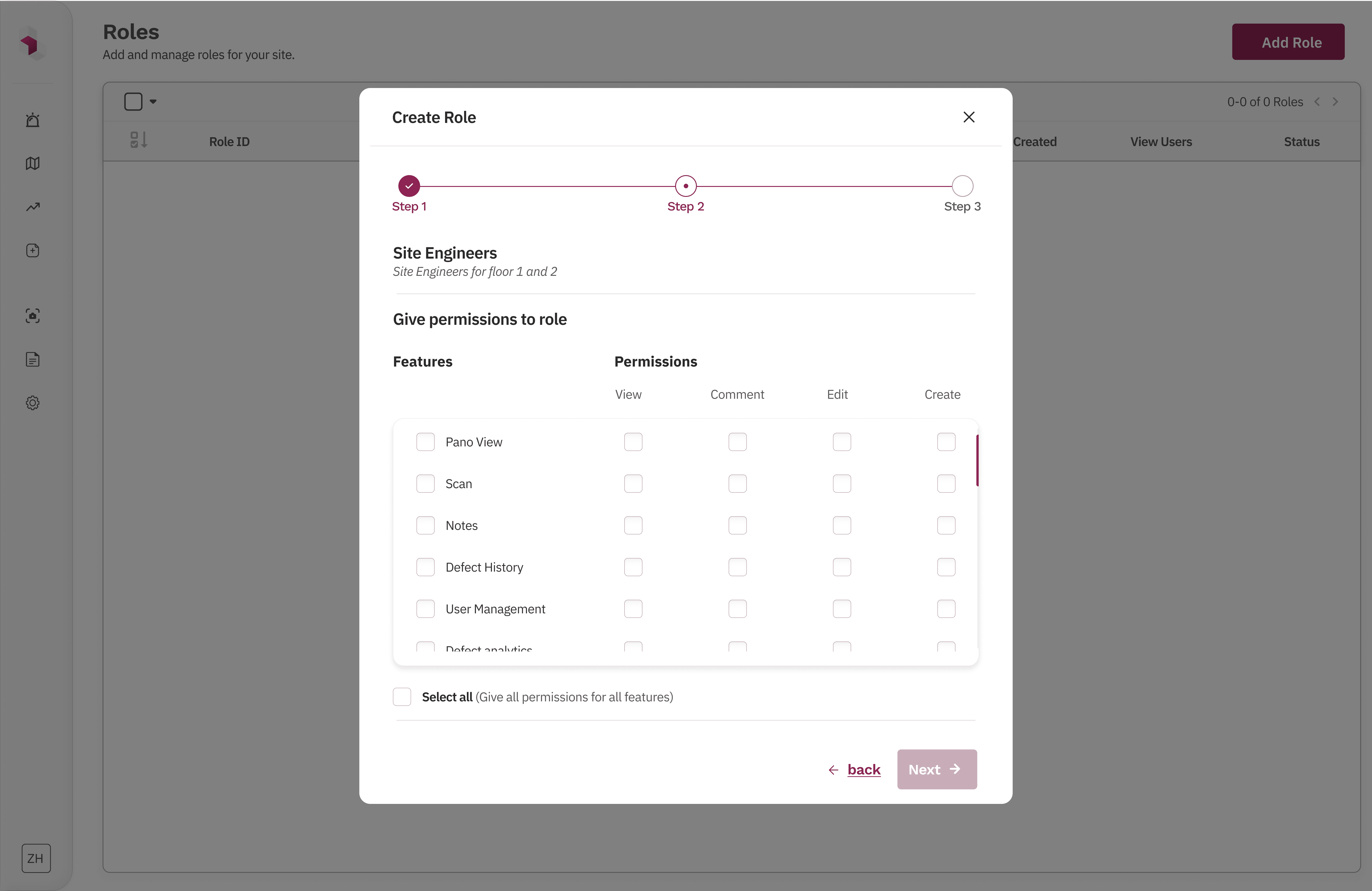
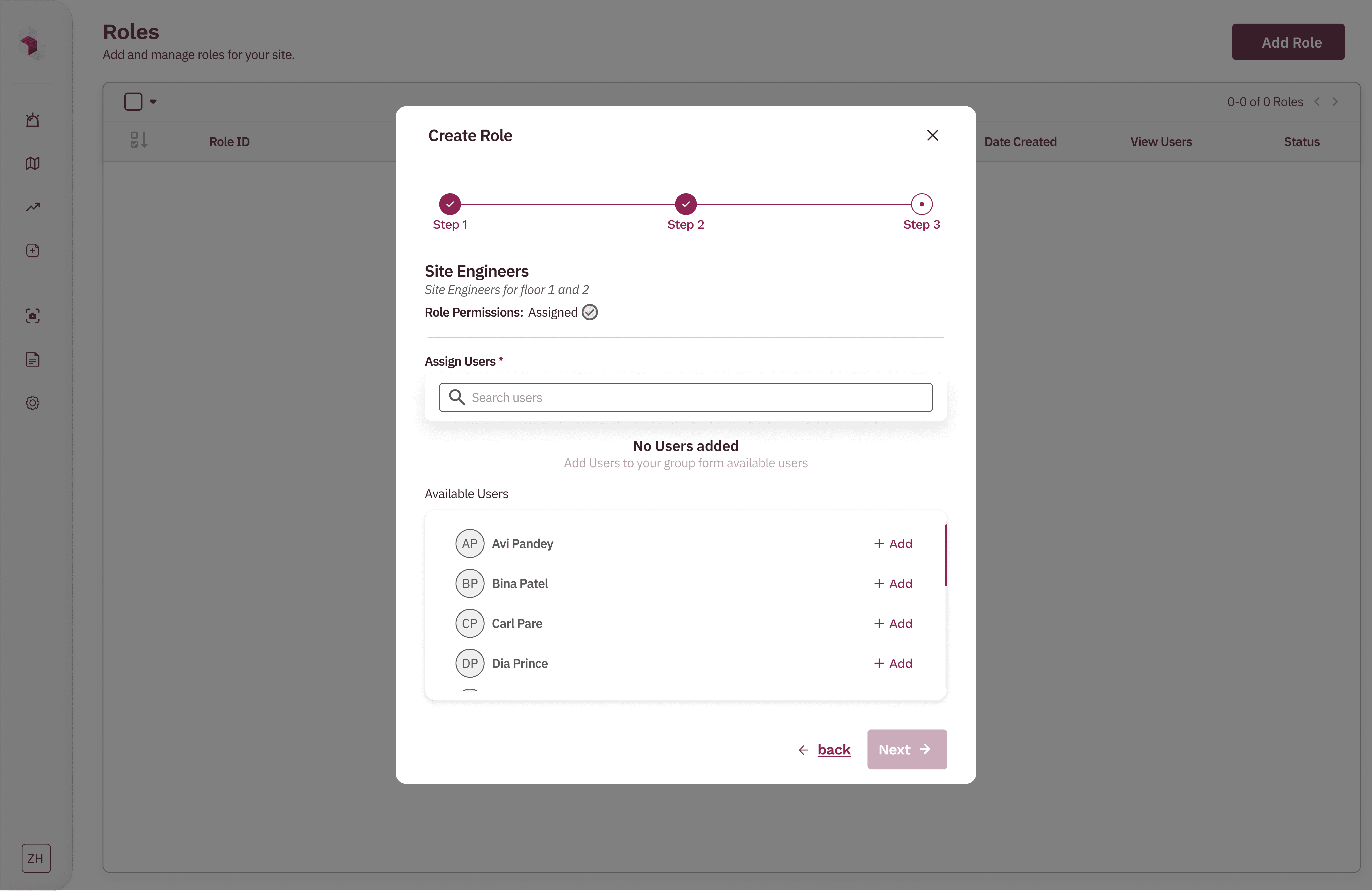
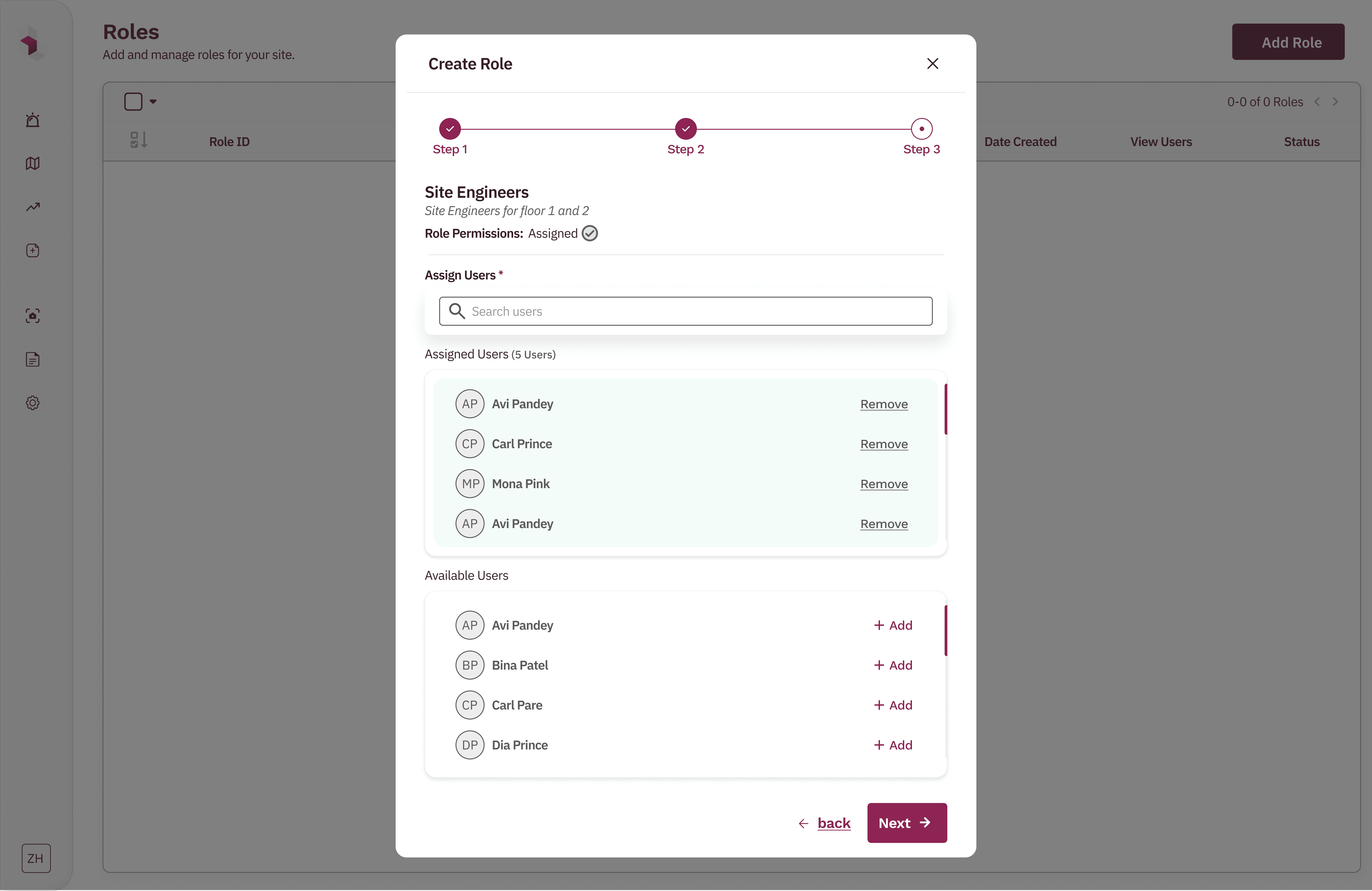
Final approved design
Failed Exploration 2: Segmented group management model ❌
Initial approach (Iterations 1–3)
We initially designed group management using segmented tabs within each group. Admins could toggle between Roles and Users, view counts for each, and add items via separate modals. Each segment exposed its own “Add” action, opening contextual assignment flows.
Why this failed
User testing revealed admins lost track of their progress when switching between tabs 4 out of 5 abandoned setup midway.
Even simple actions (adding one more role or user) involved multiple clicks and context switches.
The mental model didn’t scale well as group size increased.
Admins had no clear sense of progress or completion while configuring a group.
Cognitive load increased as responsibilities grew across roles, users, and sites.
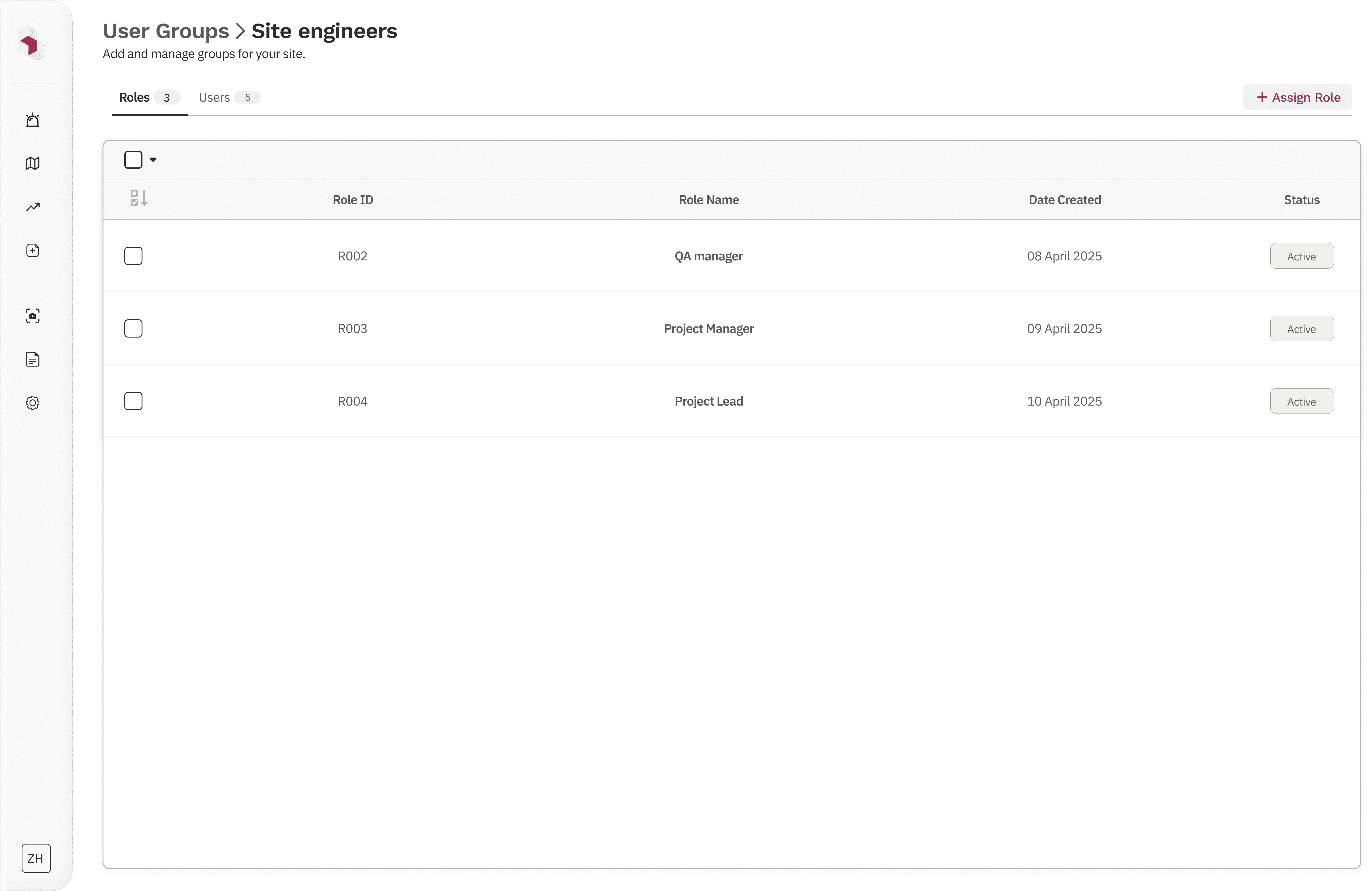
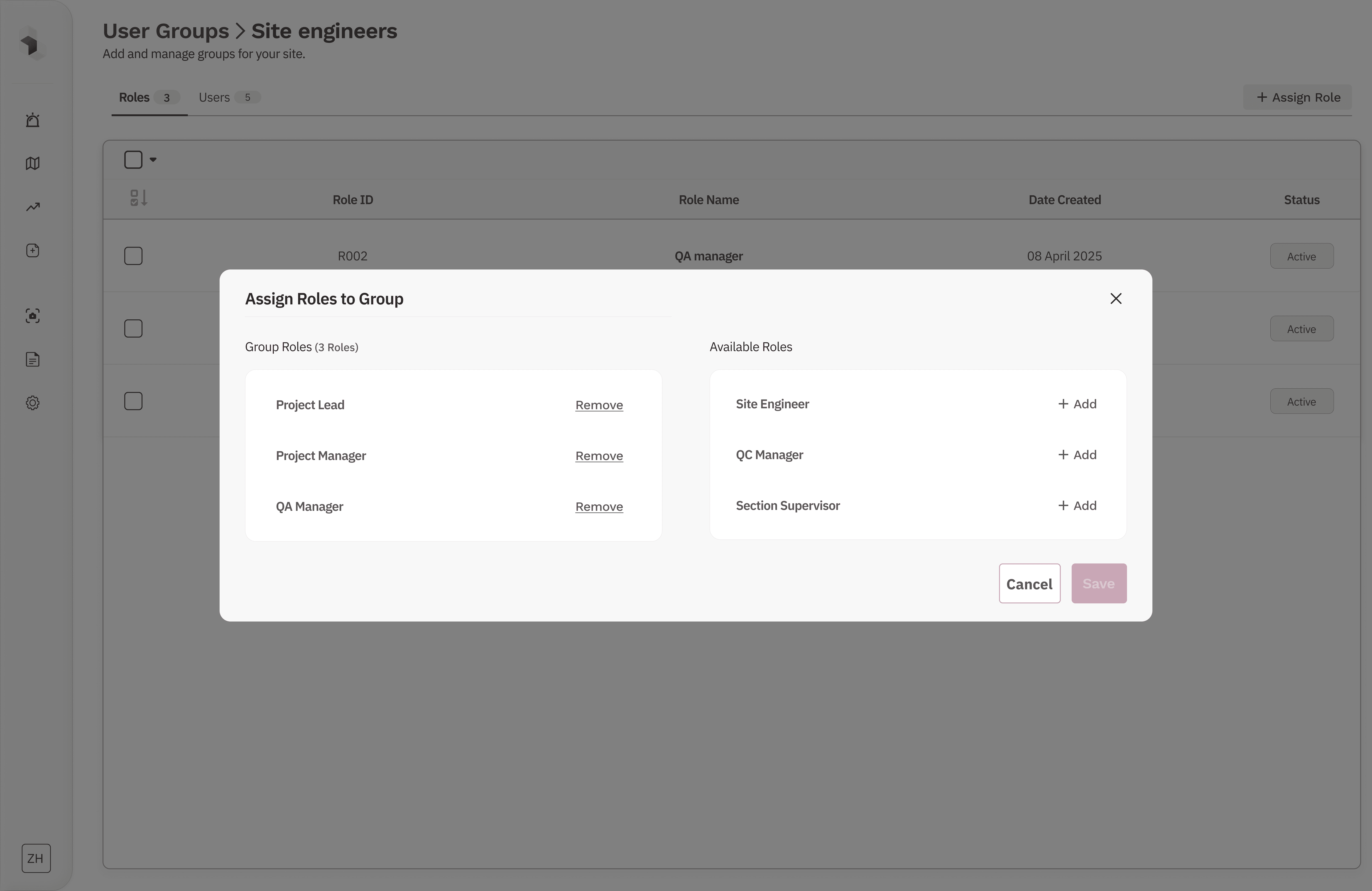
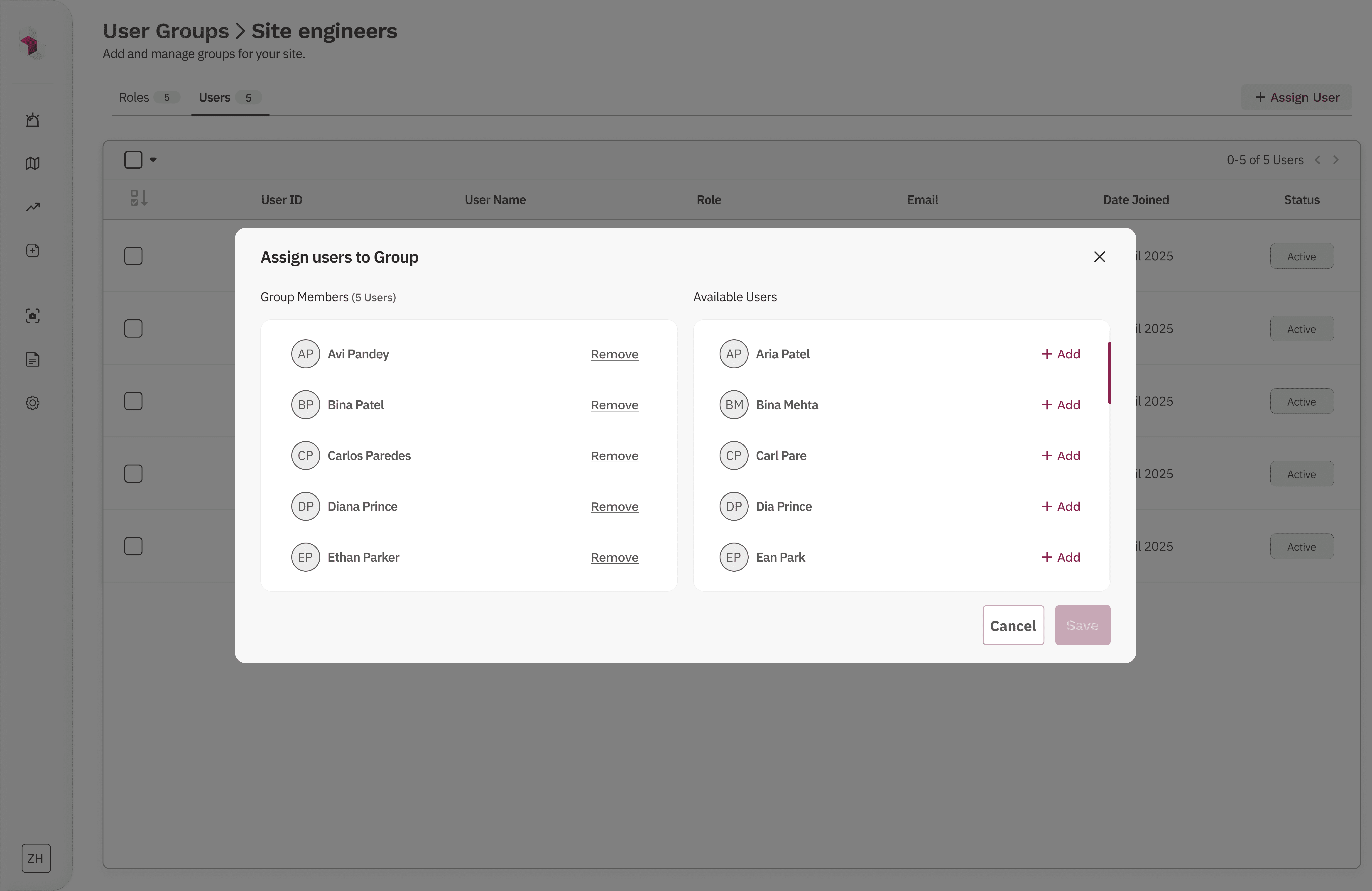
segmented roles/users views + assignment modals
Final Solution Exploration 2: Step-based group creation and management flow ✅
What changed
We redesigned group creation and editing into a guided, stepwise flow that mirrors how admins think about organizing teams.
Step 1 – Define the group
Admins set the group name, ID, and description upfront, establishing clear intent.
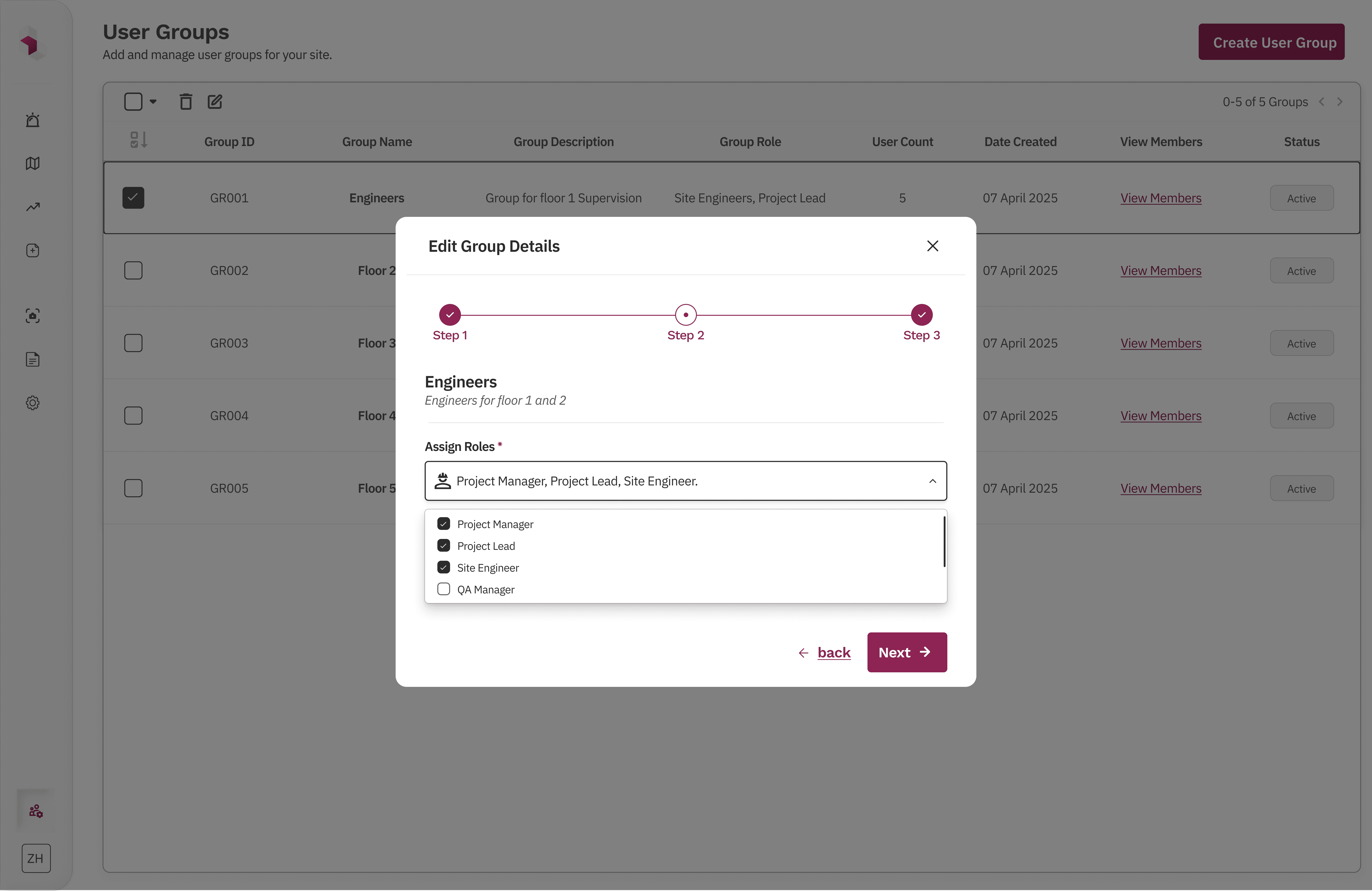
Step 2 – Assign roles
Roles are selected in bulk from a structured list, allowing multiple roles to be added in one pass.
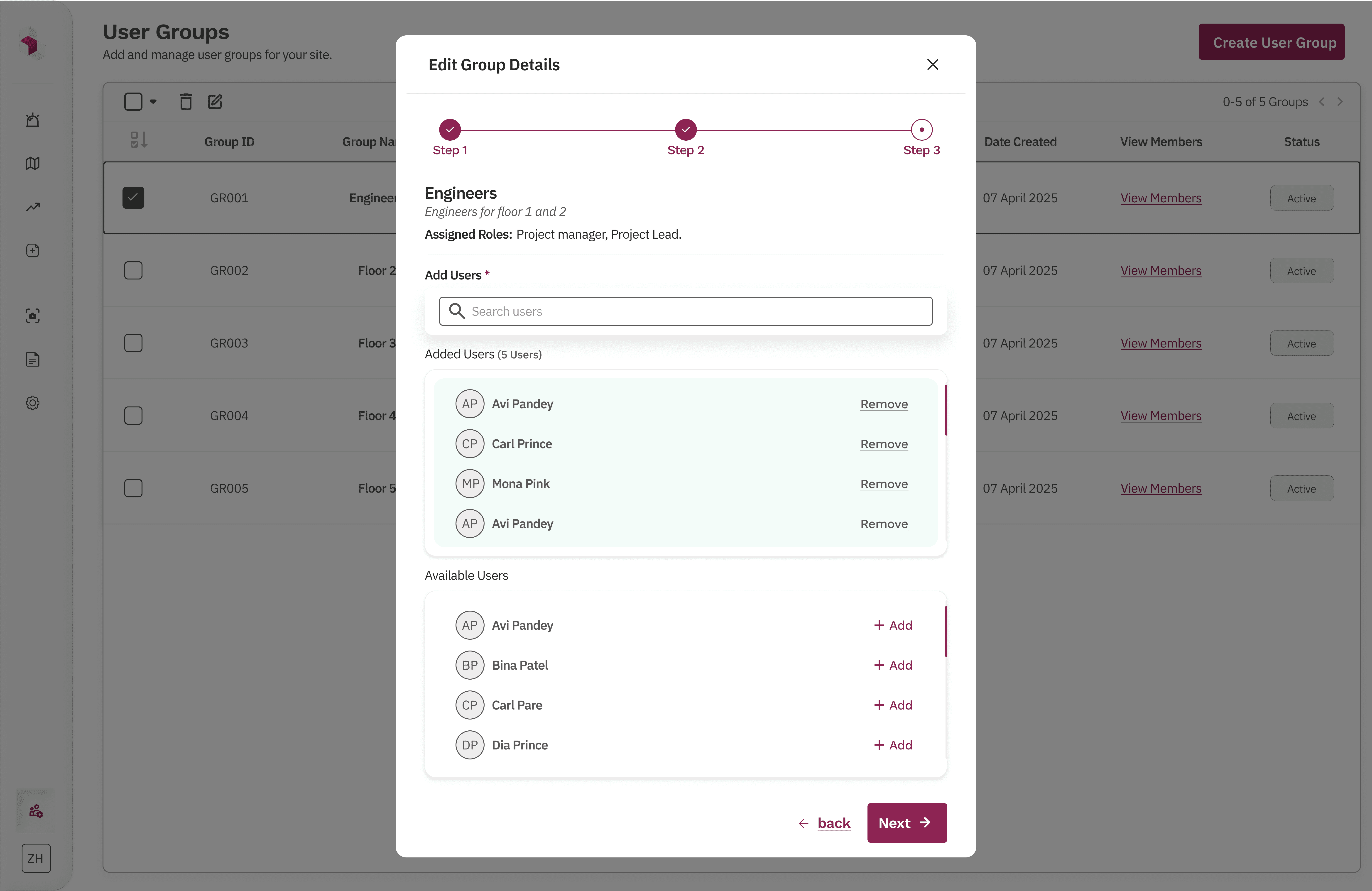
Step 3 – Add users
Admins can assign multiple users at once from the full user list, without switching contexts.
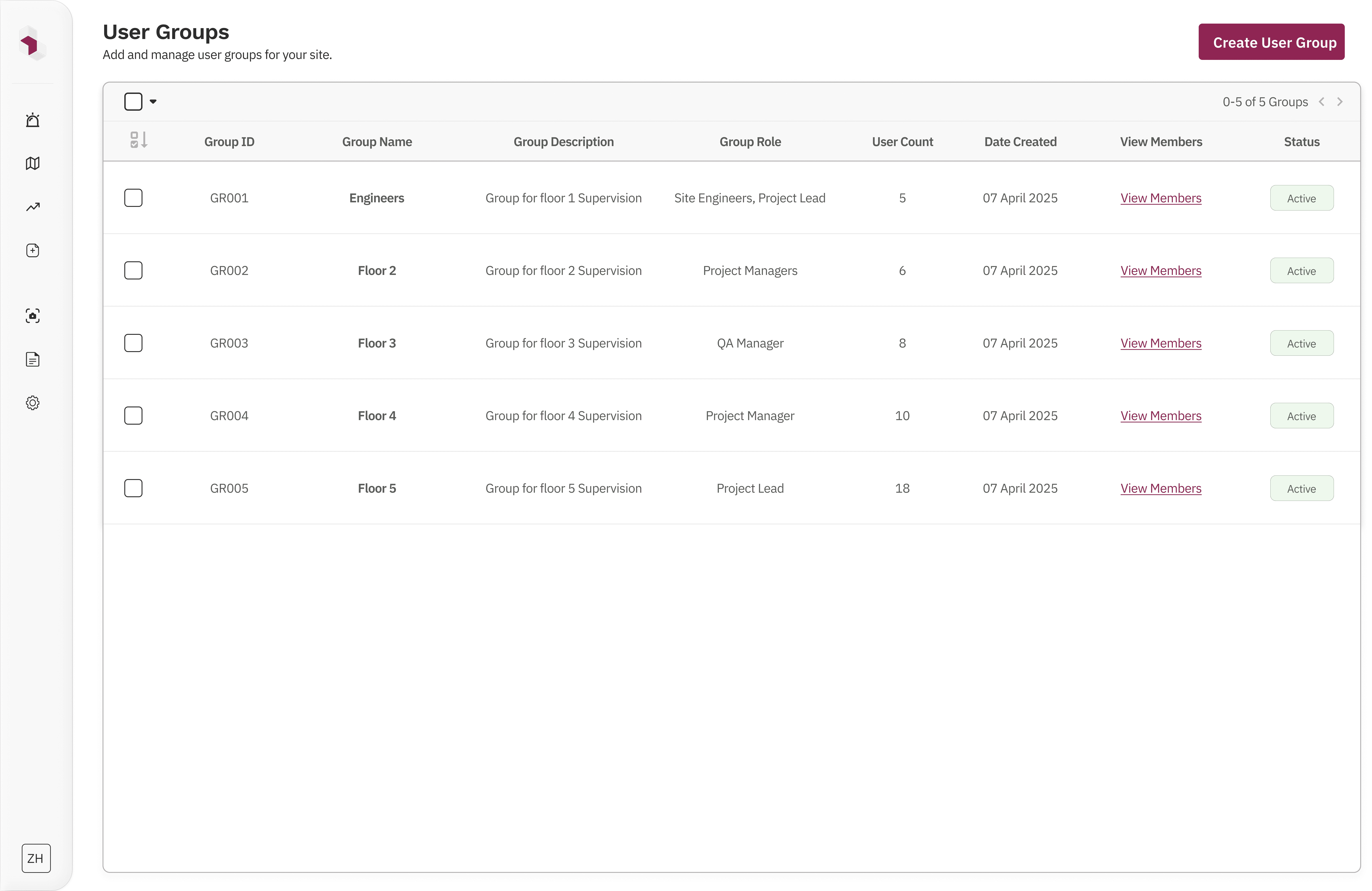
A final review screen summarizes the group details, assigned roles, and users before creation, with the ability to go back and edit any step.
Why this worked
Made the process linear and predictable
Reduced cognitive load by breaking decisions into logical steps
Scaled cleanly from small teams to large organizations
Matched real-world admin workflows
Enabled bulk actions without sacrificing clarity
Engineering validated this approach reduced API calls by 60% compared to the segmented model.
group list table + stepwise create/edit group modal
What I Didn’t Do (and Why):
I did not allow users to manage or request their own access. Access changes were intentionally kept admin-only to prevent privilege escalation and reduce security risk, while aligning with the product’s operational and compliance requirements. Product leadership agreed this decision aligned with enterprise compliance requirements for our target customers.
I did not build complex approval or request workflows. Although valuable at larger scale and explored early on, approval flows would have added significant cognitive load and development complexity. The focus remained on fast, direct admin control for growing teams.
I did not design RBAC interfaces for end users. Since end users never interact with access controls, keeping RBAC confined to the admin console reduced confusion and kept the experience aligned with real job workflows.
Together, these decisions kept the system simple, auditable, and scalable, while avoiding hidden behavior that could erode trust or slow teams as the product evolved.
Conclusion:
This RBAC solution went through multiple iterations before settling on the final approach. To keep the case study focused, I’ve highlighted only the most critical decisions and outcomes. Due to NDA constraints, I can’t share all final screens, but I’m happy to walk through the system in more detail in conversation.
The final solution reduced over-permissioning, improved access visibility, and enabled scalable permission management as teams grew. It was designed to scale further with minimal changes, keeping access control predictable, auditable, and easy to manage.
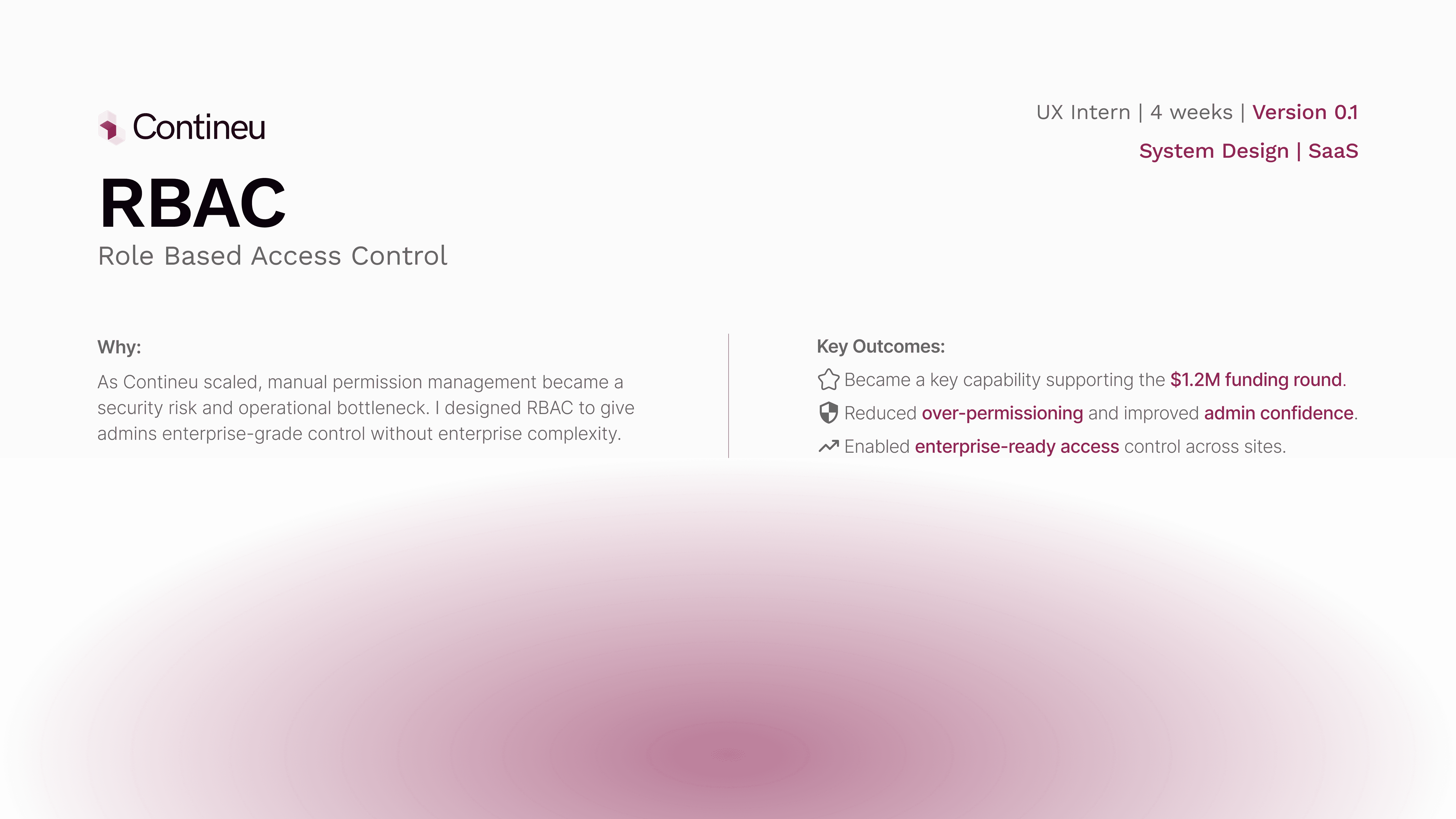
Key Outcomes🌟:
✅Became a key factor in supporting the $1.2M funding round.
✅Reduced over-permissioning and improved admin confidence in the product.
✅Enabled enterprise-ready access control across sites.
The Flow:
The RBAC flow was designed to reflect how admins naturally think about access management. From a single user management entry point, admins can navigate between users, roles, and groups based on the task they want to perform, without being forced into a rigid sequence.
Roles define permissions, groups act as a convenience layer for bulk assignment, and users can still be managed directly when needed. This keeps the system flexible while ensuring access decisions remain explicit, traceable, and easy to update as teams and sites evolve.
RBAC Solution Flow Chart
Early Explorations:
Early wireframes explored segmented tags as the core solution. In theory, they supported scalability, while breadcrumbing helped unify the RBAC feature with the rest of the product and introduced a product-wide navigation pattern that could be reused across future features.
However, after multiple design iterations and stakeholder feedback, it became clear that segmented tags, despite their theoretical strengths, added significant complexity across design, development, and the end-user experience.
Wireframes
What Failed (and Why):
Before arriving at the final solution, we explored multiple approaches that surfaced important scalability and usability trade-offs
Failed Exploration 1: Flat role creation model ❌
Initial approach (Iterations 1–3)
We initially designed role creation as a single-step modal where admins could name a role and toggle permissions. Minor iterations added bulk actions like “Select all permissions” and small UI refinements to reduce friction.
Why this failed
Assigning roles to multiple users required going back to the Users section and doing it manually.
As permissions grew, the flat layout became hard to scan and reason about.
The model didn’t scale well beyond a small set of features and users.
Too many decisions were packed into a single step, increasing cognitive load.
Initial Iterations
Final Solution Exploration 1: Step-based role creation flow ✅
What changed
We redesigned role creation into a guided, stepwise flow:
Step 1 – Define the role
Admins add a role name and description, setting clear intent upfront.
Step 2 – Configure permissions
Permissions are grouped and scrollable, supporting future feature expansion. Bulk actions like “Select all” make large setups faster without overwhelming the UI.
Step 3 – Assign users (optional)
Admins can assign the role to multiple users in one step, removing the need for repetitive manual actions.
A final review screen allows admins to verify or edit any step before creating the role.
Why this Worked
Reduced cognitive load by breaking decisions into logical steps
Scaled cleanly from small teams to large organizations
Matched how admins naturally think about access control
Allowed future permission growth without redesigning the system
Final approved design
Failed Exploration 2: Segmented group management model ❌
Initial approach (Iterations 1–3)
We initially designed group management using segmented tabs within each group. Admins could toggle between Roles and Users, view counts for each, and add items via separate modals. Each segment exposed its own “Add” action, opening contextual assignment flows.
Why this failed
The experience was non-linear: assigning roles and users required jumping between multiple tabs and modals.
Even simple actions (adding one more role or user) involved multiple clicks and context switches.
The mental model didn’t scale well as group size increased.
Admins had no clear sense of progress or completion while configuring a group.
Cognitive load increased as responsibilities grew across roles, users, and sites.
segmented roles/users views + assignment modals
Final Solution Exploration 2: Step-based group creation and management flow ✅
What changed
We redesigned group creation and editing into a guided, stepwise flow that mirrors how admins think about organizing teams.
Step 1 – Define the group
Admins set the group name, ID, and description upfront, establishing clear intent.
Step 2 – Assign roles
Roles are selected in bulk from a structured list, allowing multiple roles to be added in one pass.
Step 3 – Add users
Admins can assign multiple users at once from the full user list, without switching contexts.
A final review screen summarizes the group details, assigned roles, and users before creation, with the ability to go back and edit any step.
Why this worked
Made the process linear and predictable
Reduced cognitive load by breaking decisions into logical steps
Scaled cleanly from small teams to large organizations
Matched real-world admin workflows
Enabled bulk actions without sacrificing clarity
group list table + stepwise create/edit group modal
What I Didn’t Do (and Why):
I did not allow users to manage or request their own access. Access changes were intentionally kept admin-only to prevent privilege escalation and reduce security risk, while aligning with the product’s operational and compliance requirements.
I did not build complex approval or request workflows. Although valuable at larger scale and explored early on, approval flows would have added significant cognitive load and development complexity. The focus remained on fast, direct admin control for growing teams.
I did not design RBAC interfaces for end users. Since end users never interact with access controls, keeping RBAC confined to the admin console reduced confusion and kept the experience aligned with real job workflows.
Together, these decisions kept the system simple, auditable, and scalable, while avoiding hidden behavior that could erode trust or slow teams as the product evolved.
Key Outcomes🌟:
✅Became a key factor in supporting the $1.2M funding round.
✅Reduced over-permissioning and improved admin confidence in the product.
✅Enabled enterprise-ready access control across sites.
Conclusion:
This RBAC solution went through multiple iterations before settling on the final approach. To keep the case study focused, I’ve highlighted only the most critical decisions and outcomes. Due to NDA constraints, I can’t share all final screens, but I’m happy to walk through the system in more detail in conversation.
The final solution reduced over-permissioning, improved access visibility, and enabled scalable permission management as teams grew. It was designed to scale further with minimal changes, keeping access control predictable, auditable, and easy to manage.
The Flow:
The RBAC flow was designed to reflect how admins naturally think about access management. From a single user management entry point, admins can navigate between users, roles, and groups based on the task they want to perform, without being forced into a rigid sequence.
Roles define permissions, groups act as a convenience layer for bulk assignment, and users can still be managed directly when needed. This keeps the system flexible while ensuring access decisions remain explicit, traceable, and easy to update as teams and sites evolve.
RBAC Solution Flow Chart
Early Explorations:
Early wireframes explored segmented tags as the core solution. In theory, they supported scalability, while breadcrumbing helped unify the RBAC feature with the rest of the product and introduced a product-wide navigation pattern that could be reused across future features.
However, after multiple design iterations and stakeholder feedback, it became clear that segmented tags, despite their theoretical strengths, added significant complexity across design, development, and the end-user experience.
Wireframes
What Failed (and Why):
Before arriving at the final solution, we explored multiple approaches that surfaced important scalability and usability trade-offs
Failed Exploration 1: Flat role creation model ❌
Initial approach (Iterations 1–3)
We initially designed role creation as a single-step modal where admins could name a role and toggle permissions. Minor iterations added bulk actions like “Select all permissions” and small UI refinements to reduce friction.
Why this failed
Assigning roles to multiple users required going back to the Users section and doing it manually.
As permissions grew, the flat layout became hard to scan and reason about.
The model didn’t scale well beyond a small set of features and users.
Too many decisions were packed into a single step, increasing cognitive load.
Initial Iterations
Final Solution Exploration 1: Step-based role creation flow ✅
What changed
We redesigned role creation into a guided, stepwise flow:
Step 1 – Define the role
Admins add a role name and description, setting clear intent upfront.
Step 2 – Configure permissions
Permissions are grouped and scrollable, supporting future feature expansion. Bulk actions like “Select all” make large setups faster without overwhelming the UI.
Step 3 – Assign users (optional)
Admins can assign the role to multiple users in one step, removing the need for repetitive manual actions.
A final review screen allows admins to verify or edit any step before creating the role.
Why this Worked
Reduced cognitive load by breaking decisions into logical steps
Scaled cleanly from small teams to large organizations
Matched how admins naturally think about access control
Allowed future permission growth without redesigning the system
Final approved design
Failed Exploration 2: Segmented group management model ❌
Initial approach (Iterations 1–3)
We initially designed group management using segmented tabs within each group. Admins could toggle between Roles and Users, view counts for each, and add items via separate modals. Each segment exposed its own “Add” action, opening contextual assignment flows.
Why this failed
The experience was non-linear: assigning roles and users required jumping between multiple tabs and modals.
Even simple actions (adding one more role or user) involved multiple clicks and context switches.
The mental model didn’t scale well as group size increased.
Admins had no clear sense of progress or completion while configuring a group.
Cognitive load increased as responsibilities grew across roles, users, and sites.
segmented roles/users views + assignment modals
Final Solution Exploration 2: Step-based group creation and management flow ✅
What changed
We redesigned group creation and editing into a guided, stepwise flow that mirrors how admins think about organizing teams.
Step 1 – Define the group
Admins set the group name, ID, and description upfront, establishing clear intent.
Step 2 – Assign roles
Roles are selected in bulk from a structured list, allowing multiple roles to be added in one pass.
Step 3 – Add users
Admins can assign multiple users at once from the full user list, without switching contexts.
A final review screen summarizes the group details, assigned roles, and users before creation, with the ability to go back and edit any step.
Why this worked
Made the process linear and predictable
Reduced cognitive load by breaking decisions into logical steps
Scaled cleanly from small teams to large organizations
Matched real-world admin workflows
Enabled bulk actions without sacrificing clarity
group list table + stepwise create/edit group modal
What I Didn’t Do (and Why):
I did not allow users to manage or request their own access. Access changes were intentionally kept admin-only to prevent privilege escalation and reduce security risk, while aligning with the product’s operational and compliance requirements.
I did not build complex approval or request workflows. Although valuable at larger scale and explored early on, approval flows would have added significant cognitive load and development complexity. The focus remained on fast, direct admin control for growing teams.
I did not design RBAC interfaces for end users. Since end users never interact with access controls, keeping RBAC confined to the admin console reduced confusion and kept the experience aligned with real job workflows.
Together, these decisions kept the system simple, auditable, and scalable, while avoiding hidden behavior that could erode trust or slow teams as the product evolved.
Key Outcomes🌟:
✅Became a key factor in supporting the $1.2M funding round.
✅Reduced over-permissioning and improved admin confidence in the product.
✅Enabled enterprise-ready access control across sites.
Conclusion:
This RBAC solution went through multiple iterations before settling on the final approach. To keep the case study focused, I’ve highlighted only the most critical decisions and outcomes. Due to NDA constraints, I can’t share all final screens, but I’m happy to walk through the system in more detail in conversation.
The final solution reduced over-permissioning, improved access visibility, and enabled scalable permission management as teams grew. It was designed to scale further with minimal changes, keeping access control predictable, auditable, and easy to manage.
Hope you like it, Let's talk 👋,
anything about design, projects or a new Idea.
Get in touch
or you can reach me at
Hope you like it, Let's talk 👋,
anything about design, projects or a new Idea.
Get in touch
or you can reach me at
